
Pixels, Not Percentages: What Broke the Codes
In CS:GO and early CS2, values like cl_crosshairsize 3.9 and cl_crosshairgap -2.2 were based on an arbitrary, invisible scale. Your crosshair would change size drastically depending on whether you played on native 1080p, 1440p, or stretched 4:3.
The new system ditches the math and uses real pixels. If you set your thickness to 1, length to 8, and gap to 4, you are getting exactly a 1-pixel wide crosshair with 8-pixel bars and a 4-pixel gap. A hotfix on September 23 also added automatic rescaling, meaning your crosshair will finally retain its exact proportions even if you switch resolutions.
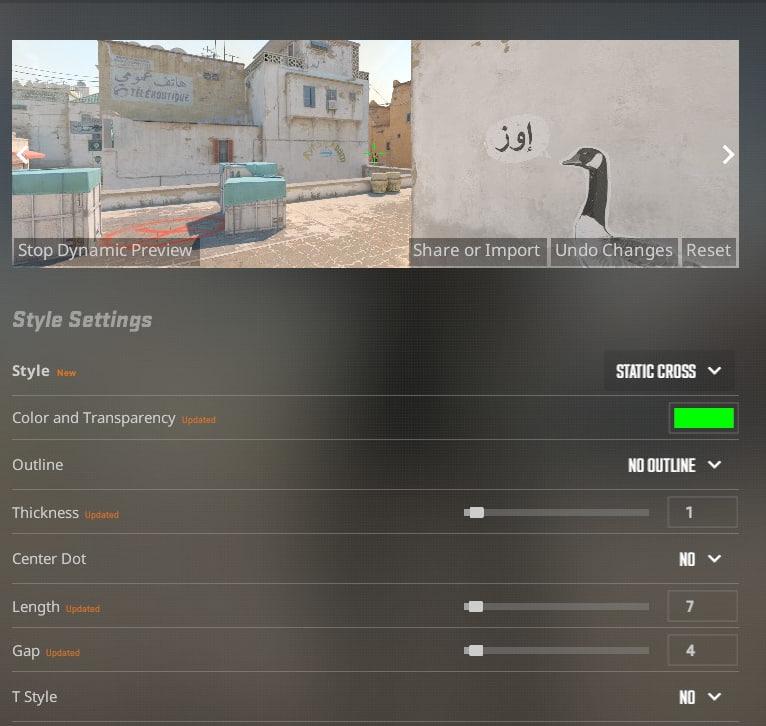
However, with the new system, a few fan-favorite settings have been nuked:
Negative gaps are gone: The gap scale now runs from 0 to 128. If you relied on a -2 gap to pull your crosshair tight, you'll now have to use a 0 gap with shorter lengths.
Decimal outlines are dead: The popular 0.5 outline thickness is gone. You now have to choose between off, a half-outline (top and left edges only), or full.
Length limits: Length now caps out at exactly 255 pixels.
Nine Styles and a Brand-New Default
The update expanded the crosshair style selector from six to nine and moved everything to a dedicated Crosshair/Scopes tab in the settings menu.
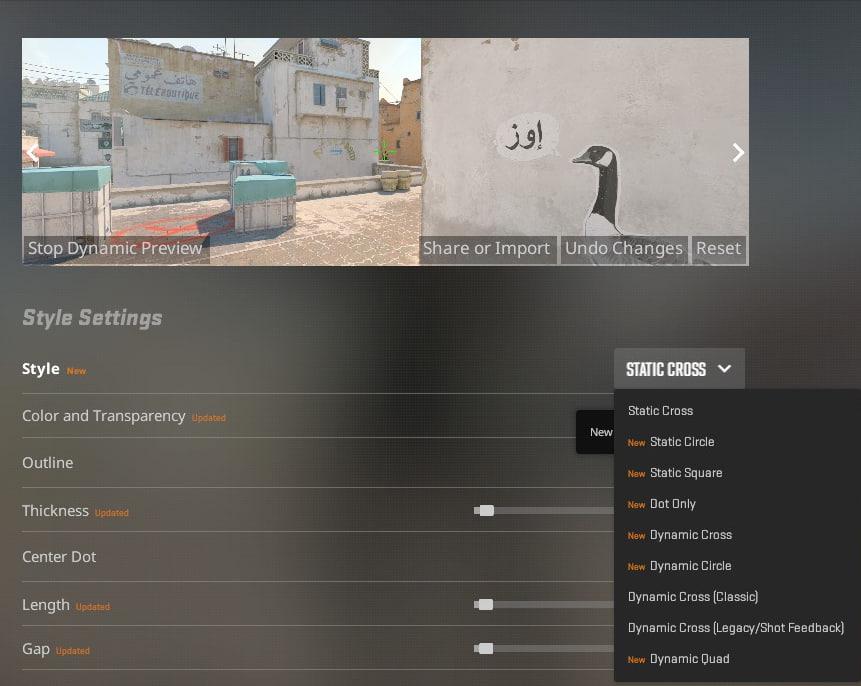
The new default is Dynamic Quad (Style 7), which gives you four static bars as an aiming reference and an outer dynamic layer that expands as your accuracy drops. It’s great for beginners learning movement penalty, but veterans will likely want to switch straight back to a static crosshair.
Here is the breakdown of the new styles:
| Value | Style Name | Does it Move? | Best Used For |
| 0 | Dynamic Cross | Yes | Learning movement inaccuracy |
| 1 | Dynamic Circle | Yes | Spray practice |
| 2 | Dynamic Cross (Legacy) | Yes | CS:GO dynamic holdouts |
| 3 | Static Circle | No | Niche playstyles |
| 4 | Static Cross | No | Almost every pro player |
| 5 | Static Cross (Shot Feedback) | Only when firing | Static aimers who want a tap indicator |
| 6 | Dot Only | No | AWP and Desert Eagle specialists |
| 7 | Dynamic Quad | Yes | New players (The new default) |
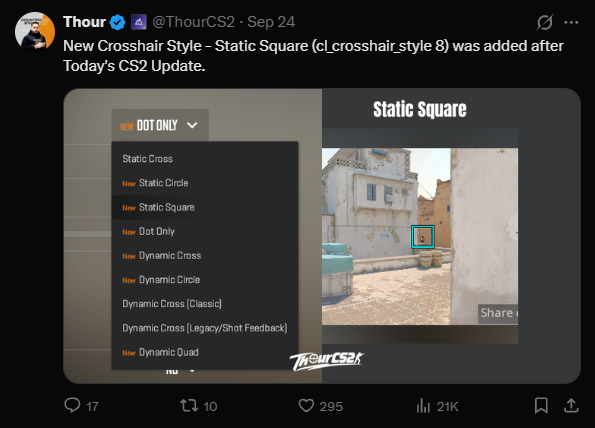
| 8 | Static Square | No | Added in the September 23 hotfix |
Console Command Changes
If you use an autoexec file, it will still load, but it will silently ignore your old crosshair lines. You need to update your config with the new commands:
| Old Command | New Command | New Range |
| cl_crosshairsize | cl_crosshair_length | 0 to 255 px |
| cl_crosshairthickness | cl_crosshair_thickness | 0 to 31 px |
| cl_crosshairgap | cl_crosshair_gap | 0 to 128 px |
| cl_crosshairalpha | cl_crosshaircolor_a | 0 to 255 |
| (New) | cl_crosshair_style | 0 to 8 |
| (New) | cl_crosshair_dynamic_spread_limit | 0 to 255 |
Are the "New Pro Crosshair" Codes Real?
If you see articles claiming to have "donk's new crosshair code" or "ZywOo's CS2 September update crosshair," take them with a massive grain of salt.
As of late September, no pros have officially published their rebuilt pixel-unit codes. The lists circulating right now are generated by community converter tools. They are a great starting point, but they aren't verified.
Here are the estimated conversions for top players right now (all using Style 4 - Static Cross):
| Player | Length | Thickness | Gap |
| ZywOo | 5 | 1 | 2 |
| ropz | 5 | 1 | 2 |
| donk | 2 | 2 | 0 |
| m0NESY | 2 | 2 | 0 |
| s1mple | 2 | 2 | 0 |
How to Get Your Old Crosshair Back
Valve didn't provide an official converter tool, so you have two options to fix your setup:
If you saved your old code: Use a community conversion tool (like cs2-crosshair-migrator or crosshairrestore.com) to translate your old CSGO- code into the new format. Keep in mind, if you used negative gaps or decimal outlines, it will look slightly different.
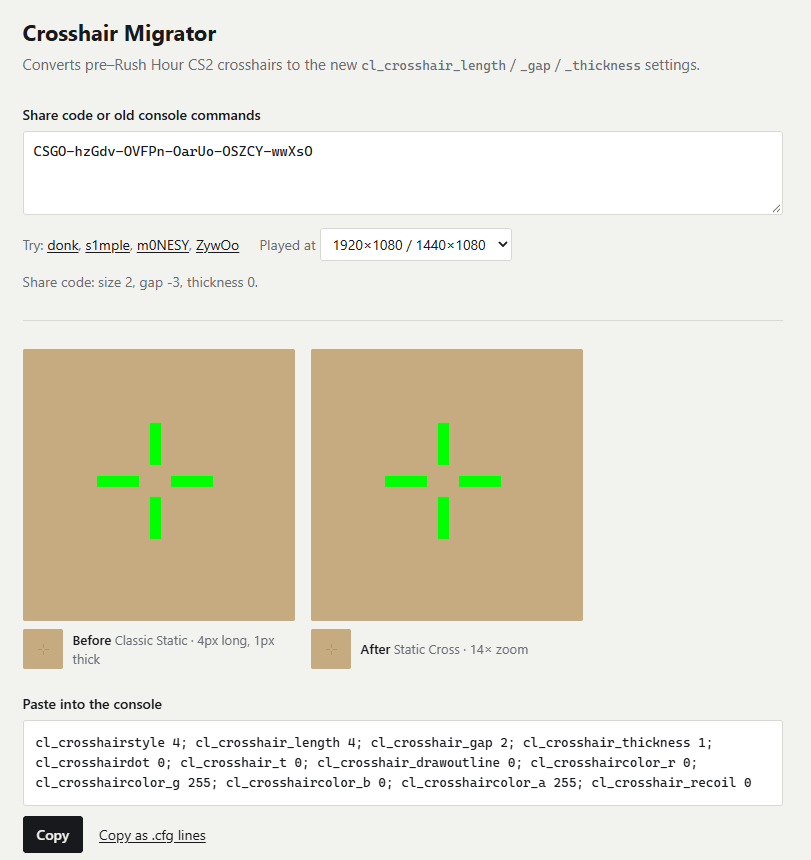
If you lst your old code: Boot up the new Crosshair/Scopes tab and rebuild it by eye. It’s easier than it sounds. Setting your thickness to 1, length between 2 and 6, and gap between 0 and 3 will match 90% of the pro scene.
What This Means for Your Inventory
Mechanically? Nothing. Your Karambit doesn't care what your crosshair looks like.
Visually? This is actually the perfect time to check out how your loadout looks. Because the new outline system forces you into either a "half" or "full" outline, thicker crosshairs with bold colors (like Cyan or Neon Green) will cover noticeably more of your weapon model than the old 0.5 thickness outline did.
If you are spending the week grinding Deathmatch to relearn your visual muscle memory, why not do it with a fresh pair of gloves or a shiny new AK-47? Head over to Skin.Land to upgrade your loadout instantly—we offer the best prices, instant payouts, and zero hidden fees. Unlike your crosshair, our trading system is fully intact and ready to go.







เขียนความคิดเห็น