
¿Por qué necesitas cambiar la sensibilidad de CS2 a VALORANT y viceversa?
La sensibilidad del ratón es una parte importante de tu éxito. Si está bien ajustada, tu puntería y tu reacción estarán a la altura. Sin embargo, los ajustes de sensibilidad en CS2 y Valorant funcionan de forma diferente, así que no basta con poner los mismos números en ambos juegos. Para jugar con la configuración más cómoda, es necesario calcular la conversión, trasladando tus parámetros de un juego a otro. Por el contrario, si no lo haces correctamente, puedes sufrir una caída en el rendimiento hasta acostumbrarte a la nueva sensibilidad. Usa una calculadora de conversión de sensibilidad para evitarlo.
¿Cómo calcular y convertir la sensibilidad de VALORANT a CS2? Ratio de sensibilidad CS2-Valo
La sensibilidad en Valorant y en CS2 se mide de formas distintas. Valorant usa una escala que va de 0 a 10, siendo 10 la sensibilidad máxima posible. CS2 usa una escala diferente, que va de 0 a 5. Además, los puntos de esta escala tienen valores distintos. Básicamente, para convertir la sensibilidad del ratón a CS2, multiplica tu parámetro inicial por 3.18. Aquí tienes un ejemplo:
Si tienes tu sensibilidad de Valorant configurada en 1.5, tu sensibilidad de ratón en CS2 será 4.77.
Si no quieres pasar por la molestia de hacer estos cálculos tú mismo, usa uno de los sitios web especializados que te ahorran tiempo y calculan la conversión de sensibilidad por ti. Aquí tienes algunas herramientas útiles:
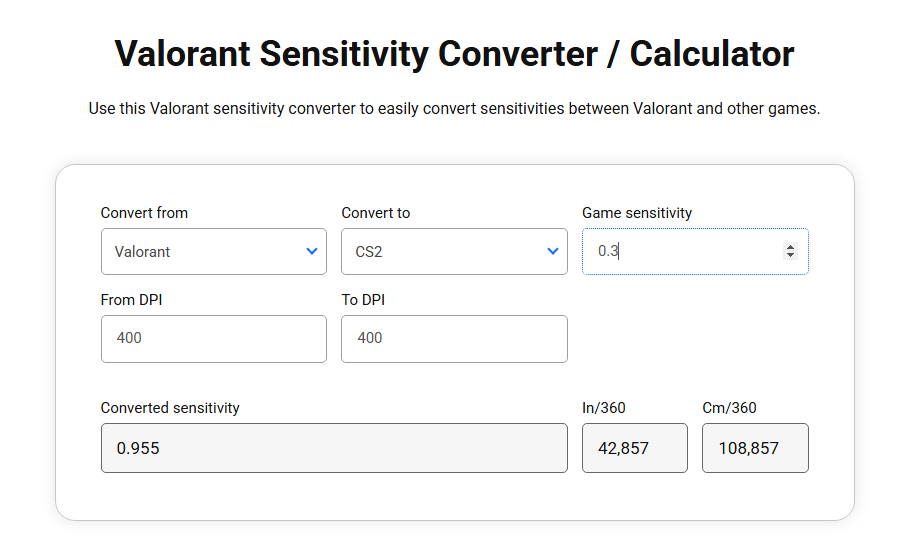
El Sensitivity Converter de GamingSmart calcula rápidamente una conversión entre CS2 y Valorant, así como otros juegos FPS. Solo tienes que introducir tus parámetros. Por ejemplo, 0.3 en Valorant se traduce en 0.955 en CS2. Si quieres, también puedes tener en cuenta distintos ajustes de DPI, otro parámetro importante del ratón.
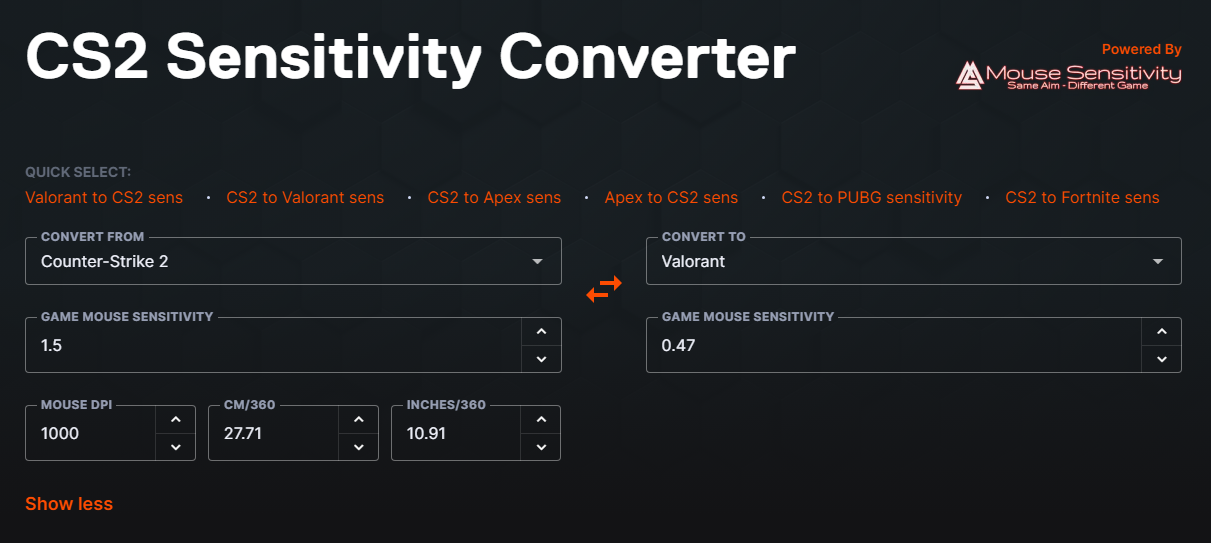
El CS2 Sensitivity Converter de 3D Aim Trainer ofrece una experiencia similar. Solo tienes que elegir el juego en un menú desplegable e introducir tus valores. Puedes invertir rápidamente la dirección de la conversión con las flechas del centro. Aquí puedes ver que una sensibilidad de ratón de 1.5 en CS2 se traduce en 0.47 en Valorant.
Mouse Sensitivity Converter es otra herramienta con el mismo propósito. Con ella puedes calcular rápidamente que una sensibilidad de 0.27 en Valorant se convierte en 0.8591 en CS2.
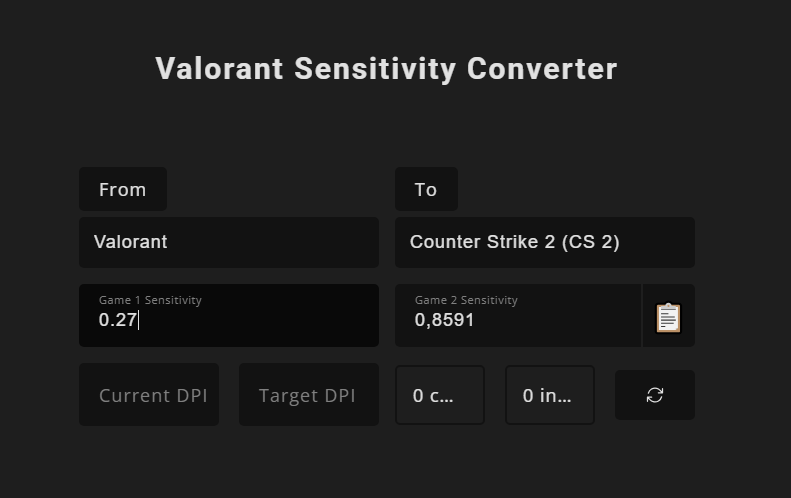
También existen otras herramientas de naturaleza similar, que puedes encontrar fácilmente con cualquier buscador. Es útil guardar varias en marcadores por si alguna deja de funcionar.
¿Cómo cambiar la sensibilidad de VALORANT a CS2?
Aquí tienes una instrucción sencilla para hacer la conversión en un momento:
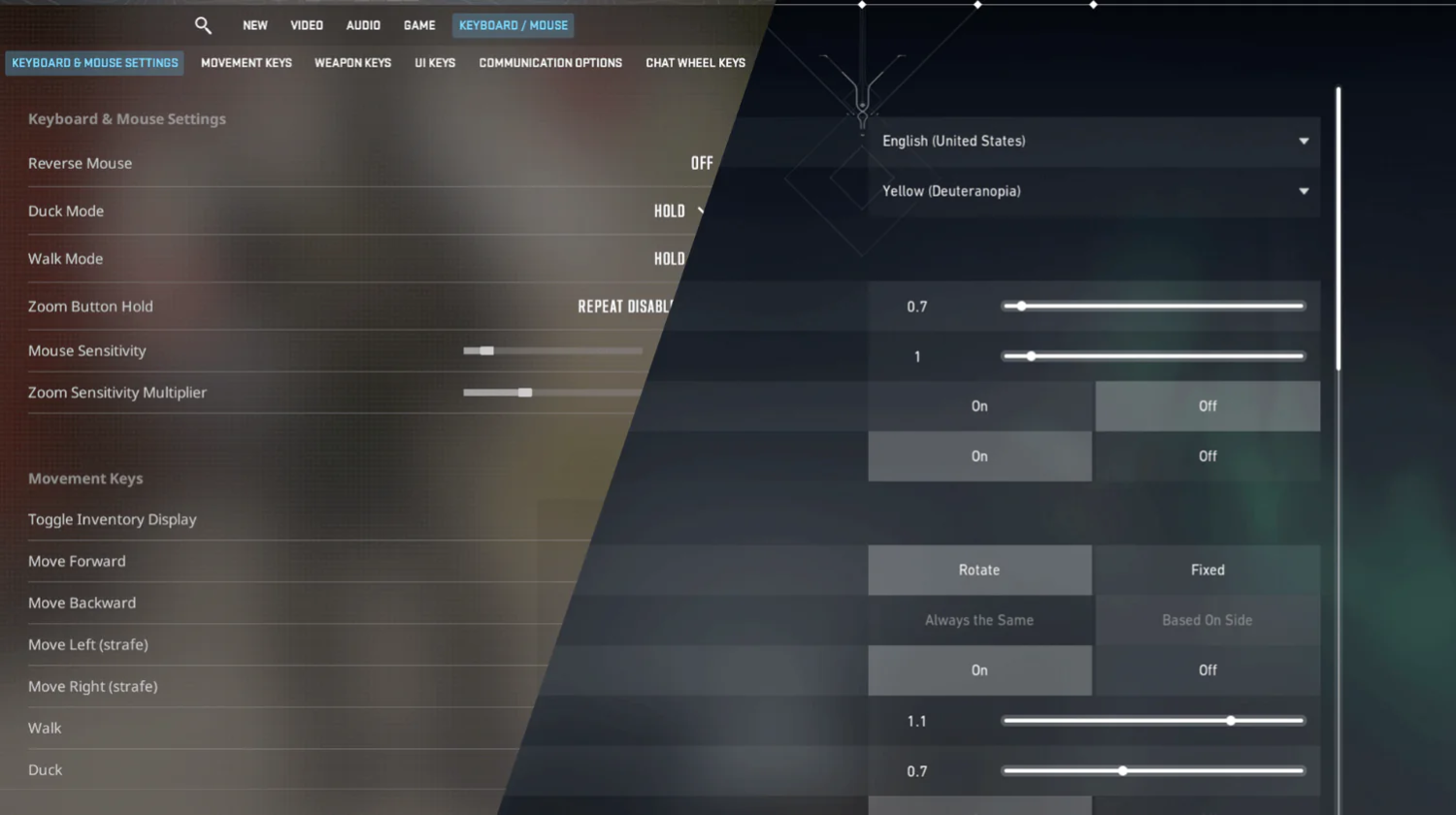
Abre los ajustes de Valorant en el juego. Busca Mouse sensitivity en la sección Mouse.
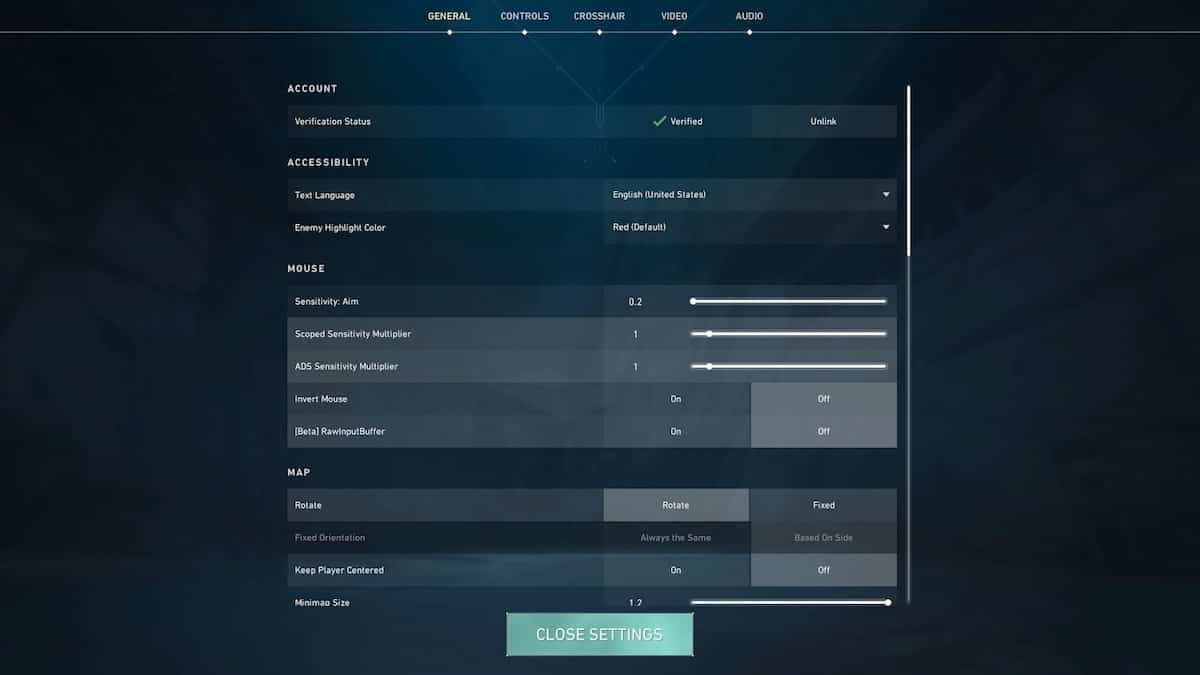
Introduce el valor de sensibilidad en el conversor que prefieras.
Anota el resultado.
Abre CS2 y ajusta la sensibilidad del ratón en la sección Keyboard and Mouse Settings al valor deseado.
¿Cómo cambiar la sensibilidad de CS2 a VALORANT?
El proceso para trasladar la sensibilidad de CS2 a Valorant también es sencillo.
Abre los ajustes de CS2 en el juego. Busca Mouse sensitivity en la sección Keyboard and Mouse settings.
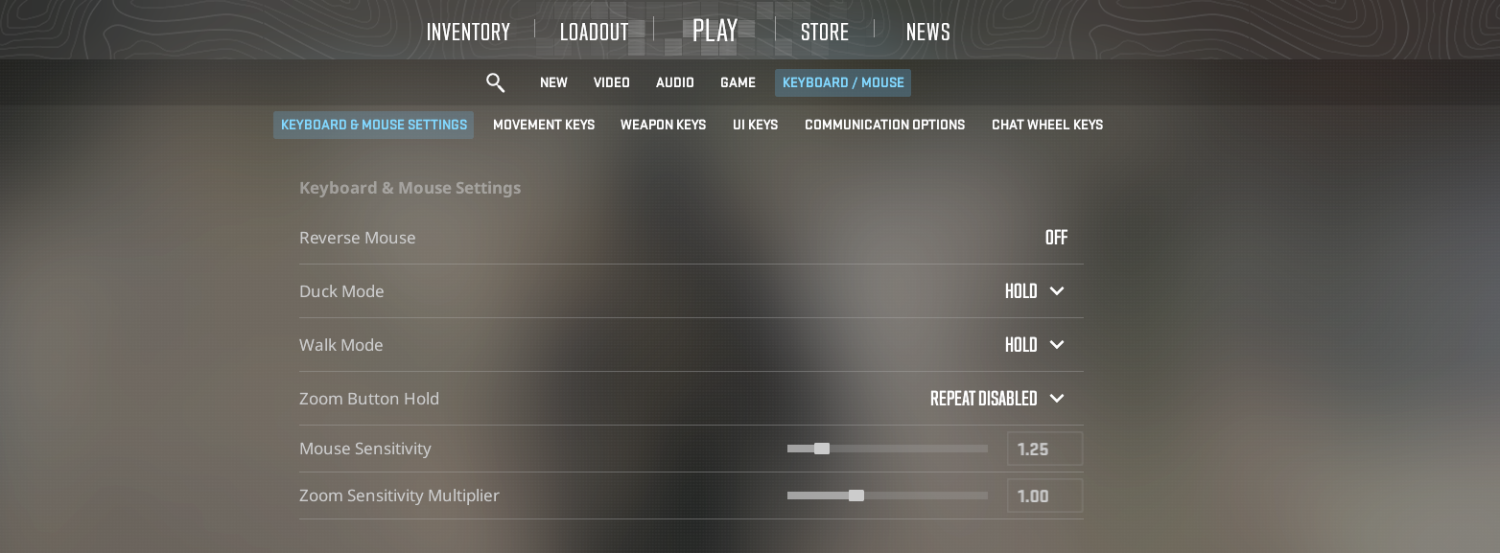
Introduce el valor de sensibilidad en el conversor que prefieras.
Anota el resultado.
Abre Valorant y ajusta la sensibilidad del ratón en la sección Mouse de los ajustes al valor deseado. Ten en cuenta que Valorant permite ajustar la sensibilidad de la mira por separado, así que también vale la pena experimentar con ella para jugar con más comodidad.
¿Qué hacer después de convertir y cambiar la sensibilidad de CS2 a VALORANT?
Ahora ya sabes cómo convertir la sensibilidad de Valorant a CS2 y viceversa. Sin embargo, para asegurarte de que todo funciona como esperas, conviene comprobarlo antes de lanzarte a una partida competitiva.
Prueba el modo práctica para comprobar si los parámetros de sensibilidad te convienen. Puede que hagan falta pequeños ajustes debido a su combinación con otras opciones. En CS2 puedes descargar mapas de entrenamiento de puntería personalizados para este fin.
Infórmate sobre los ajustes de DPI del ratón. Asegúrate de que sean consistentes en ambos juegos, y si son distintos, tenlo en cuenta al usar un conversor de sensibilidad.
Presta atención a otros parámetros que afectan a tu eficacia de puntería. Por ejemplo, explora las opciones de crosshair y ajústalas a tu gusto.
Tampoco olvides otros aspectos del juego. Para darle sabor a tu partida, mejórala con distintos objetos cosméticos, como skins de armas, cuchillos y agentes. Explora la gran variedad de skins de CS2 asequibles en nuestro catálogo y haz crecer tu colección con Skin.Land!
Preguntas frecuentes sobre el conversor de sensibilidad de VALORANT a CS2
¿Es la misma sensibilidad en CS2 y en VALORANT?
No, tanto el rango como el valor de la unidad son diferentes. En CS2 la sensibilidad del ratón va de 0 a 5, y en Valorant de 0 a 10. Por eso necesitas un conversor para trasladar tus ajustes de un juego a otro.
¿Cómo igualar la sensibilidad de CS2 y VALORANT?
Puedes calcularlo manualmente, sabiendo que la sensibilidad de CS2 es x3.18 mayor que en Valorant. Sin embargo, para una solución más cómoda, simplemente usa uno de los muchos conversores de sensibilidad, sobre todo si también quieres cambiar el DPI del ratón.
¿Cómo trasladar la sensibilidad de VALORANT a CS2?
Sigue estos sencillos pasos: abre los ajustes en Valorant, localiza el parámetro de sensibilidad del ratón, calcula después el valor objetivo con un conversor fiable e introdúcelo en tus ajustes de CS2.






Escriba un comentario