
CS:GO와 CS2의 최고의 1v1 맵
지금부터 저희가 생각하는 가장 괜찮은 맵들을 소개합니다. 몇 개의 묶음으로 나눠 정리했습니다. 물론 아래 목록은 어디까지나 저희의 주관적인 의견이고 절대적인 정답은 아닙니다. 동의하지 않으셔도 됩니다. 여기에 없는 좋은 맵을 알고 계신다면 댓글로 알려 주세요.
클래식 맵
여기에 해당하는 맵은 다음과 같습니다.
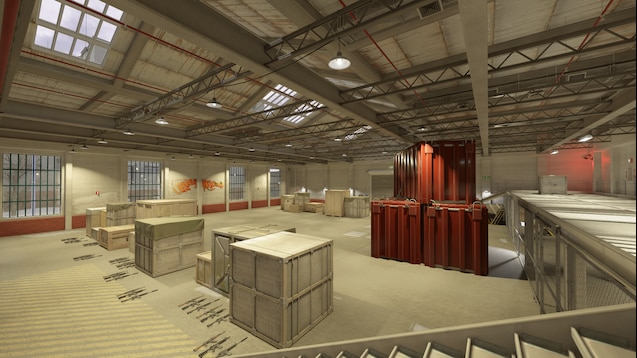
aim_map_pro — CS:GO 시절부터 인기가 많았던, 역사가 깊은 미니멀한 맵입니다. 군더더기 없는 구조와 거의 없다시피 한 엄폐물 덕분에 사격과 프리파이어 연습에는 아마 가장 잘 맞는 맵일 겁니다. 교전이 상당히 하드코어해서, 살아남으려면 끊임없이 움직여야 합니다.
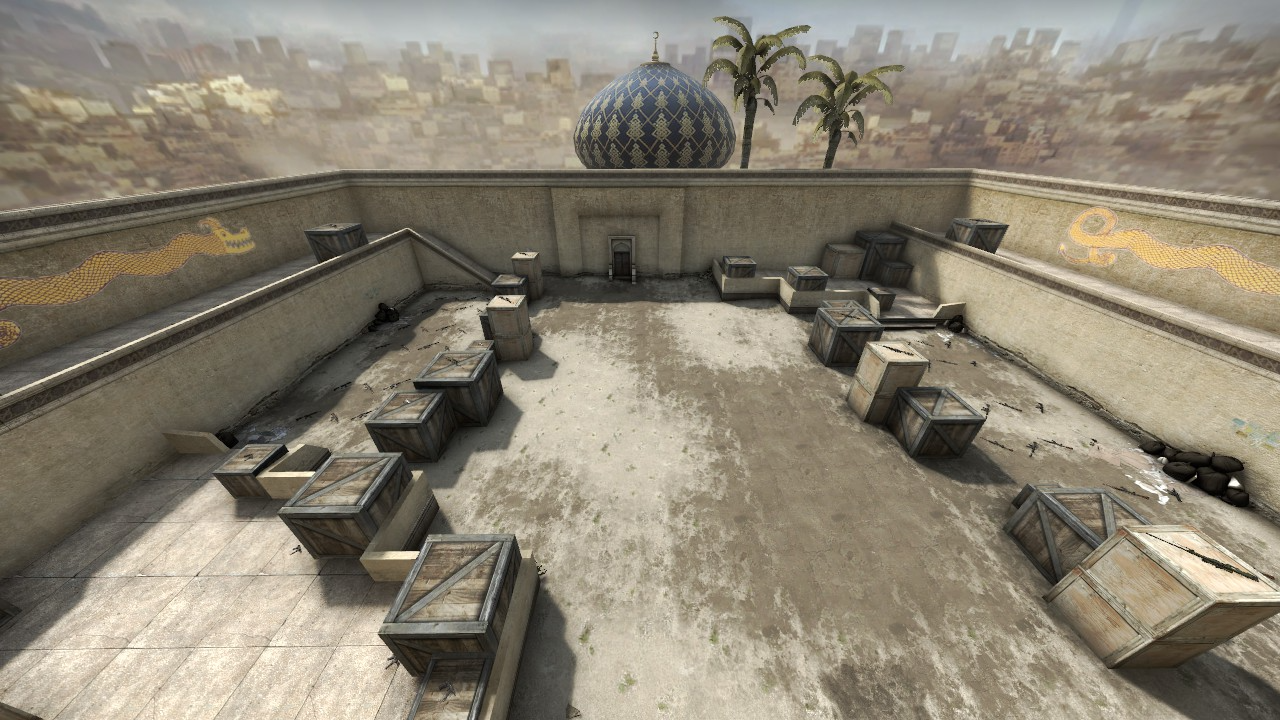
aim_redline. 이름부터 재미있는 맵입니다. 실제로 맵 한가운데에 빨간 선이 그어져 있고, 그 선이 맵을 완전히 대칭인 두 구역으로 나눕니다. 대칭 구조 덕분에 자신의 사격 실력을 가늠하고 상대와 비교해 어디가 낫고 어디가 부족한지 파악할 수 있어서 프로들 사이에서도 인기가 높습니다. 자동화기로 쏘는 걸 좋아한다면 aim_redline이 최고의 선택일 수 있습니다.
AWP 맵
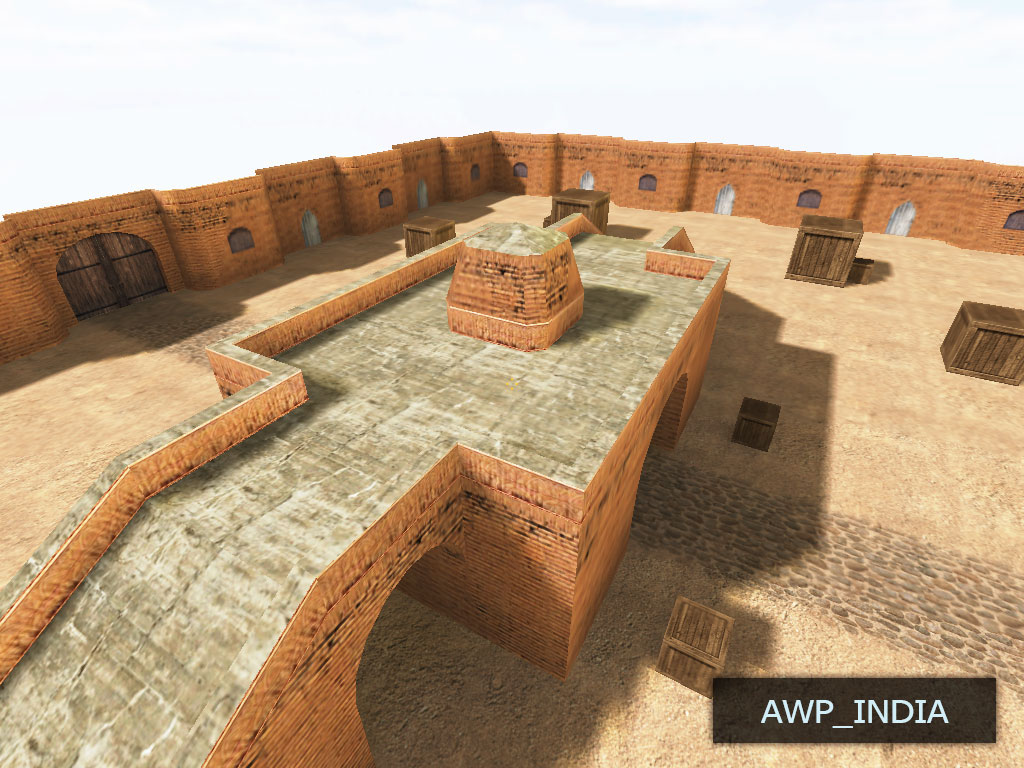
이 묶음에서 빼놓을 수 없는 맵이 두 개 있습니다.
첫 번째는 awp_india입니다. CS 유저들 사이에서 저격 연습의 표준으로 통하는 맵입니다. 구조는 아주 단순합니다. 엄폐물이 있는 긴 복도 몇 개가 전부라, 먼 거리에서 서로를 노리다가 들키지 않고 엄폐물 뒤에서 재장전하거나 자리를 옮길 수 있습니다. 상대의 움직임을 예측하고 이동하면서 쏘는 연습에 딱 맞습니다.
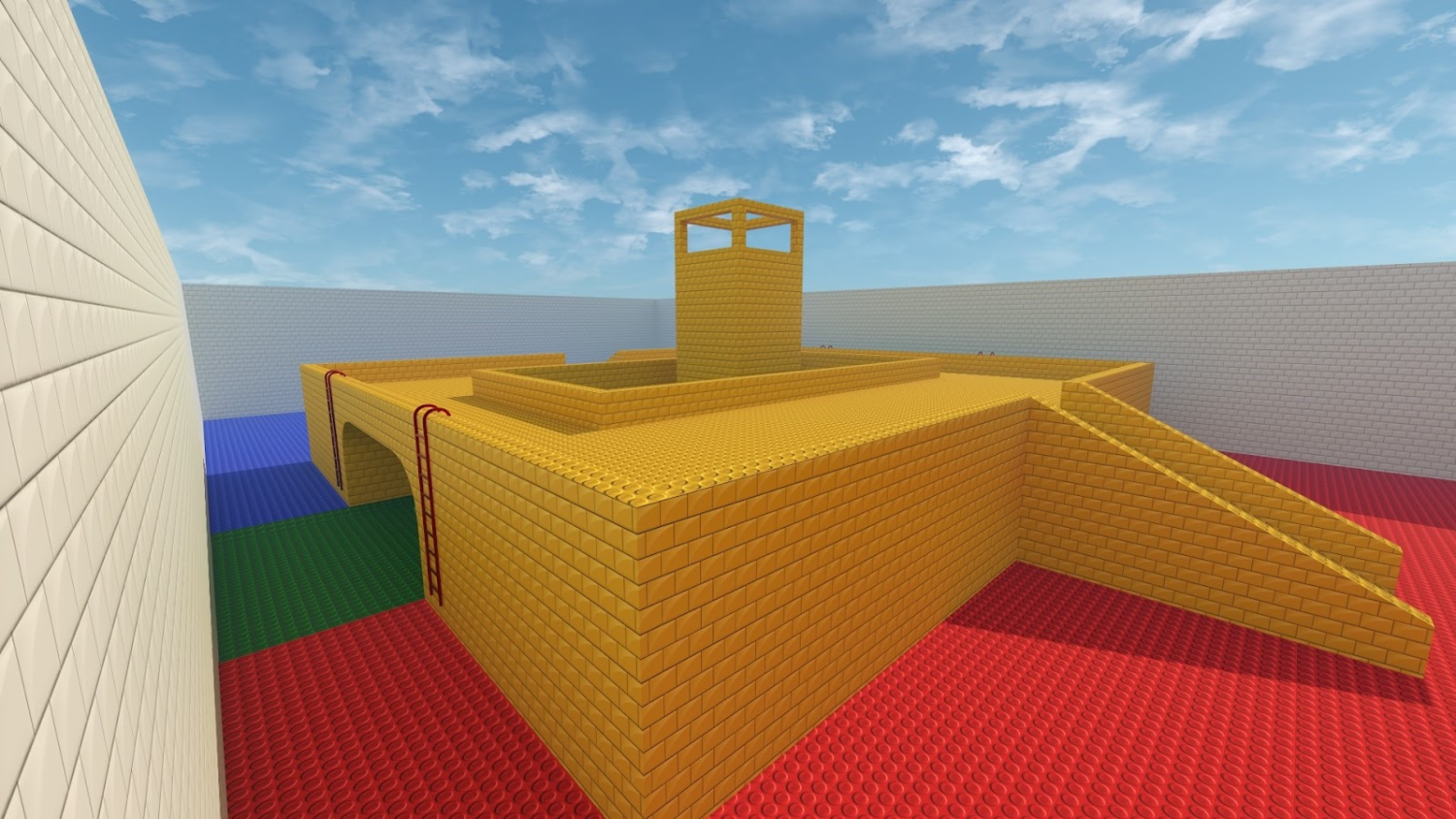
두 번째는 awp_lego_2020입니다. 레고 조립을 좋아한다면 아마 이 맵도 마음에 들 겁니다. 레고 맵은 원거리와 근거리의 균형이 더 잘 맞는 편이고, 인도 맵은 원거리 교전 쪽으로 기울어 있습니다. 플릭샷 연습에는 이 맵이 최고라고 자신 있게 말할 수 있습니다.
AWP 플레이를 좀 더 재미있게 만들고 싶다면 화려한 스킨 하나면 충분합니다. Skin.Land에 들러 보세요. 취향과 예산에 맞는 스킨을 모두 찾을 수 있습니다.
그 밖의 흥미로운 맵
게임 커뮤니티의 활발한 구성원들이 직접 만든 맵도 아주 많습니다. 그중 가장 유명한 제작자들을 소개합니다.
첫 번째는 Yesber입니다. 그의 Yprac 맵은 지금도 프로들의 실력 향상을 돕고 아마추어들에게는 즐길 거리가 되어 줍니다. 커뮤니티가 Yesber를 높이 평가하는 이유는 맵의 커스터마이즈 폭과 빠른 업데이트입니다. Yesber는 플레이어 피드백을 꾸준히 살피며 제때 개선하고 버그를 잡습니다.
Yesber가 주로 만드는 맵은 다음과 같습니다.
에임 연습용 맵.
스모크 연습용 맵.
프리파이어 개선용 맵.
섬광탄 연습용 맵.
공식 매치메이킹에 포함된 맵의 동선을 연습하는 맵.
그리고 또 한 명의 1v1 연습 맵 제작자 uLLetical도 그냥 지나칠 수 없습니다.
uLLetical은 작품에서 현실성을, 그러니까 실제 경기에서 누구나 마주칠 수 있는 상황을 중시합니다. 그래서 uLLetical의 맵은 그냥 재미로 즐기려는 사람보다 CS2에서 프로가 되고 싶은 사람에게 더 쓸모가 있습니다.
이 제작자는 특히 설치된 폭탄의 리테이크와 반동 제어를 연습하는 맵에 공을 들입니다.
CS2에서 1v1 맵을 설치하고 플레이하는 방법
1v1을 즐기는 방법은 크게 두 가지입니다. 두 방법 모두 문제없이 따라 할 수 있도록 자세히 설명하겠습니다.
Workshop
CS2가 설치되어 있는지, 계정은 어떻게 만드는지까지는 여기서 다루지 않겠습니다. 게임을 하려면 당연히 갖춰져 있어야 하는 것들이니까요.
먼저 Steam에서 카운터 스트라이크를 실행합니다. 게임 메인 페이지에서 “Workshop”으로 들어가면 검색창이 있고, 거기에 원하는 맵 이름을 입력하면 됩니다. 뒤에서 설명할 두 번째 방법과 달리 이쪽은 맵 이름을 미리 알고 있어야 합니다. 위에 저희가 좋아하는 맵을 정리해 두었으니 참고하셔도 좋습니다. 이름을 입력한 뒤 “구독”을 누르면 맵이 내려받아지기 시작합니다.
그다음에는 카운터 스트라이크를 재시작하는 것을 권합니다. 내려받은 맵이 사용자 지정 맵 목록에 바로 나타나지 않는 경우가 가끔 있는데, 대부분은 게임을 껐다 켜면 해결됩니다.
게임 메인 페이지로 돌아가 “플레이”로 들어가면 내려받은 맵이 “공식 경쟁 모드” 탭이나 “일반”, 또는 “워밍업”에 있습니다. 맵을 실행하고 즐기시면 됩니다.
재시작해도 사용자 지정 맵 목록에 맵이 보이지 않는다면 콘솔을 쓰면 됩니다.
게임 설정에서 콘솔을 켜고, 봇전이든 아니든 아무 게임이나 시작합니다. 콘솔을 열어 예를 들어 map awp_india를 입력하고 Enter를 누르세요. awp_india 자리에는 다른 맵 이름을 넣어도 됩니다.
Community Browser Server
실행하려면 게임 메인 페이지에서 “플레이”로 들어간 뒤 “Community Browser Server”를 누릅니다. 원하는 맵을 찾으려면 필터를 쓰는 편이 좋습니다.
예를 들어 “맵” 항목에 찾고 있는 맵 이름을 적으면 됩니다. 이때 이름은 콘솔 명령어처럼 다른 말 없이 그대로 입력해야 합니다.
필터를 걸고 싶지 않다면 정렬되지 않은 서버 목록이 그대로 나옵니다. 고르기 전에 핑을 한 번 보시길 권합니다. 핑이 높으면 지연과 렉 때문에 플레이가 불편해집니다.
고르셨다면 서버를 클릭하고 “연결”을 누르면 됩니다.
그래도 접속이 되지 않는다면 앞의 “Workshop” 항목에서 이야기한 콘솔 명령어를 시도해 보세요.
여기까지입니다. 재미있는 상대와 기억에 남는 결투를 즐기시길 바랍니다!
CS2 1v1 맵 자주 묻는 질문
CS2에서 에임 연습에 가장 좋은 1v1 맵은 무엇인가요?
aim_map_pro와 aim_redline이 순수 에임 연습의 기본 선택입니다. aim_map_pro는 엄폐물이 거의 없는 미니멀한 아레나라 계속 움직이면서 프리파이어를 해야 하고, aim_redline은 완벽하게 대칭이라 상대와 같은 조건에서 라이플 실력을 비교할 수 있습니다. 둘 다 매치메이킹 전에 몸을 푸는 단골 맵입니다.
AWP 연습에는 어떤 1v1 맵이 좋나요?
awp_india는 고전적인 저격 대결 맵으로, 엄폐물이 있는 긴 복도 구조라 상대의 동선을 읽고 이동하면서 쏘는 연습에 유리합니다. awp_lego_2020은 원거리와 근거리를 더 고르게 섞어 두었기 때문에, AWP 빠른 플릭샷만 집중해서 연습하려면 이쪽이 낫습니다.
CS2에서 1v1 맵은 어떻게 설치하나요?
방법은 두 가지입니다. Steam Workshop을 열어 맵 이름으로 검색한 뒤 구독을 누르고, 게임을 다시 시작하면 사용자 지정 맵 목록에 나타납니다. 다른 방법은 Community Server Browser에서 맵 이름으로 필터를 거는 것입니다. 맵이 로드되지 않으면 콘솔을 열고 map 뒤에 맵 이름을 입력하세요.






댓글 작성