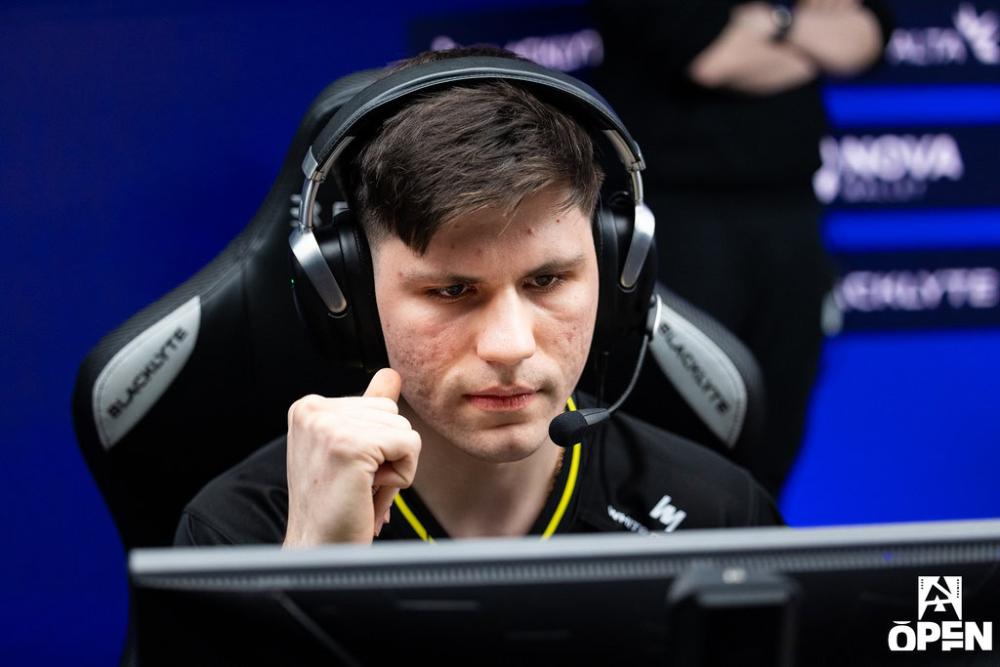

b1t CS2 configurações do mouse - sensibilidade e DPI
A lendária porcentagem de tiros na cabeça do b1t é construída sobre uma base de mecânica de mouse estável e altamente controlada. Atualmente, ele joga com um eDPI de 660, que atinge o ponto ideal para atiradores profissionais: lento o suficiente para garantir microajustes perfeitos em pixels para cabeças de batida, mas rápido o suficiente para limpar cantos com eficiência durante execuções de locais explosivos. Embora ele tenha historicamente trocado entre 400 e 800 DPI, suas configurações de 2026 mostram uma preferência por 800 DPI combinada com uma sensibilidade de jogo mais baixa de 0,825. Armado com um Logitech G Pro X Superlight 2, ele também utiliza uma taxa de pesquisa moderna de 2.000 Hz para extrair cada grama de capacidade de resposta do sensor e minimizar o atraso de entrada.
Mouse: Logitech G Pro X Superlight 2
DPI: 800
Sensibilidade: 0,825
eDPI: 660
Sensibilidade de zoom: 1
Hz: 2.000
Sensibilidade do Windows: 6
Não sabe como funcionam as configurações do mouse? Confira nosso guia here.
Configurações de mira b1t para CS2
A mira b1t é Classic Static e de cor verde. Você pode habilitá-lo inserindo um código de mira CSGO-tewSz-kjhfa-FbWkE-dvTUr-jcYHK ou copiando os seguintes parâmetros manualmente:
Estilo: clássico estático
Seguir recuo: Não
Ponto: Não.
Comprimento: 1
Espessura: 0
Lacuna: -4
Esboço: Não
Cor (RGB): Verde
Vermelho: 0
Verde: 255
Azul: 145
Alfa: Sim
Valor alfa: 255
Estilo T: Não
Lacuna de arma implantada: Não
Largura do atirador: 0
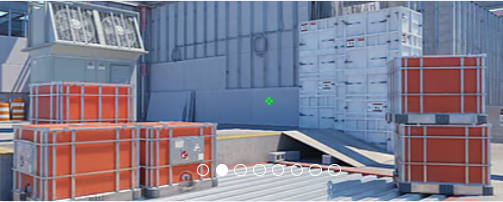
Não gosta da mira dele? Não se preocupe, se você quiser explorar outras opções, confira nosso guia para os melhores CS2 códigos de mira here.
Configurações de vídeo b1t para CS2
Como muitos profissionais experientes, b1t prioriza taxas de quadros altas e estáveis e clareza visual em detrimento da estética gráfica do jogo. Ele conta com a resolução clássica de 1280x960 esticada em uma proporção de 4:3. Essa configuração amplia visivelmente os modelos dos jogadores, fazendo com que os alvos pareçam maiores e um pouco mais fáceis de rastrear: uma vantagem crucial para seu estilo de jogo com muitos tiros na cabeça.
Para eliminar a confusão visual, quase todos os detalhes gráficos (Modelos, Shaders, Partículas) são definidos como Baixo, enquanto a Qualidade Global da Sombra permanece Alta para garantir que ele possa localizar as sombras inimigas nos cantos antes que elas balancem. Notavelmente, ele aumenta seu modo Multisampling Anti-Aliasing até 8x MSAA para suavizar as bordas irregulares que ocorrem naturalmente em uma resolução esticada mais baixa.
Aumentar o contraste dos jogadores: ativado
Detalhe do modelo/textura: baixo
Detalhe do shader: Baixo
Detalhe da partícula: Baixo
Filtragem de Textura: Bilinear
Anti-aliasing: 8x MSAA
Qualidade da sombra: alta
Sombras dinâmicas: todas
Oclusão Ambiental: Alta
Super resolução FidelityFX: desativado (qualidade mais alta)
Sincronização V: Desativado
NVIDIA Reflex Baixa Latência: Desativado
NVIDIAG-Sync: desativado
Alta faixa dinâmica: desempenho
Resolução: 1280*960
Proporção de aspecto: 4:3 esticado
Modo: tela cheia
Modo de escala: esticado
Brilho: 93%
Configurações do monitor b1t para CS2
No nível mais alto do Counter-Strike, a fluidez visual é tão importante quanto a taxa de quadros. b1t usa o ZOWIE XL2566K padrão da indústria, um monitor de 24,5 polegadas capaz de uma taxa de atualização incrível de 360 Hz, garantindo que seu jogo seja executado tão suavemente quanto sua mira. Curiosamente, ao contrário de muitos profissionais que dependem fortemente da tecnologia proprietária de redução de desfoque de movimento da ZOWIE, o b1t opta por manter o DyAc desligado. Ele combina isso com configurações de cores relativamente equilibradas—um Black eQualizer moderado de 6 e Color Vibrance de 10 no modo de imagem Padrão. Esta configuração evita a aparência hipersaturada e desbotada que alguns jogadores usam, proporcionando-lhe uma imagem limpa e natural que ainda diferencia facilmente os modelos dos jogadores do fundo.
Aqui você pode encontrar as configurações do monitor b1t:
DyAc: desligado
Equalizador preto: 6
Vibração da cor: 10
Luz Azul Baixa: 0
Modo de imagem: Padrão
Brilho: 70
Contraste: 50
Nitidez: 10
Gama: Gama 2
Temperatura de cor: normal
AMA: alta
Configurações do modelo de visualização b1t para CS2
O one tap master possui configurações de viewmodel semelhantes às de muitos outros CS2 jogadores profissionais. Possui um deslocamento horizontal de 2,5 e um deslocamento vertical de -1,5. Essas configurações tornam a mira e o disparo convenientes e garantem que o modelo da arma não obstrua muito o campo de visão.
viewmodel_fov 68
viewmodel_offset_x 2.5
viewmodel_offset_y 0
viewmodel_offset_z -1.5
viewmodel_presetpos 1
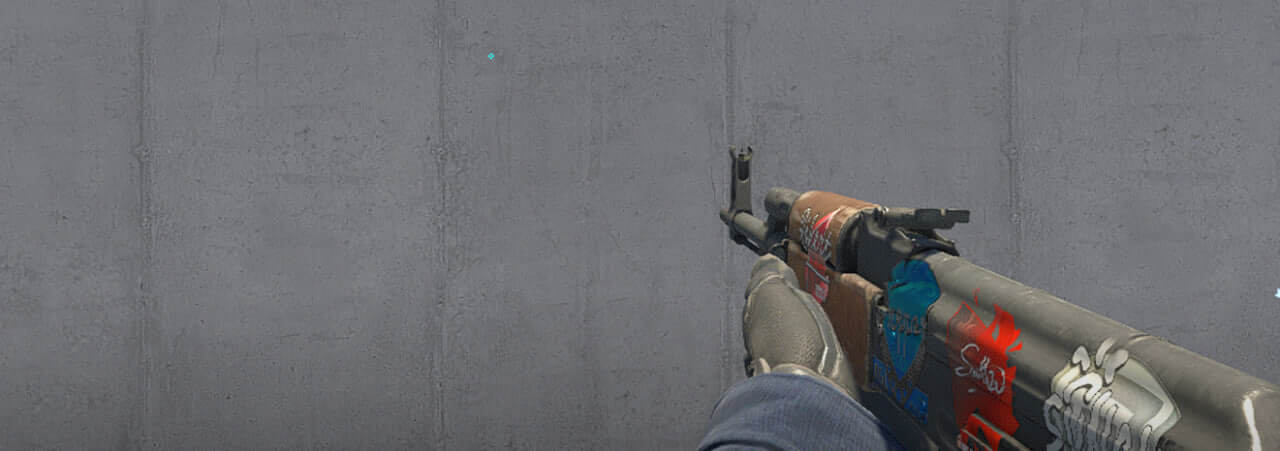
Também é útil aprender como viewmodel settings funciona para ajustá-los de acordo com sua preferência.
Opções de inicialização b1t para CS2
b1t usa uma das opções de inicialização mais importantes em CS2. Dê uma olhada neles e fique à vontade para usá-los para aprimorar seu jogo.
+fps_max 500 -freq 360 -console -tickrate 128 -novid -rate 786432
Se você está procurando as melhores opções de lançamento do CS2, confira nosso guide.
Configurações do radar b1t para CS2
Seu radar centraliza o jogador e gira ao mesmo tempo. Use as configurações a seguir para experimentar por si mesmo como é tocar com o b1t radar settings.
Radar centraliza o jogador: Sim
O radar está girando: Sim
Alternar forma com placar: Sim
Tamanho do Hud do radar: 1,06
Zoom do mapa: 0,25
Configurações de áudio b1t para CS2
Embora a configuração de áudio do b1t não seja discutida com tanta frequência quanto as configurações de mouse ou vídeo, ele depende da mesma base de áudio otimizada usada pela maioria dos profissionais de nível um. Para maximizar a clareza direcional, a abordagem padrão é definir o perfil de equalização como Natural, que evita fadiga auditiva durante longos dias de torneio, ou Crisp, que destaca frequências médias cruciais, como passos. Ao definir o Isolamento Esquerdo/Direito (L/R) para 0%, o jogo imita com precisão a audição humana natural para fornecer os sinais sonoros direcionais mais distintos. Combinada com a Correção de Perspectiva ativada, esta configuração garante que b1t possa identificar a posição exata de um inimigo em relação ao seu campo de visão.
Skins b1t
Embora as configurações forneçam a base para a mecânica de b1t, sua estética no jogo é definida por uma coleção de skins vibrantes e de alto nível que está entre as mais impressionantes do cenário profissional. Seu carregamento apresenta alguns dos finishes mais procurados do mercado, most notably anchored by his incredibly valuable AK-47 | Wild Lotus - a highly liquid, top-tier crown jewel in his inventory.







Escrever comentário