
How Friends Work on FACEIT
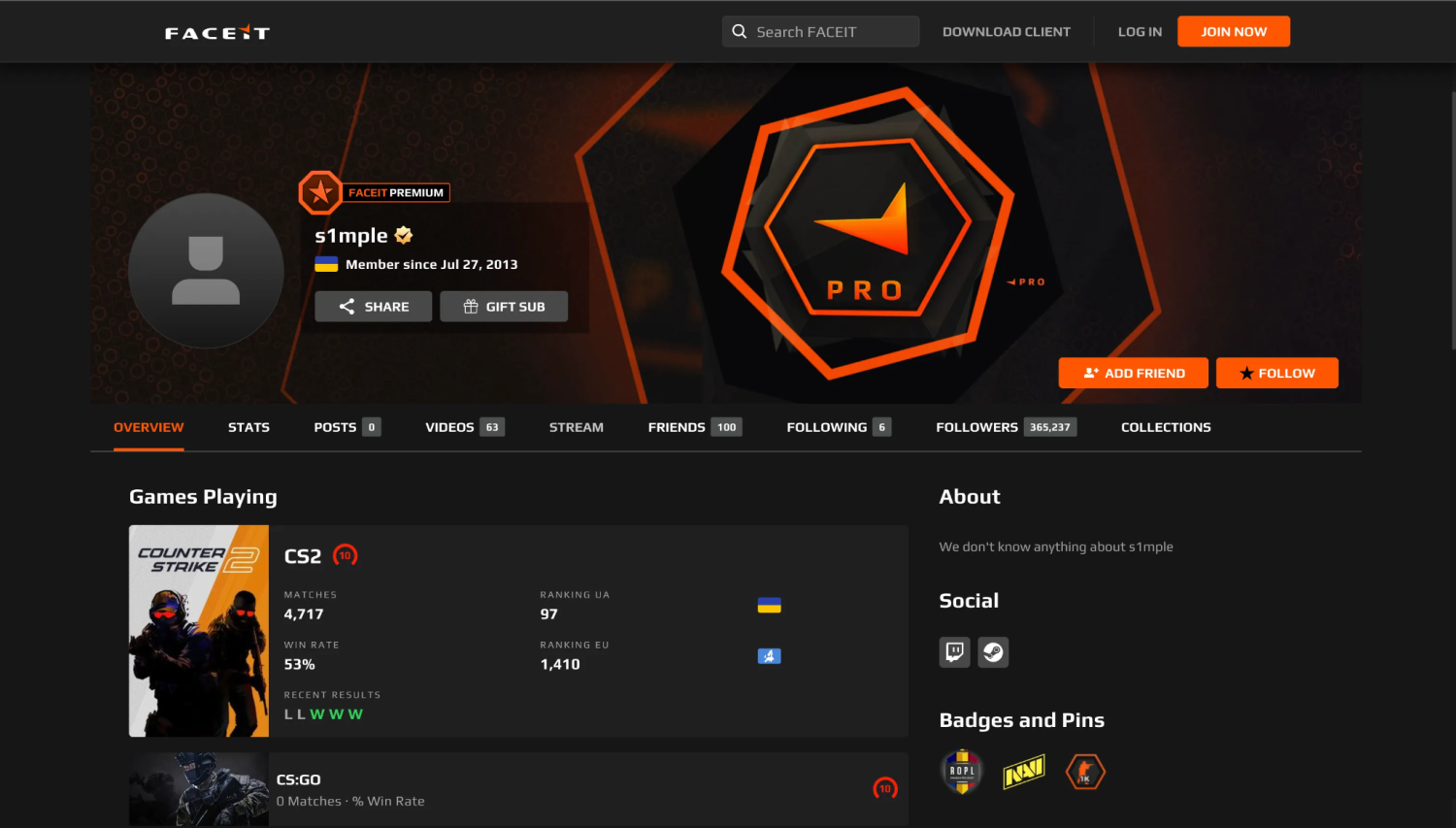
The friends list on the FACEIT website has nothing to do with the one on Steam; the platform has its own friends system, which exists entirely within the platform. As a result, a name appears on the friends list only after a person has been added as a friend through the website. For players familiar with Steam, the difference is pretty significant since the friends list on Steam appears in every game and is included in the game client. Being able to add a friend on FACEIT in advance is important since matchmaking will be limited to solo queues or premade lobbies rebuilt manually each session until you do.
The friends list on FACEIT is connected to a few particular aspects of the gameplay, such as inviting your teammates to the game, organizing the club chat, and searching for matches directly from the friends list. Nothing in the friends list is synchronized automatically with Steam, and the differences should be listed explicitly:
Feature | Steam Friends | FACEIT Friends |
How to add | Send a request from the Steam client or profile page | Find the nickname on FACEIT, send a request from their profile |
Auto-import | Yes, across your full Steam library | No, added manually inside FACEIT |
Main purpose | Game invites, chat, library visibility | Party invites, club chat, joint matchmaking |
Visibility requirement | Profile must allow friend requests | Profile must be public and searchable |
The table makes the difference obvious: a Steam friends list travels with you everywhere, while a FACEIT friends list only exists because someone built it by hand, one request at a time. That's exactly why two people can be Steam friends for years and still show up as strangers to each other the first time they queue together on FACEIT. The next section covers how to close that gap in practice.
How to Add Friends on FACEIT
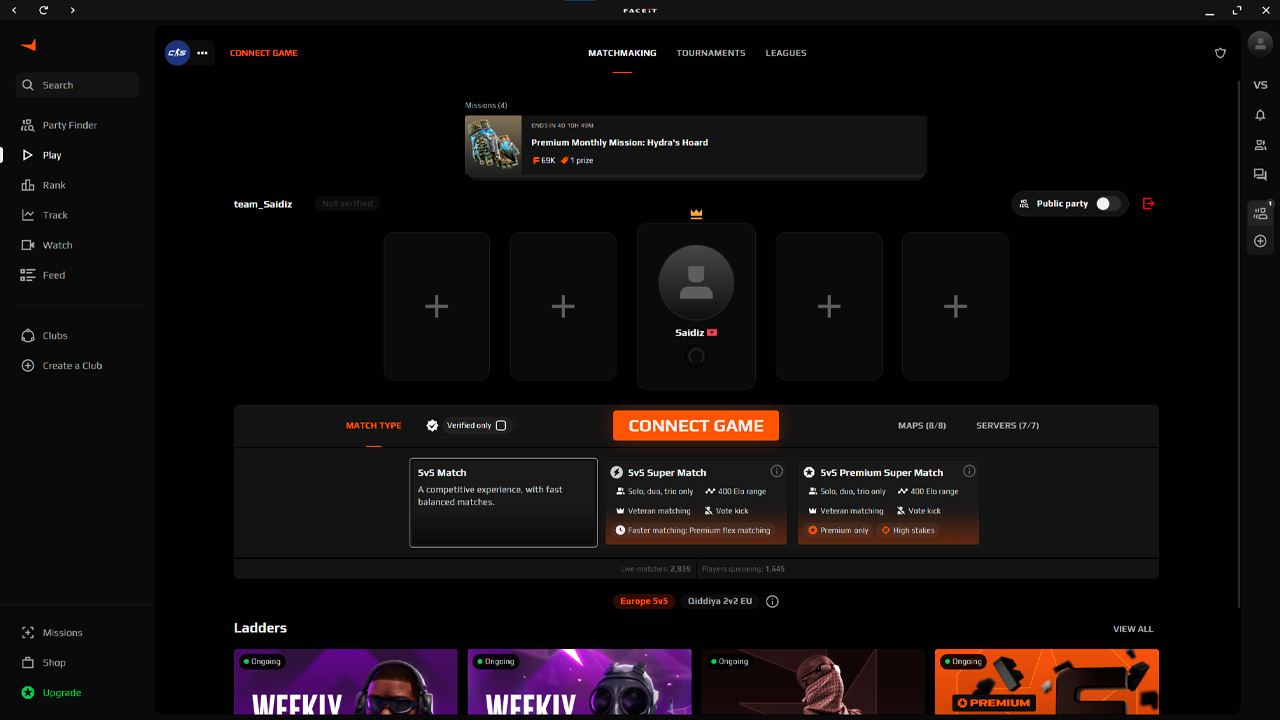
It only takes a few seconds to add someone on FACEIT, but there are a couple of tiny pitfalls which can confuse the user during the very first attempts. How to add friends on FACEIT? The answer is simple – you need to look for the correct profile and send the corresponding request. However, the correct spelling of the nickname plays a vital role here. Case sensitivity and similarly spelled nicknames across various accounts are the two main reasons for the blank search result. Thus, it is necessary to make sure of the spelling of the teammate's nickname. Here is the step-by-step guide:
Firstly, log into your account on the FACEIT website.
Secondly, use the search bar located in the upper-left part of the website near the logo.
Enter the FACEIT nickname of your teammate.
Choose the right profile in the list or click on "See all" if there are a number of accounts under a similar nickname.
Click the "Add Friend" button on the right part of the banner on the profile's page. This is how to add someone as a friend on FACEIT.
Now wait until the other player accepts the request through the "Friends" icon.The notification about the acceptance and the appearance of the new teammate in the friends' list is sent instantly.
In case the teammate does not show up, the answer is in the next two paragraphs. Most of the time everything goes fine, and the request is received and accepted in a matter of seconds by both users. Then party invitations, club access, and scrim queues can be done with a single click. Now only two questions remain open – how to add a friend on FACEIT through Steam, and how to solve the problem with the unresponsive "Add Friend" button.
Can You Add Steam Friends on FACEIT?
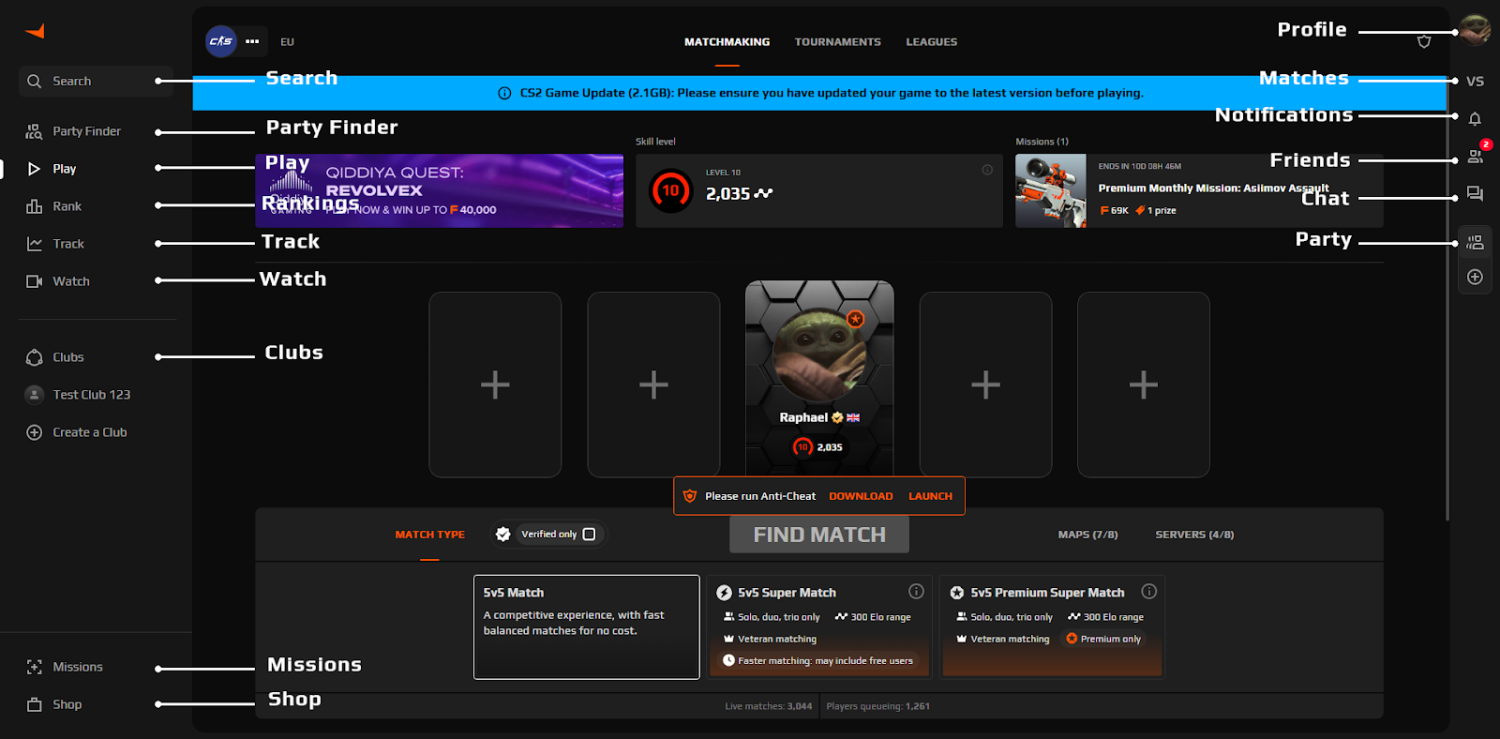
One of the most frequently asked questions by new FACEIT users is about adding Steam friends to their list. The quick answer is that as for how to add Steam friends on FACEIT, the system does not have any function that would import contacts from your Steam friends list to FACEIT. Connecting Steam via Settings & Integrations serves as an authentication of your game ID and Steam Sign-In – not contact import.
That means each of your Steam friends who plays on FACEIT has their own separate FACEIT account that can only be found and added manually, using the same steps described above. One useful shortcut: ask your Steam friend to send you a direct link to their public FACEIT profile and paste it in Steam chat, on FACEIT, or in Discord – much more reliable than guessing at a username when the FACEIT nickname doesn't match their Steam display name.
FACEIT Add Friend Not Working
A friend's request that stalls or won't go through is particularly frustrating right after a good match when you want to queue up again with the same team immediately. FACEIT add friend not working almost always comes down to one of a handful of predictable causes, not a platform-wide failure. Checking through most of them takes under a minute, and fixing something on one side is usually enough for the request to go through on the next attempt. Before assuming something is broken, rule out the following:
Typo or wrong capitalization – FACEIT's search is fairly strict, and even a single mistyped character will stop the right profile from showing up.
Different nicknames – in-game aliases and FACEIT profile names often don't match, so searching by a CS2 alias instead of the actual FACEIT username will come up empty.
Request already pending – trying to add someone who already has an outstanding request from you throws an error instead of sending a new one.
Restricted profile visibility – a private or limited FACEIT profile can block both search results and incoming requests.
Temporary site or client glitch – refreshing the page, switching between the site and client, or logging out and back in clears most short-term bugs.
If none of that resolves it and the question of why you can't add friends on FACEIT is still open, the issue is likely account-specific and easier to sort out through FACEIT support than on your own. Sharing links to both profiles speeds things up, since support can usually spot a mismatch or blocked setting quickly. Once the request finally goes through, everything else – parties, clubs, joint matchmaking – falls into place without friction. A solid FACEIT friends list makes every session more consistent, regardless of how individual matches go.
A strong FACEIT friends list turns random queues into real team play, and that often matters more than any single skin or loadout. Once the roster is sorted, gearing up is the easy part – worth checking the CS2 market on Skin.Land before the next scrim to fill in whatever's missing from the inventory.






Write comment