
Can You Change the Starting Pistol in CS2?
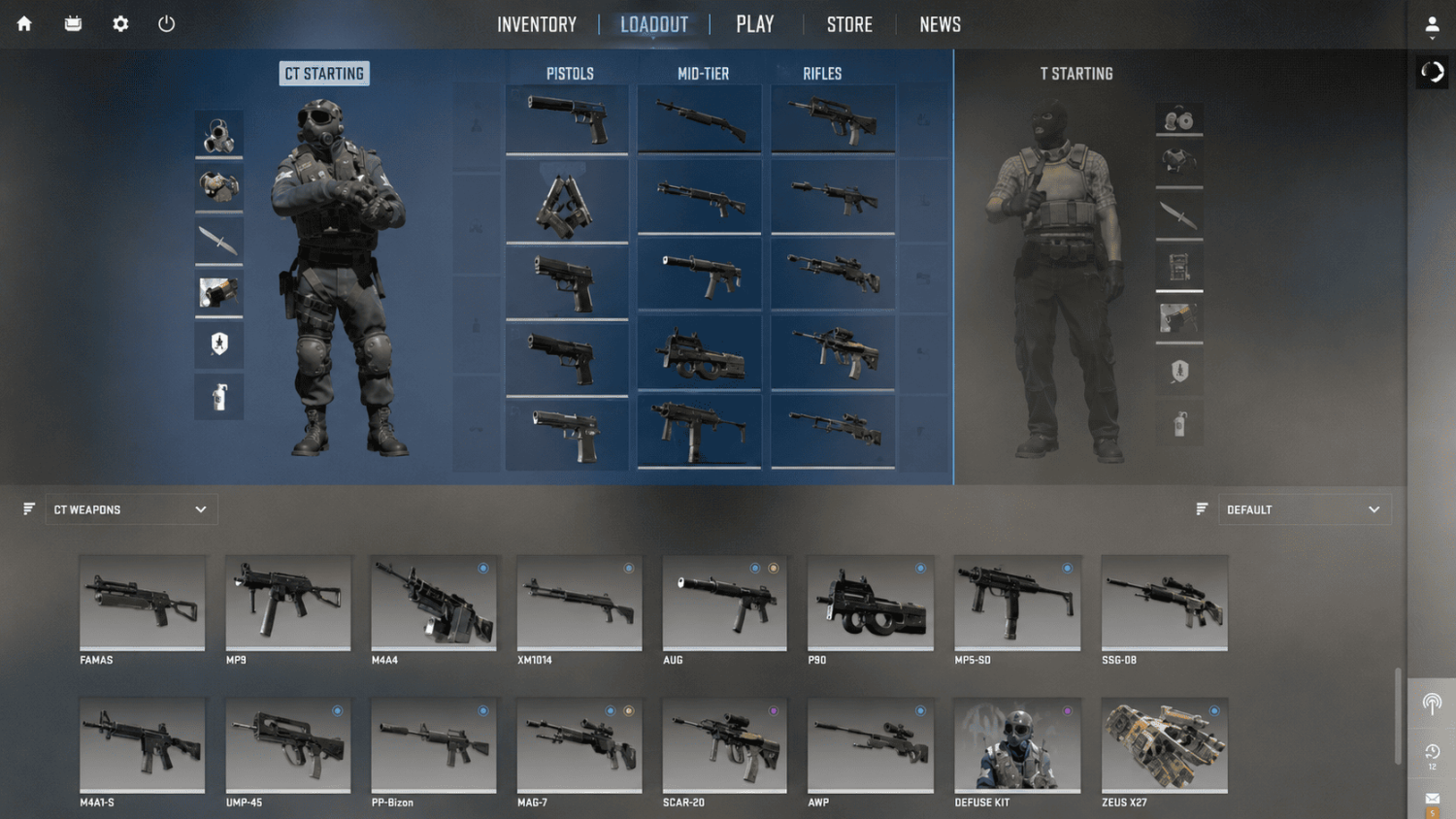
For CT players, it is possible to switch from the starting pistol to another one before playing. They can use either the USP-S or the P2000. The difference between these guns is significant. Although the USP-S costs $200 more than the P2000, it has several important advantages and deserves the money spent on it. It is chosen in the Loadout menu, which can be accessed from the main menu.
For T players, it is not possible to change the starting pistol because the only option they have is the Glock-18. They cannot purchase any other pistols since it is a deliberate choice of developers.
How to Change Starting Pistol in CS2 for CT & T
Swapping your starting pistol takes just a few clicks – as long as you know where to look. Most players get tripped up because they try to change it through the in-game buy menu, which doesn't work. The change is made once in the Loadout and stays saved permanently until you change it yourself. Here's the exact step-by-step for anyone who wants to sort out the CS2 starting pistol swap once and for all.
For the CT side: how to equip the USP-S instead of the P2000
The easiest way to do it:
Open CS2 and stay on the main screen – don't load into a match.
Click the LOADOUT tab at the top of the screen.
Make sure the CT side is selected – it's marked with a blue icon. If you're seeing Glocks, you're on the T side.
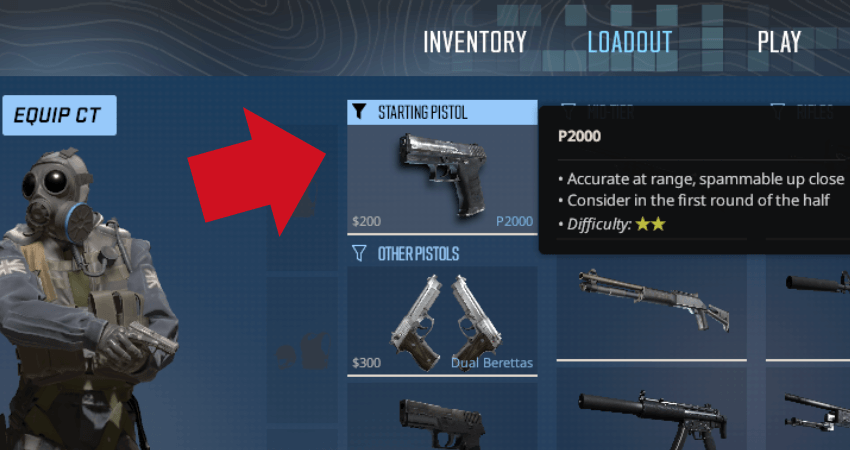
Click the STARTING PISTOL filter to narrow down the available options.
Grab the USP-S from the right-hand inventory panel and drag it into the starting pistol slot, replacing the P2000.
The USP-S should now appear in that slot – the change saves automatically.
Alternatively: find the USP-S in your inventory, right-click it, and select Replace for CT. It'll slot in immediately in place of the P2000.
After swapping, it's worth switching to a different tab and back into the Loadout just to confirm the USP-S is sitting in the first slot. The first slot is what determines which pistol you spawn with at the start of a round.
For the T side: what you can do with the Glock-18
As mentioned, swapping the CT starting pistol is a CT-exclusive option. On the T side, everything is locked in: it's always the Glock-18. That said, it does have one notable mechanic – a three-round burst mode, toggled with right-click (the same way the USP-S toggles its suppressor). At close range and on aggressive pushes, that mechanic can give you a real edge.
Stat | USP-S (CT) | P2000 (CT) | Glock-18 (T) |
Magazine | 12 | 13 | 20 |
Reserve ammo | 24 | 52 | 120 |
Suppressor | Yes | No | No |
Bullet tracers | No | Yes | Yes |
Fire mode | Semi-auto | Semi-auto | Semi-auto / Burst |
The table makes the tradeoffs pretty clear. The USP-S wins on stealth and long-range accuracy; the P2000 wins on ammo count; the Glock-18 wins on magazine size and firing flexibility. Choosing between the USP-S and P2000 isn't about which one is objectively better – it comes down to how you personally approach the CT side.
Why You Can't Change Starting Pistol in CS2
If you've tried a few times and still feel like you can't change the starting pistol in CS2, the issue is almost certainly one of the common mistakes below. The system itself works fine – the Loadout in CS2 just works differently from what a lot of players were used to in CS2. Running through these is faster than it sounds.
Here are the most common reasons the swap doesn't take effect:
Trying to change it through the buy menu – this is by far the most common mistake. The in-game buy menu (press B) only applies to the current round and has nothing to do with your Loadout. They're completely separate systems.
The USP-S isn't in the first slot – if you drag the USP-S into the second or third slot instead of the starting pistol slot, you'll still spawn with the P2000 for free, and the USP-S will have to be purchased for $200.
The change didn't save – after dragging, switch to another tab and back to confirm the change actually stuck.
Looking for a T-side alternative – there isn't one, and it's not a bug.
If drag-and-drop isn't responding at all (this can happen with certain technical hiccups), the right-click method works as a fallback: find the USP-S in your inventory → right-click → Replace for CT. If that still doesn't work, verifying the game files through Steam resolves the issue in most cases.
The most reliable way to confirm the change worked is to jump into a practice session or a bot match right after switching. If the right pistol shows up in your hand, you're good.
As for changing your starting pistol mid-game: that's not possible in Competitive or Premier – the Loadout has to be set before the match starts. In Deathmatch and Casual you can adjust it, but only at the inventory level, not mid-round.






Write comment