
Can You Change Server Region in CS2
Yes, of course. We know 3 working ways how to change region on CS2 , and we recommend that you study each one. If you do not do it, you risk facing an unpleasant situation. For example, you feel the necessity to enter the server immediately, and the method you are familiar with suddenly stops working. In order not to get irritated and nervous, give yourself some insurance. Find some time and practice how to change your region in CS2. And you will never have problems with this issue.
How to Change Server Region in CS2?
Valve does not allow players to change server in CS2 directly. So, you do not have the opportunity to go into the settings in Steam simply or in the game itself and do what you want. But that's okay, there are 3 ways to circumvent the restrictions imposed by the developers.
VPN
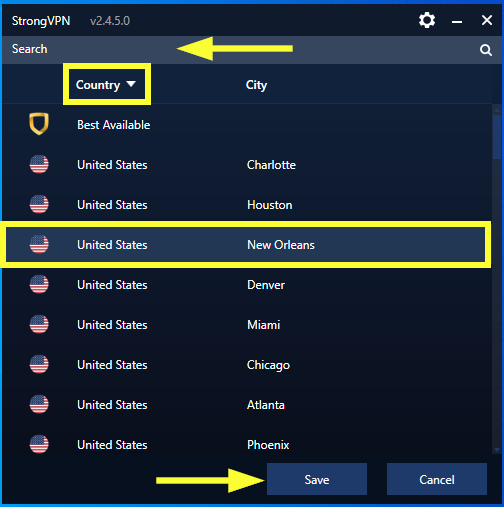
We will only consider the option with a free VPN. It's the same with a paid VPN, the only difference between them is the requirement for a user fee. This way is very good if the quality of the Internet connection, the absence of lags, and the specific location for connection are important to you.
So, where can you find a VPN and how to change game server in CS2? To download the application, go to Google Play, enter "VPN" in the search box, and select the application you like. Or go to Google Search and search for it there.
When you have installed the VPN application and launched it, check the list of countries which servers you can connect to. Select the required country, connect to the server, and that's it. You can be physically located in the USA, but CS2 will assume you are located, for example, in Germany.
Ping
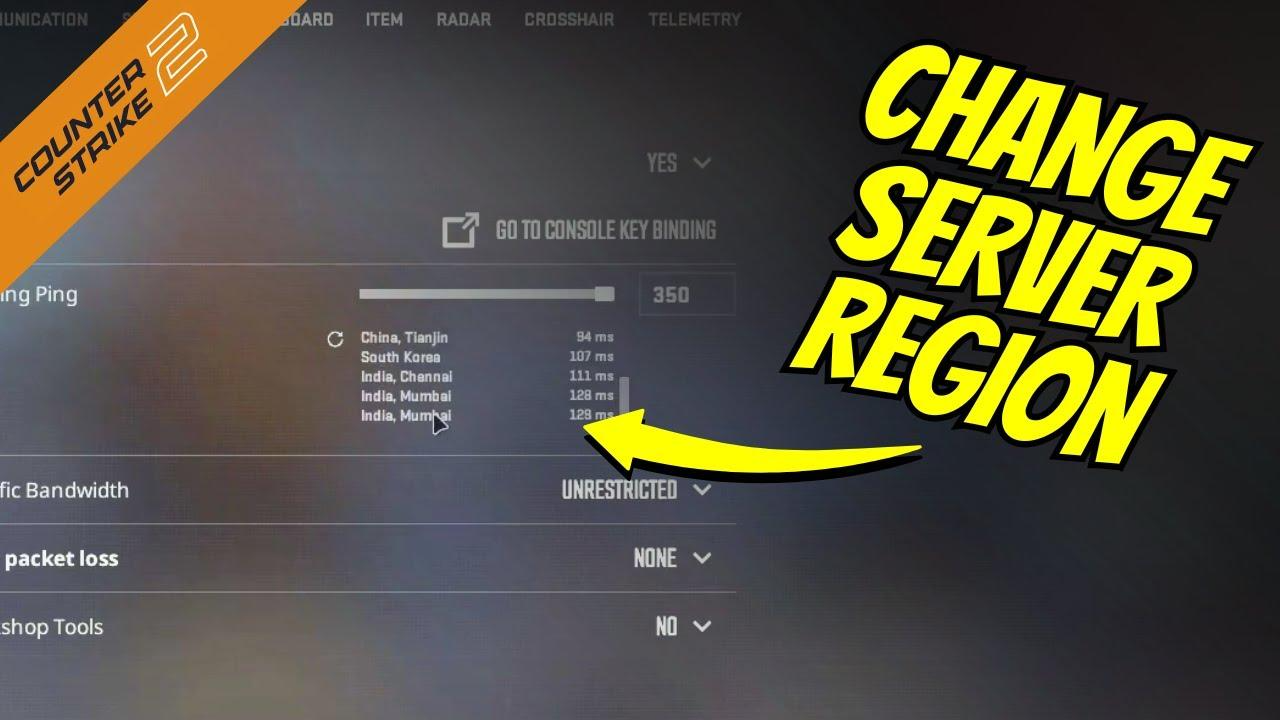
We consider this option to change CS2 region server to be slightly worse than other ways. The reason is that a high ping causes a delay in signal transmission from the server to the players and back. You will not see the actual gameplay on your monitor and, accordingly, you will react later to the actions of your opponents. However, if you do not have access to other ways or these ones do not work, then you can increase the ping.
Log into CS2 on the main page. Now go to the game settings via the gear icon, which is located in the upper-left corner of the screen. Then go to the "Game" section, find the "Maximum allowable ping in a match" option, and move the slider to the right as much as possible. It is important to understand that CS2 will allow you to connect to more remote servers after increasing ping, including in other regions, but the quality of connection with these servers will be far from ideal.
CS2 Server Picker
This program is a great tool for blocking the change region CS2. You can choose which servers to block and which to keep in CS2 server picker. The software is unofficial and open source, so you can use it for free.
You need to follow these steps:
Download the program files from Github. If necessary, unpack it with an archiver program.
Open the file CS2ServerPicker.exe with administrator rights.
Check the boxes near the servers you want to block, and click the corresponding down button. Do the same with the servers you want to unblock.
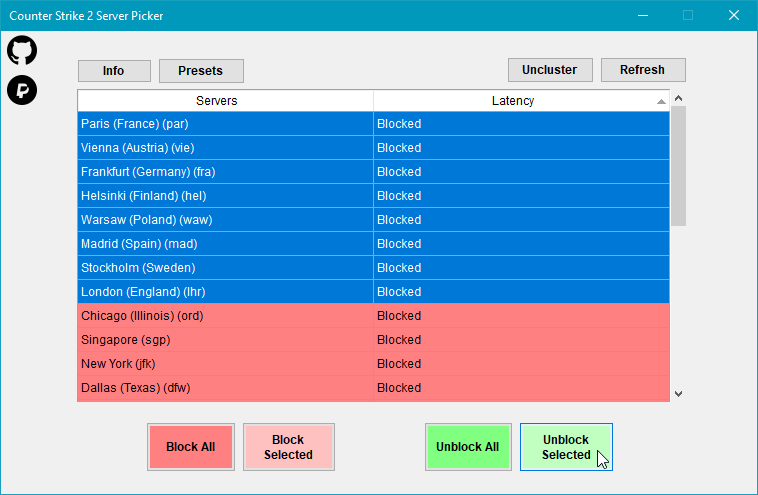
Click the "Apply" button and save your actions. Congratulations, you have changed the region's game servers in CS2.
Open Steam and launch Counter Strike 2. If you have done everything correctly, you will see only servers from your preferred locations.
Why do You Need to Change CS2 Server Region?
You know 3 ways how to change server region on CS2 now. It will help you to diversify your gaming experience. Changing your server region allows you to reduce lag, join friends abroad, or access exclusive in-game content and events.
It’s a practical step that gives you more control over how and where you play.
Well, for making the gameplay more fun, it is advisable to add a couple of cool skins to your collection. Here you will find skins for every taste and at low prices.






goobie04
cuz when i play in hong kong servers there are chinese people who always talk about dating sites and will just stand in spawn doing nothing giving the enemies a free win.
Write comment