
What is a Steam Trade URL?
The Steam Trade URL is an individual link created by the Steam platform for every user. It is designed to optimize the commercial process by ensuring a direct and secure way for launching trade propositions. Instead of adding some person as a friend on Steam to bargain, you can simply share your Trade URL, allowing others to send trade propositions with no necessity for preceding communication.
Several Scenarios When Steam Trade URL Might be Useful
Trading Skins and In-Game Items:
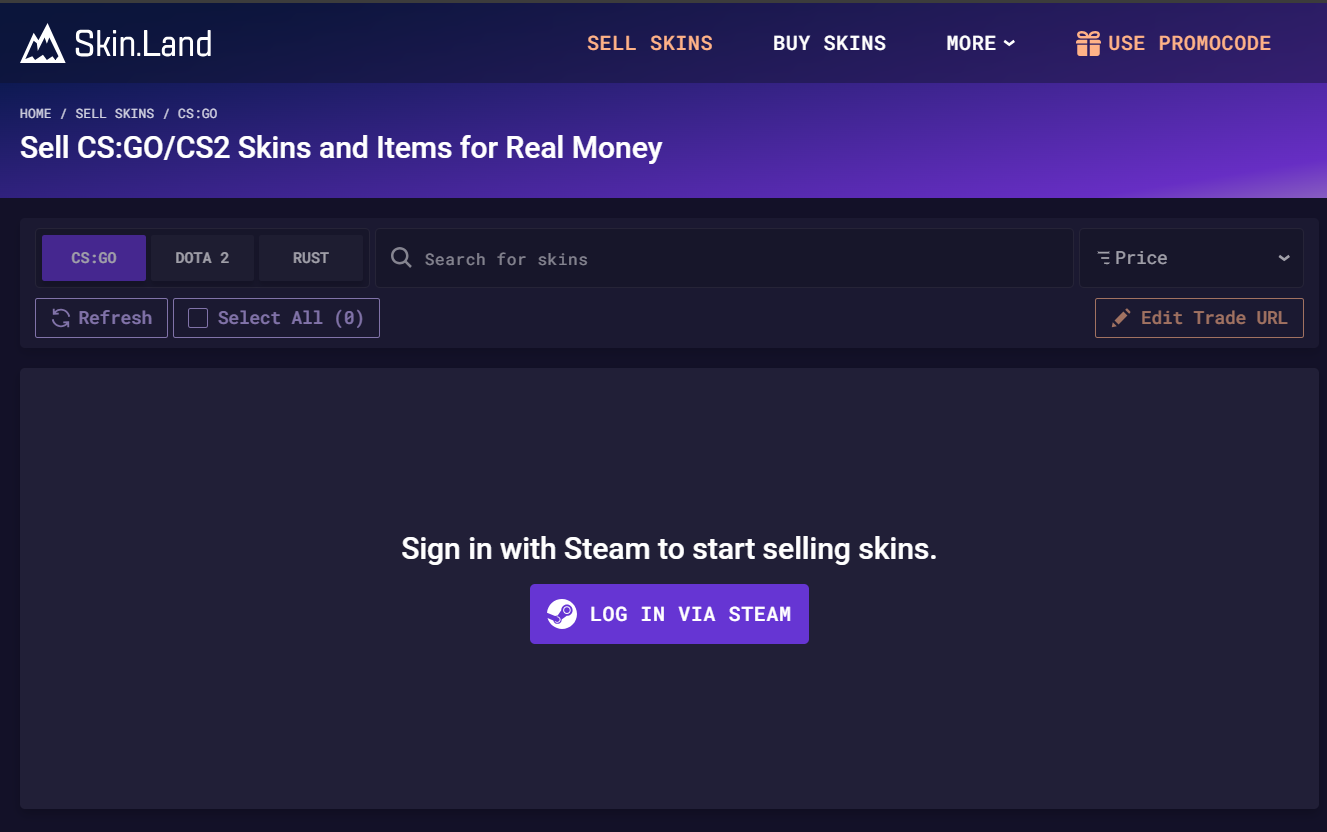
One of the most famous situations for the Steam Trade URL is for bargaining skins and other items inside the game. Games like Counter-Strike: Global Offensive (CS2), Dota 2, and Team Fortress 2 possess prosperous economies where gamers quite often barter items inside the game to improve their playing experience. For instance, if you are playing CS2 or Dota 2, you can exchange, purchase or sell skins on specific websites like Skin.Land. By sharing your Trade URL, you can easily conduct arrangements and accomplish trades for these items in great demand.
Participating in Community Marketplaces:
Different online communities and marketplaces center on Steam trading. These platforms usually ask users to share their Trade URLs to simplify the process of exchange. When using your Trade URL, you can be involved with a bigger audience, boosting your chances of finding the things you need or selling items you do not need anymore.
Organizing Giveaways and Contests:
A lot of regular gamers and content makers arrange giveaways and contests, proposing various things inside the game as prizes. Steam Trade URL makes the process of distributing these prizes to winners way easier: all you need to do is to share the link. And vice versa, participants can send their Trade URLs, and the host can quickly and without problems send the rewards.
Securing Trades:
The Steam Trade URL also increases security in trading. When you bargain directly through Steam using Trade URLs, both parties can check trade details, making sure that the appropriate things are interchanged. This results in the decline of scams risk and fraudulent trades, providing a safer trading environment.
Why is the Steam Trade URL Important?
Benefit: It excludes the necessity to add a player as a friend before bargain, thus accelerating the process by making it more effective.
Security: You do not have to worry that trades are secure and protected if you use Trade URLs within the Steam platform because of Steam's built-in security remedies.
Accessibility: Steam Trade URL enables traders to reach out to a wider range of possible trading partners, improving the bargain practice.
Engagement of the Community: It boosts stronger interaction within the Steam community, motivating participants to be a part of trading activities and create connections.
How and Where to Find My Steam Trade URL?
It is absolutely not difficult to discover the Steam Trade URL, it does not matter if you're using the desktop application or the mobile app. Further you are going to see detailed specifications which can be useful in locating and sharing your trade link beneficially.
Steam Trade URL on the Desktop Application
Open Steam and Log In:
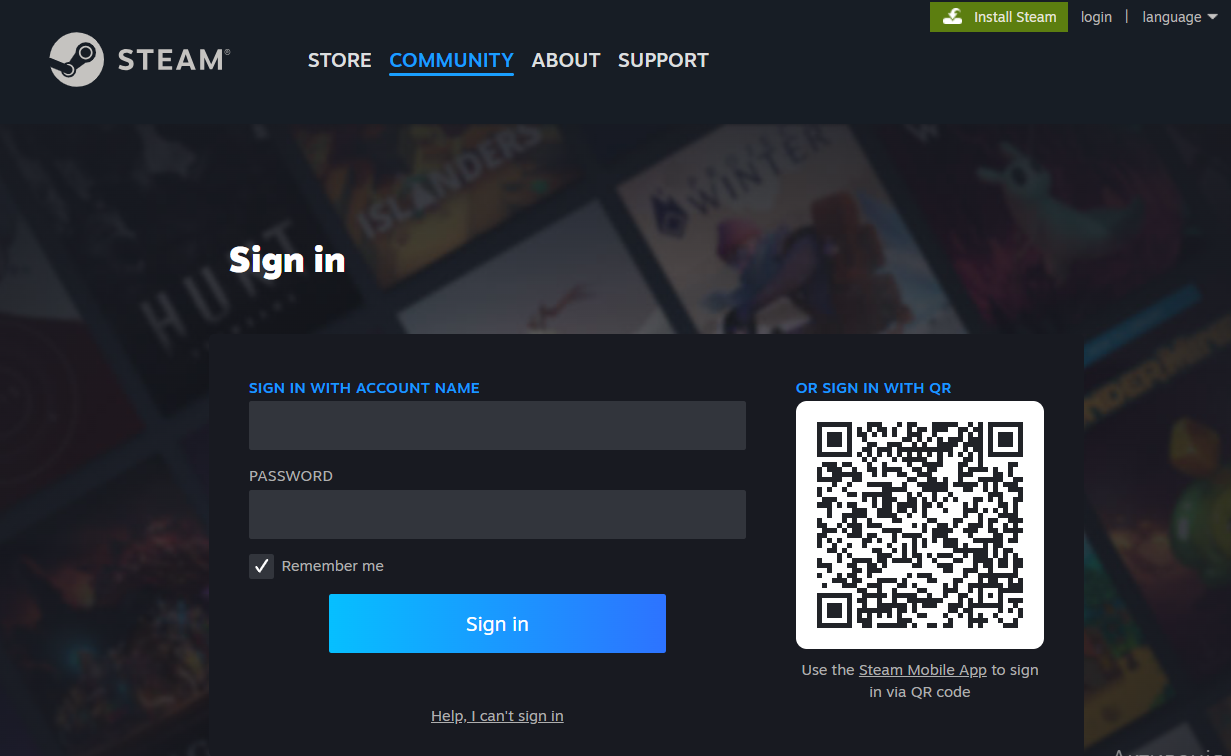
Start the Steam application on your computer. Enter your username and password to log in.
Search for Your Profile:
Click on your username at the top of the Steam window. This will lead you to your profile page.
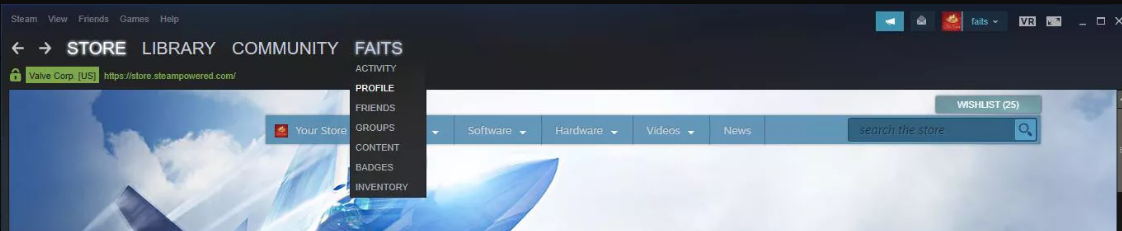
Access Inventory:
On your profile page, find a tab Inventory and change Inventory privacy to Public by clicking or tapping the option Inventory: Private or Inventory: Friends Only and change it to Inventory: Public.
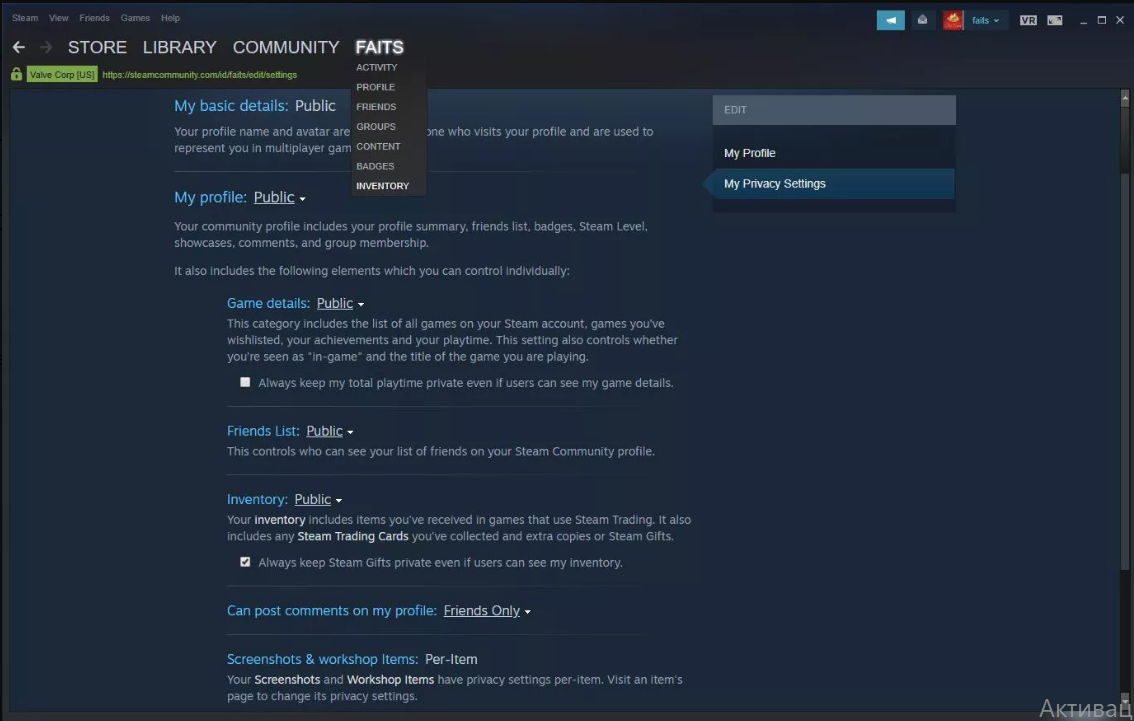
Go to Trade Offers:
Once you are inside your inventory, click on the 'Trade Offers' tab.
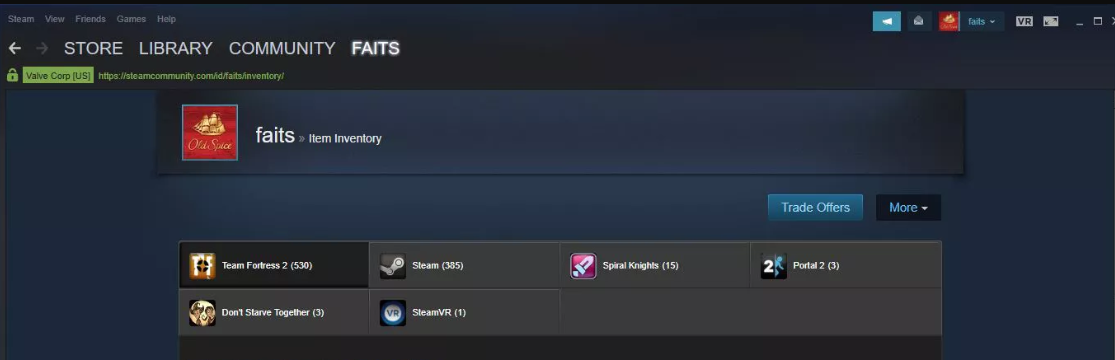
Look for 'Who Can Send Me Trade Offers?':
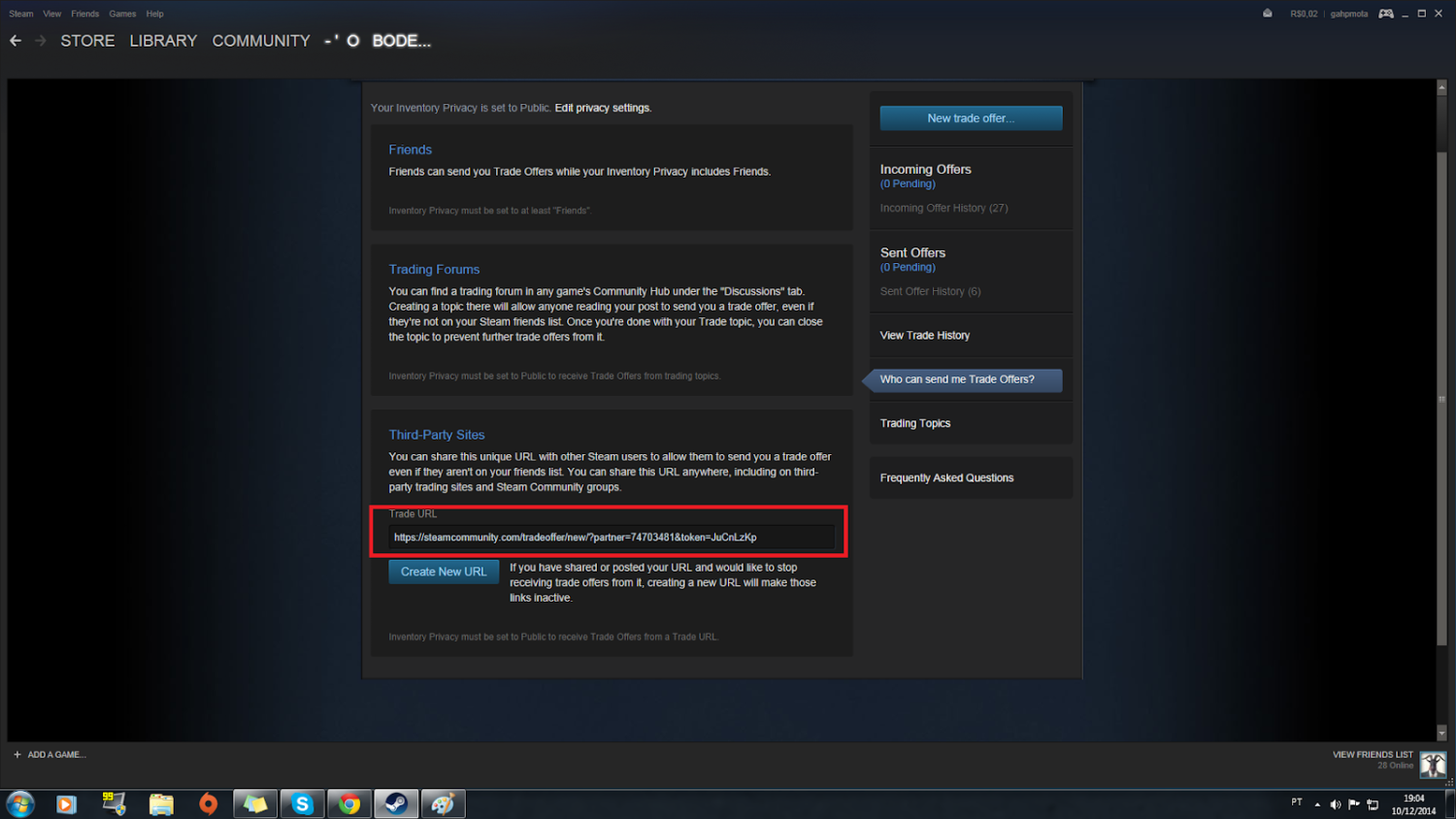
On the trade offers page, click on 'Who can send me Trade Offers?' to be able to reach your trade URL settings.
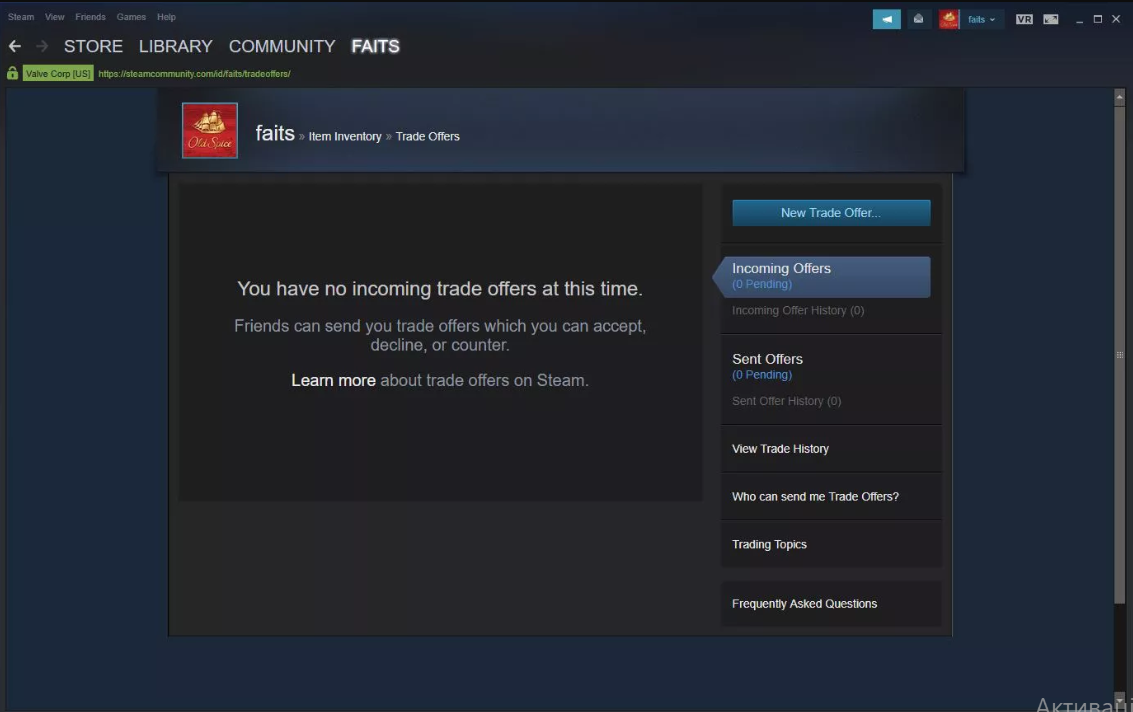
Copy Your Steam Trade URL:
Your Steam Trade URL will be visible on this page. Select the URL and copy it (Ctrl+C on Windows or Command+C on Mac).
Steam Trade URL on the Mobile Application
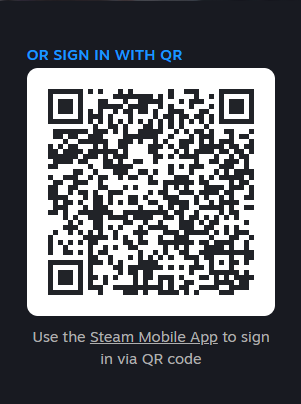
The way of getting a Steam Trade URL via Mobile App is almost identical: all you have to do is to download a mobile application and repeat the steps described above. Also, it is possible to use QR-Code to sign in through the phone.
How to Change Your Steam Trade URL?
Among the reasons it might be a good decision to change your Steam Trade URL are:
Security Concerns: If you consider that your actual Trade URL has been jeopardized or shared with someone you do not want to share with, secure your account by changing the URL.
Spam or Unwanted Offers: In case of getting a lot of unwelcomed trade offers, you can bring to the minimum the volume of undesired requests simply by resetting the Trade URL.
Privacy Management: It might be useful to change your Steam Trade Link from time to time as this can help you to manage trading cooperation and maintain a level of privacy.
Changing Your Steam Trade Link
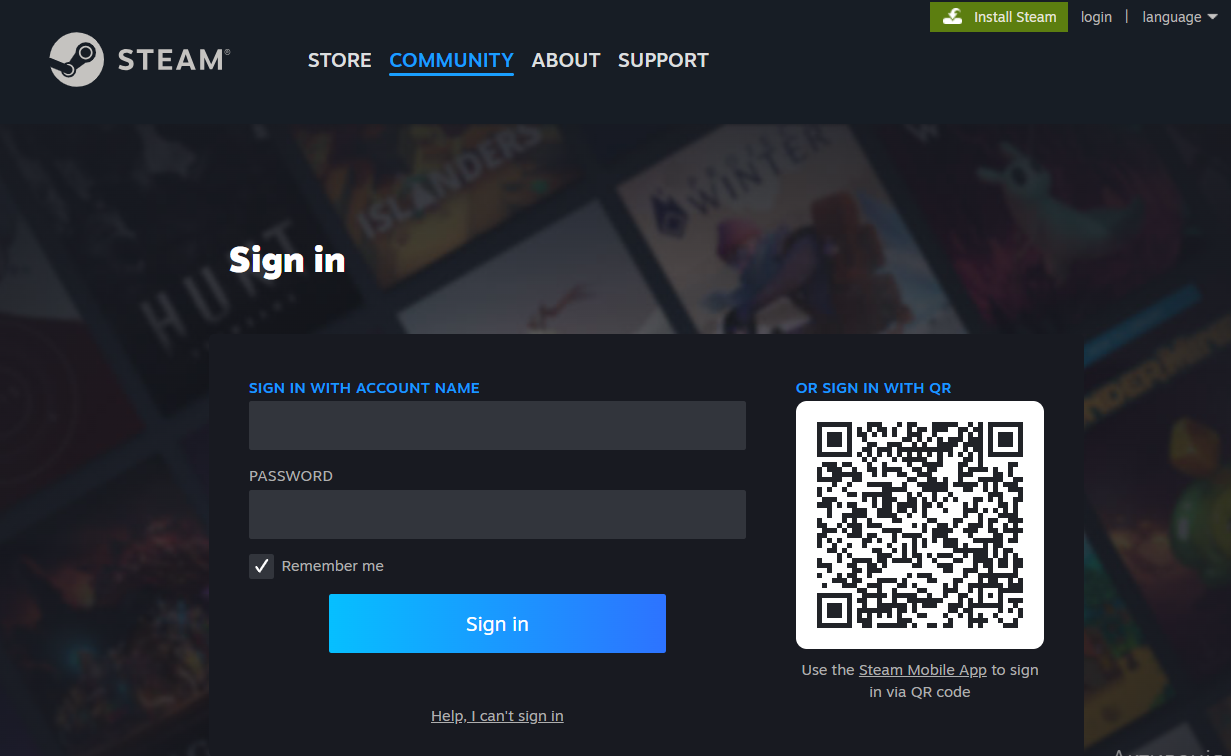
Open Steam and Log In:
Start the Steam application on your computer. Enter your username and password to log in.
Get to Your Profile:
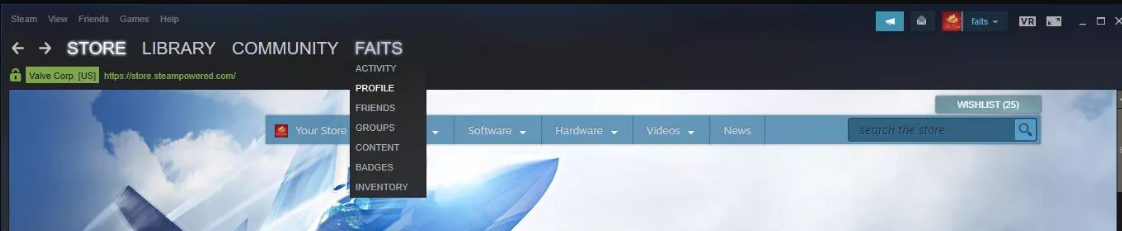
Click on your username at the top of the Steam window. This will lead you to your profile page.
Access Inventory:
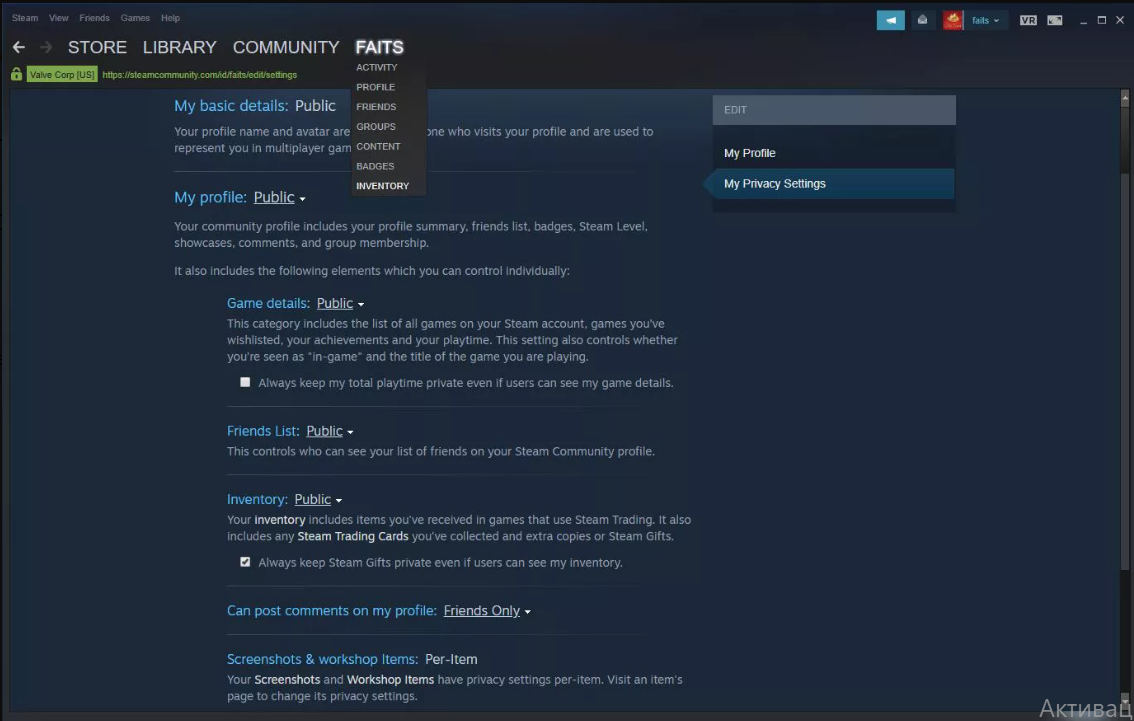
On your profile page, find a tab Inventory and change Inventory privacy to Public by clicking or tapping the option Inventory: Private or Inventory: Friends Only and change it to Inventory: Public.
Move to Trade Offers:
Once you are inside your inventory, click on the 'Trade Offers' tab.
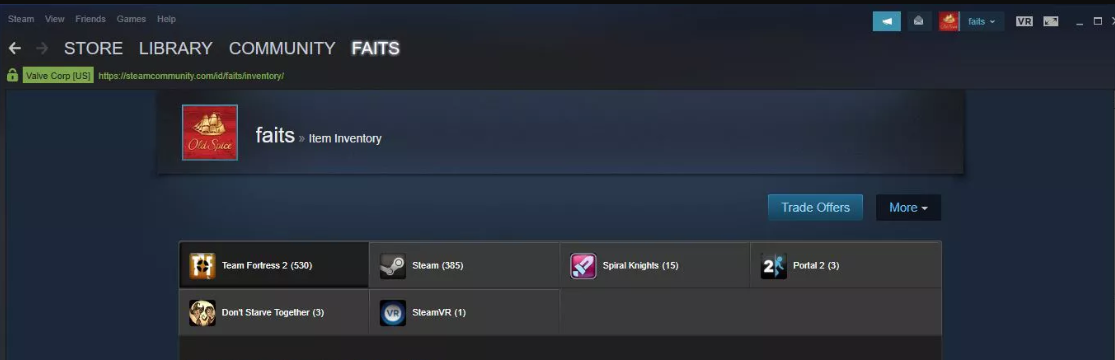
Look for 'Who Can Send Me Trade Offers?':
On the trade offers page, click on 'Who can send me Trade Offers?' to be able to reach your trade URL settings.
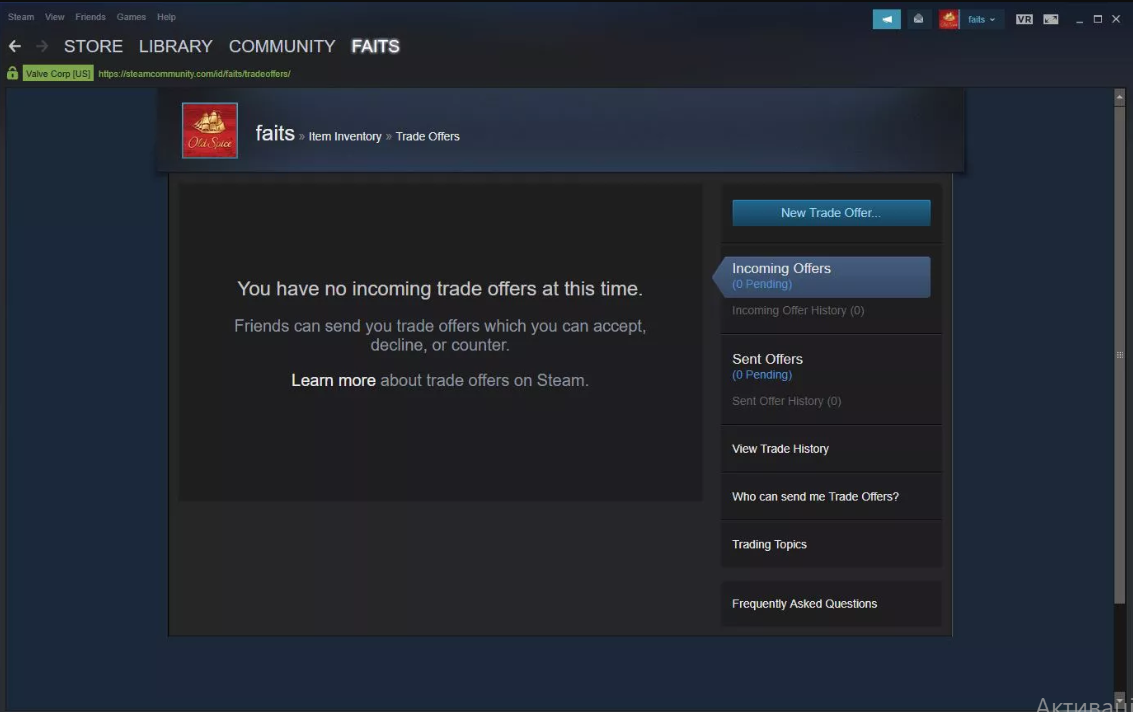
Reset Your Steam Trade URL:
On this page you can access your actual Trade URL. Below it, there is an option to 'Create New URL'. Press this button to create a new Trade URL.
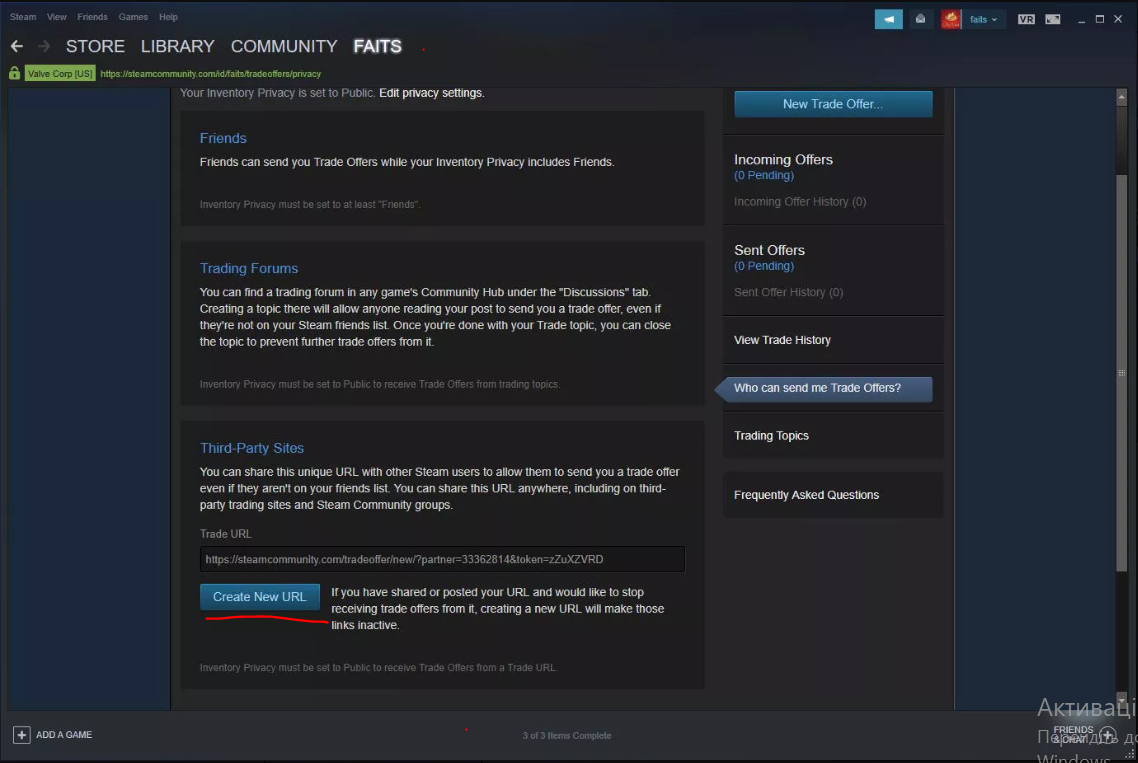
Confirm the Change:
The new Steam Trade Link is ready to be used! You are able to copy this new URL and share whenever you need.
Is it Safe to Give Out My Steam Trade URL?
If you know how Steam Trade URL works, it can be absolutely safe and convenient to share it. It enables you to take part in trading activities within the Steam community. Nevertheless, you have to keep in mind to take care of your Trade URL responsibly to protect your account and personal information. Further you are about to find several tips and useful practices to advocate the safety of your Steam Trade URL.
Understanding the Risks
While sharing your Steam Trade URL is usually safe, do not forget about potential risks if it ends up in the ominous hands. Among possible risks we can highlight:
Undesired Trade Offers: When sharing your Trade URL publicly be prepared that it can result in getting numerous undesired trade offers, which is quite overwhelming and time-consuming to manage.
Scams and Fraud: Some evil-minded users might attempt to scam you by sending fraudulent trade offers. Do not forget to stay careful and check the legitimacy of each trade offer.
Phishing Attacks: Scammers may use your Trade URL to try to get your personal information. Try to avoid clicking on malicious links.
Tips for Safe Handling of Your Steam Trade URL
Share with Trustworthy Users:
You can share your Steam Trade URL just with people you believe, like friends, reputable traders, or verified community members. It is definitely not the best idea to post your Trade URL in public forums or social media platforms where it can be easy-to-get by everyone.
Verify Trade Offers:
Before agreeing for any trade offer, make sure the items in offer are real and check the Steam profile of the sender. Be careful of offers that seem too perfect to be true, as often it is a scam.
Enable Steam Guard:
Ensure that Steam Guard or Steam’s security feature, is turned on in your account. Steam Guard provides an extra "protection wall" by asking a code from your email or mobile app to access your account.
Regularly Monitor Your Trades:
Keep an eye on trade offers you send and receive. Regular monitoring helps you spot and cancel any suspicious trades immediately.
Modify Your Trade URL Periodically:
If you suspect that your Steam Trade URL has been jeopardized or if you're getting a lot of spam offers lately, consider resetting your Trade URL. By modifying your Trade URL on a regular basis boosts your chances to maintain your account's security.
Use Community Marketplaces Carefully:
When using third-party community marketplaces, check whether they are reputable and have good reviews. Also, do not share your Trade URL with unverified or dubious sites.
Sharing your Steam Trade URL is a practical way to engage in trading activities within the Steam community. To decrease the risks and guarantee a safe trading experience, do not neglect tips we listed above. Always prioritize security and be aware of potential scams to protect your valuable in-game items and private information.






Write comment