
Can You Kick Yourself in CS2 in 2026?
The short answer: yes, but not in every mode. If you're asking can you still kick yourself in CS2, the function is still technically present — but it's restricted. As of 2026, Valve has disabled self-vote kicking in competitive modes like Premier to prevent abuse.
However, in casual matches or community servers, it's still possible to initiate a vote to kick yourself. Below, we explain how to vote kick yourself in CS2 using the console.
How to Kick Yourself in CS2?
Step-by-Step Guide
Follow these steps if you're in a casual game or community server where vote kicking is allowed:
Enable Developer Console
Go to “Settings” > “Game” and set "Enable Developer Console" to "Yes."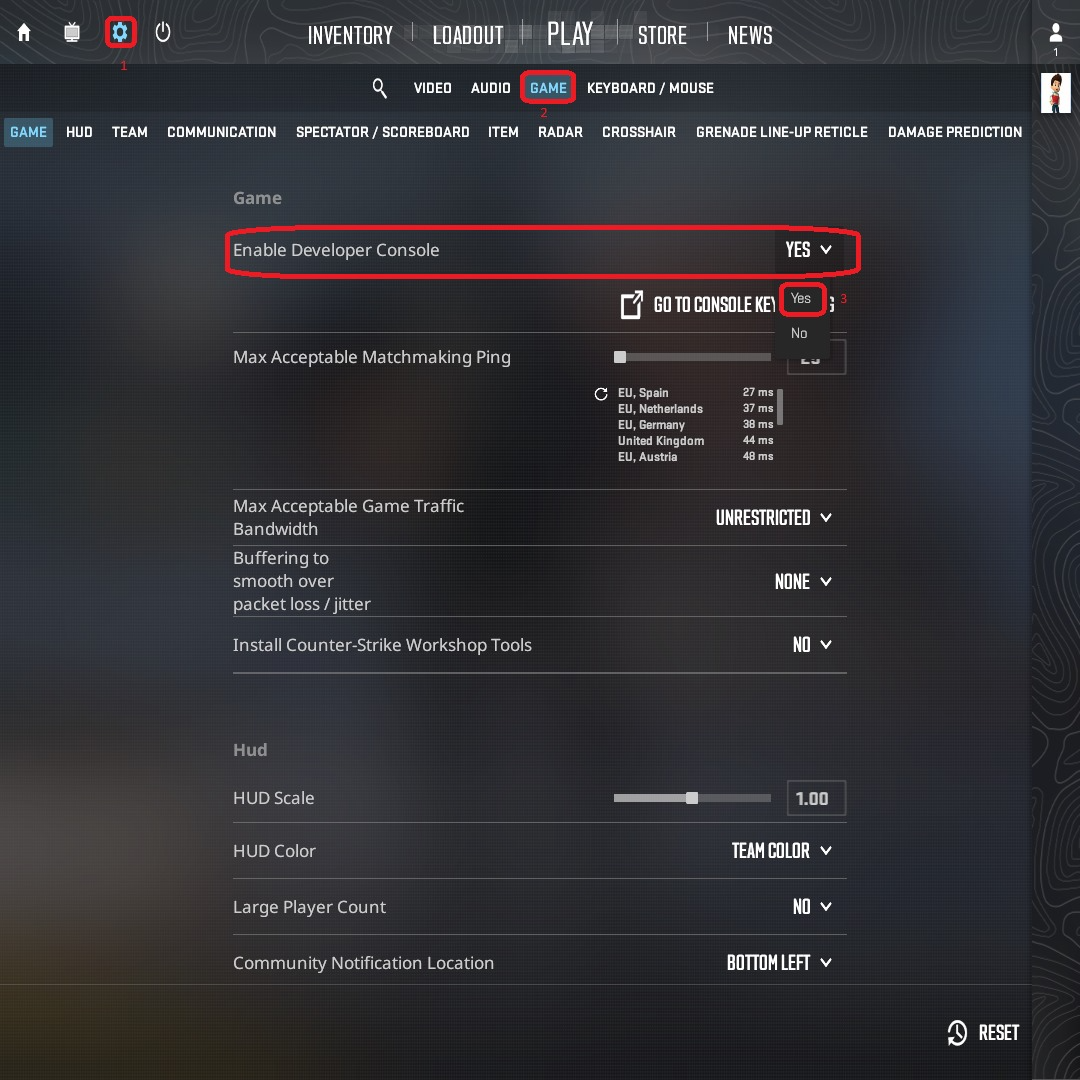
Open the Console
Press the ~ key to open it in-game.Check Player Info
Type “status” in the console and press Enter. This will list all players and their UserIDs.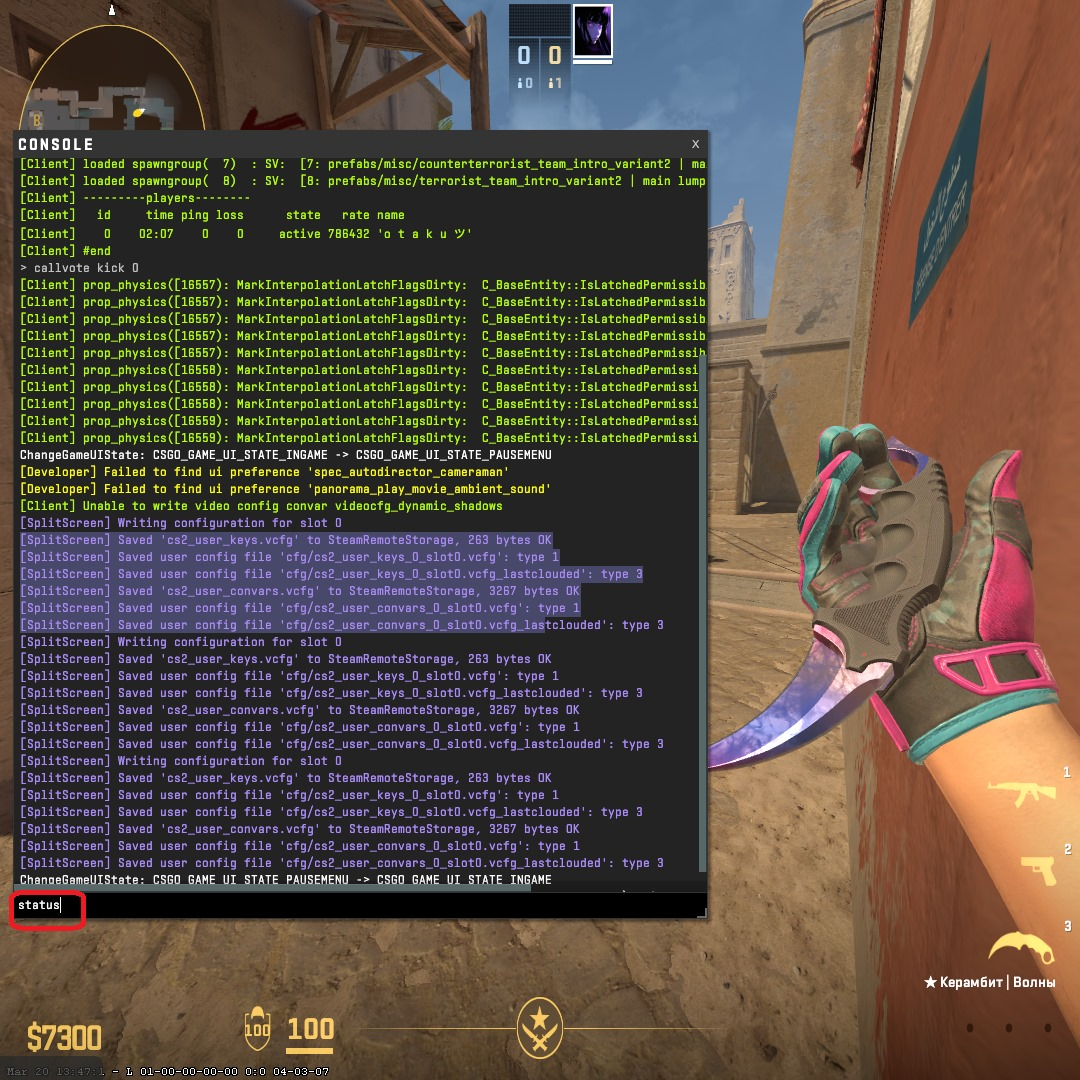
Enter the Kick Command
Type:
“callvote kick [Your UserID]”
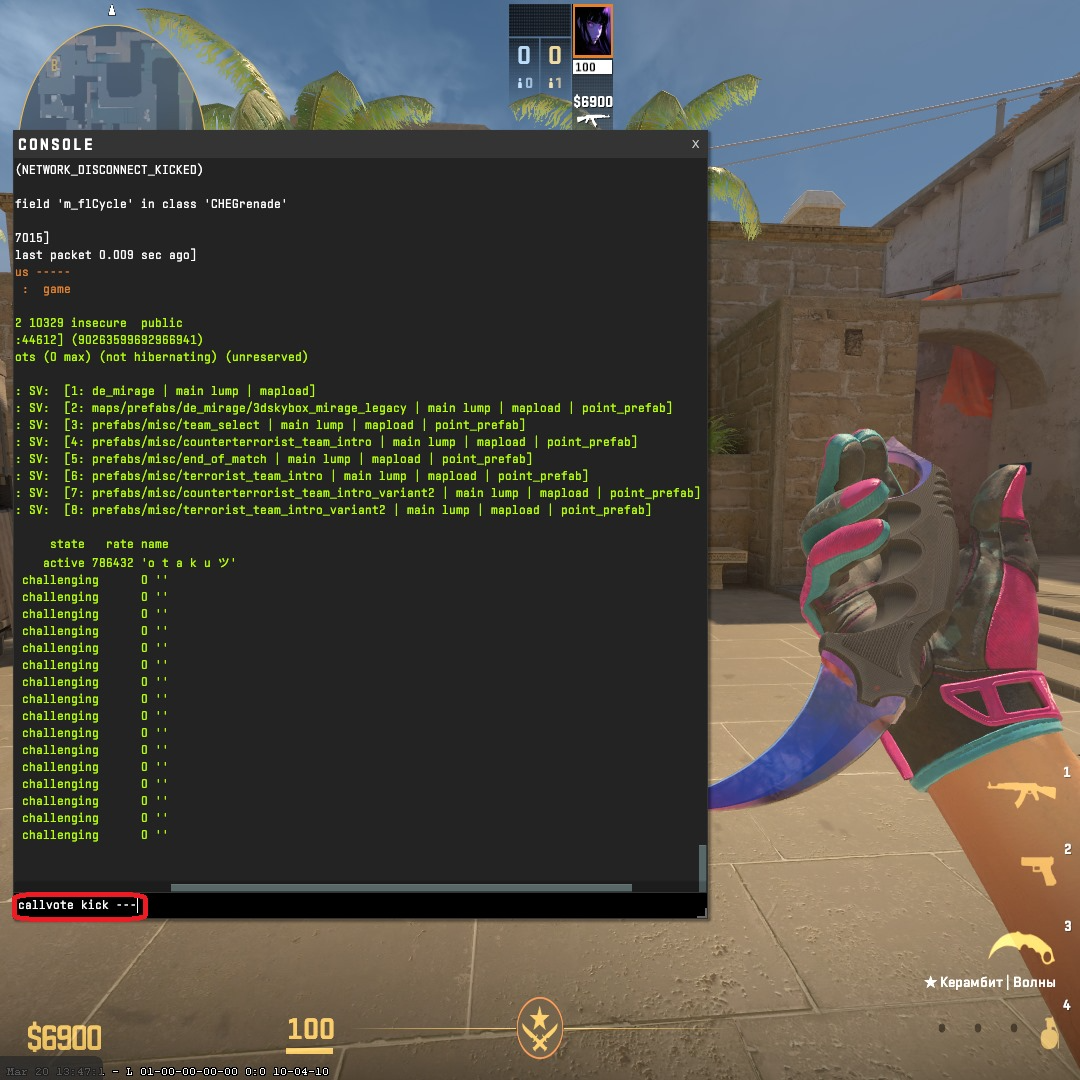
Replace [Your UserID] with the number listed next to your name.
Wait for the Vote
Teammates will now vote. If enough choose “Yes,” you’ll be removed.
Note: In competitive matchmaking, this won’t work. If you're wondering can u kick yourself in CS2 during ranked play, the answer is no.
Why Do You Need to Kick Yourself?
When and Why to Use the Command
Sometimes leaving a match the usual way just isn't an option. Maybe you're facing a bug that locks your screen, or you've ended up in a chaotic game with teammates who make playing impossible. In these cases, knowing how to vote kick yourself in CS2 can save you time — and your sanity.
Here are some of the most common reasons players look for this option:
- You’re frozen or bugged and can’t play properly.
- You joined the wrong lobby by accident.
- You’re trying to leave without incurring a cooldown.
- You're stuck in a troll game and want out.
In casual games, this option may be a quick fix. So if you're wondering how do you kick yourself in CS2, it all comes down to match type.
Alternatives to Self-Kicking
Other Ways to Leave the Match
If you can't initiate a vote or are playing competitively, try one of these instead:
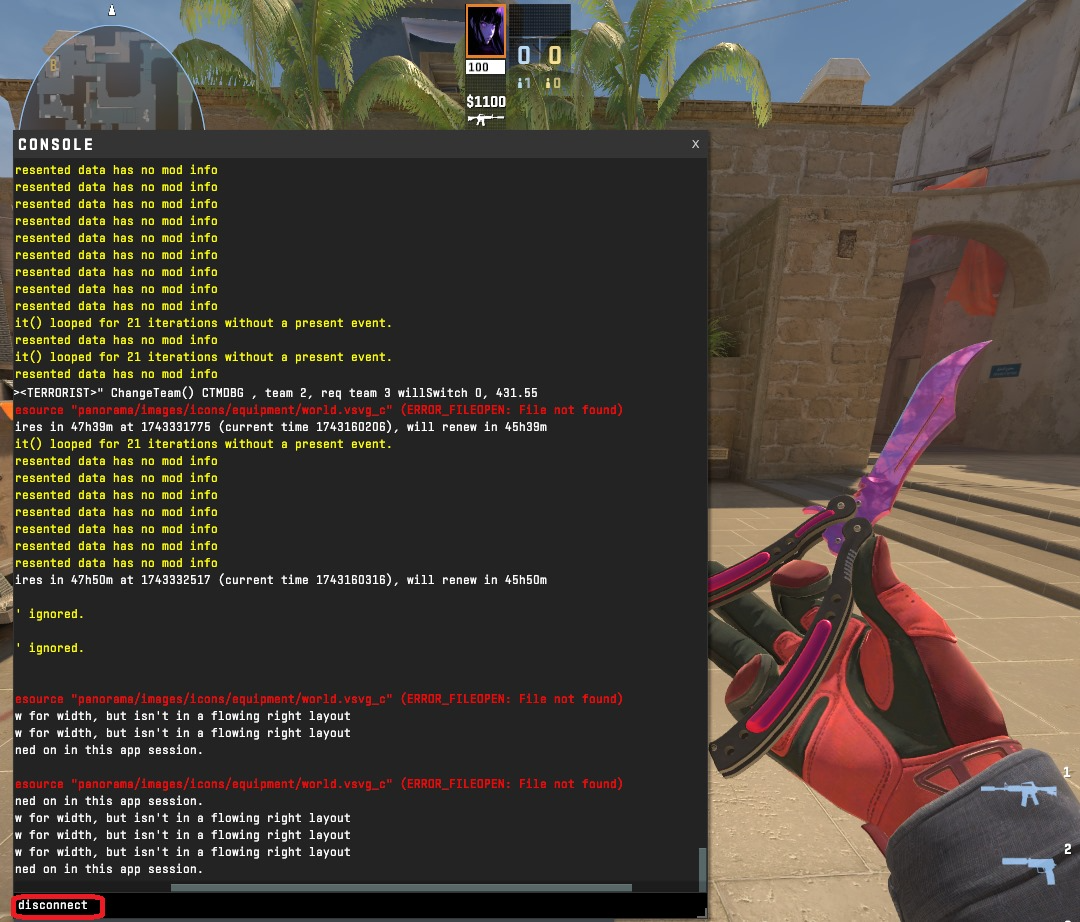
Disconnect Command — Type “disconnect” in the console. This is the answer to what is the code to leave game in CS2. Note: this may cause a cooldown in ranked matches.
Go AFK — In casual mode, being idle may cause teammates to vote you out.
Ask for Help — Politely request that someone uses “callvote kick” on your behalf (especially in community servers).
More CS2 Guides and Skins
Now that you've got the hang of how to kick yourself in CS2 — and where it's still doable — it’s a good time to level up your knowledge even further. Dive into practical insights, tips, and hidden mechanics in our Skin.Land blog.
And if you’re planning your return to the match, why not do it with flair? Browse hand-picked CS2 skins at smart prices, including standout AWP designs and crowd-favorite AK-47 finishes.
Whether you're on the hunt for commands or cosmetic upgrades, Skin.Land is your go-to armory for playing sharper — and looking sharper.






Dfch
Ddddd
кверті
Здесь лучше
santa claus
Doesnt work
Write comment