
How to Mute All People in CS2?
There are a few ways of muting all players in CS2 you can choose from depending on your preference. Here’s how to mute in CS2:
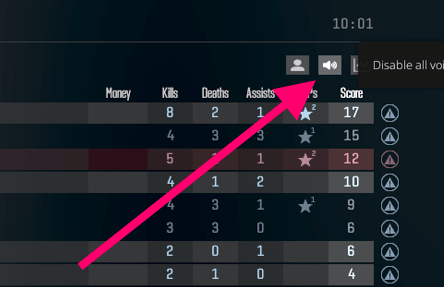
Press and hold Tab to open the scoreboard mid-game
Right-click in any area while holding Tab to access a cursor
In the top right corner of the scoreboard, find and press the Speaker icon to disable all voice communications
If you want to get rid of all voice comms once and for all, here’s what you need to do:
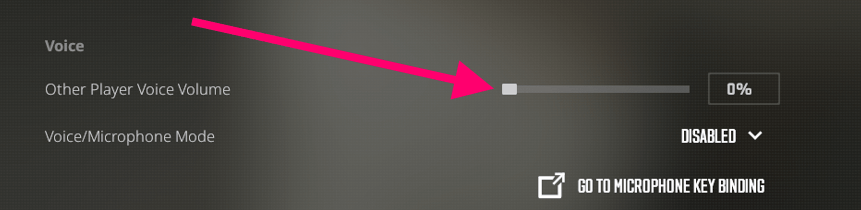
Open Settings, then proceed to Audio
Scroll down to a Voice section and drag down the Other Player Voice Volume slider to zero.

How to Mute Someone in CS2?
If you’re having an issue with a specific player mid-game or just tired of hearing distorted noise coming out of a Cold War-era microphone, then do the following:
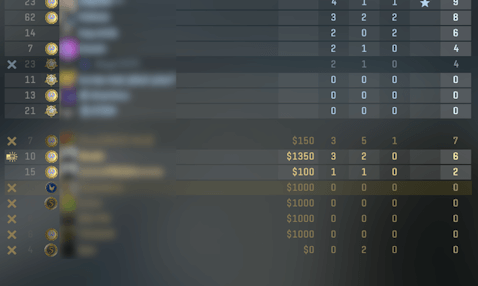
Press and hold Tab to summon the scoreboard
Right-click in any area while holding Tab to access a cursor
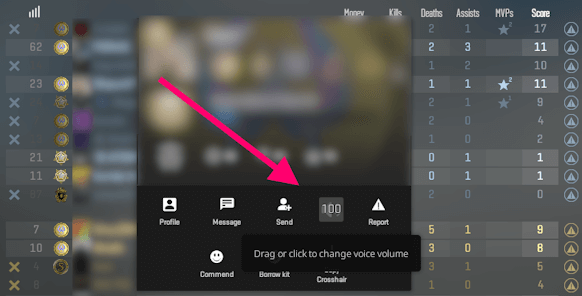
Click on the nickname of a player you’re trying to mute
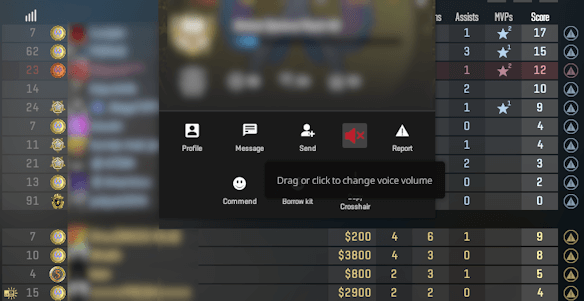
Click on the Speaker icon in order to mute a player
If you drag the speaker icon up or down, you can adjust the volume of a player’s mic






emo
anladım
Write comment