
Can You 1v1 in CS2?
Yes, you can. However, this is quite a task compared to the good ol’ days of CS2. You can no longer set up a 1v1 game with a few console commands without some network fiddling. Alternatively, you can jump on a Community Server browser if you find one. Read more on that below.
How to Play 1v1 in CS:GO/CS2?
There are two main ways of playing 1v1 in CS2 right now, and we’ll go in detail on each one.
Playing via LAN method
You’ll need to download a VPN application called Hamachi or Radmin, in order to create a private network
Once you’ve downloaded the app and got it running, press Network > Create a New Network > Finish Network Creation
Share the details with your friends, including name and password of said network. They should also download Hamachi / Radmin and click “Join an Existing Network”
Then, open Steam, find and right-click Counter-Strike 2 in the list, proceed to Manage > Browse local files
Navigate to “Steam\steamapps\common\Counter-Strike Global Offensive\game\bin\win64” and create a shortcut of the CS2 application (CS2.exe)
Right-click the CS2 shortcut and open its Properties
In the Target area add the following text “-dedicated -usercon +game_type 0 +game_mode 1 +map de_inferno -dev” (or any other map of your choice: de_mirage, de_dust etc)
Now launch the shortcut with Hamachi
Once CS2 is launched, open console and enter “connect <IP>:27015” with the Hamachi IP address instead of “IP”
Copy this command and share it with your friends in order to play together
If this method seems a bit sweaty for your taste, you can always rely on Community Servers, even though there’s a serious lack thereof.
The Community Servers method
Considering that many Community Servers no longer work, you’ve left with a limited amount of options in terms of 1v1 servers. Here’s what you can do:
Launch CS2, click Play and then click the Community Server browser icon (globe) next to Workshop Maps tab
Filter all active servers by the amount of players in game and choose the ones where there are no players
IF the official Server Browser client is blank (most likely) and indicates 0 servers, then go to a CS2browser / Honeststeambrowser website where you can find active servers and see the amount of players
Try to connect to one of the servers with your friend and if successful – have fun!
However, many servers are run by third-party companies like Cybershoke and won’t just let you if you try to connect via console command.
Go to the Cybershoke, Xplay or any alternative service’s website and find the server suiting your needs and join directly from their websites. Cybershoke has a dedicated Duels server list you can access with your friend.
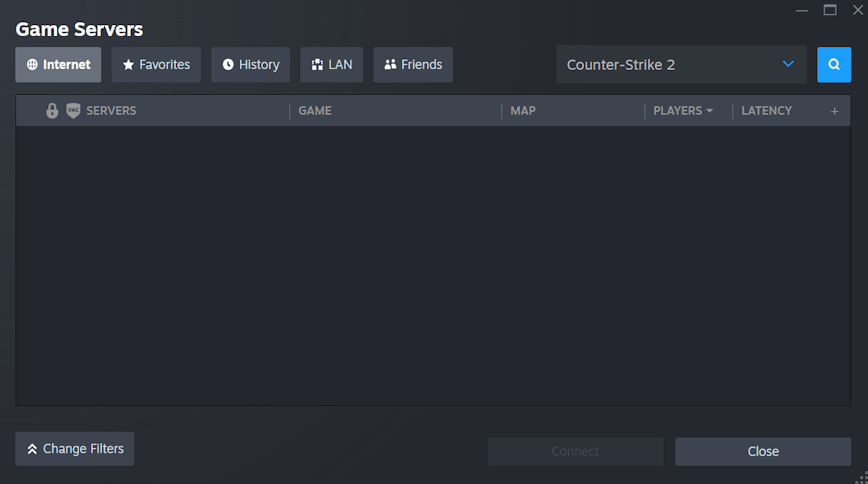
Many players reported the same issue with Server Browser
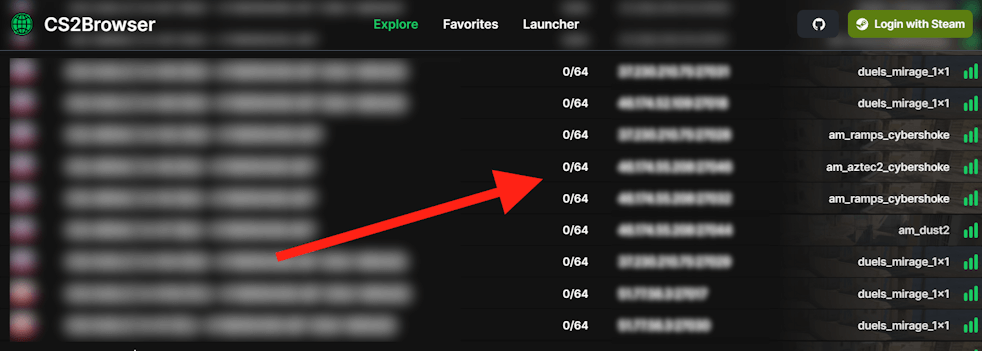
Look up an empty server and then share the address with your friend
Main CS:GO/CS2 1v1 Console Commands
If you’ve managed to create a private server for you and your friends, here are some useful console commands you can use to improve the gaming experience.
sv_cheats 1 – this command only works in private lobbies, and it allows you to tweak the game in many ways. Many commands require the activation of sv_cheats in order to work
mp_free_armor 1 – this command triggers the automatic armor for both players upon the start of each round
mp_freezetime – this command allows choosing the optimal time when players can’t move at the start of each round. Setting it somewhere between 2 and 3 is more than enough for 1v1 instead of standard 15 second chill.
changelevel – allows you to change the map to another one by adding the codename next to “changelevel”. Here’s the list of maps that you can use: cs_italy_vanity, de_mirage, de_anubis_vanity, cs_vertigo, de_nuke, de_overpass_vanity, de_inferno_vanity, cs_italy, de_ancient_vanity, de_dust2, cs_office.
We’ve also compiled the most common command combination in a console for a casual 1v1 game, which you can compile in a config file or just copy and paste:
mp_freezetime 2;
mp_round_restart_delay 3;
mp_maxrounds 16;
mp_limitteams 1;
mp_match_can clinch 1;
mp_free_armor 1;;
mp_halftime 1;
mp_weapons_allow_map_placed 1;
mp_warmup_end;
mp_restartgame 3;
How to Play 2v2 in CS2 With Friends?
Your best bet is finding a Community Server on a third-party website. You can also repeat the steps explained in the Playing via LAN method section and just make all your friends install Hamachi, but the first method is just significantly more accessible.






Write comment