
What is CS2 Screen Shake?
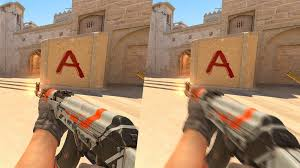
CS2 screen shake is a visual effect where the screen jerks when you're shooting, taking damage, from a grenade explosion, or from falling from a great height. In reality, there are two things going on with screen shake. First, there's the View Punch. It's the camera kick when you're shooting – the screen briefly shifts up and to the side, simulating physical recoil. The second thing is the Weapon Bob. It's the swinging back and forth of the gun when you're moving – your hands and weapon swing while the character runs. Valve implemented these effects intentionally for weapon weight feel and visual feedback from shooting. Valve used the Source 2 engine, allowing for more complex animations than CS2. That's why CS2 screen shake when shooting feels much more intrusive to many players than before. In February 2024, Valve announced fixes for unstable FPS related to viewmodel animation. After this update, some players started noticing the shake more.
Can You Disable Screen Shake in CS2?
The short and simple answer to the question of whether it's possible to disable screen shake in CS2 – not really. Not entirely, at least. Not in matchmaking mode. Valve deliberately blocked parameters controlling view punch behind the sv_cheats 1 flag. On Premier, Competitive, and Deathmatch servers, cheats are disabled by default – and commands that actually remove camera shake when firing simply don't work there. This is a basic fact that most online tutorials gloss over or outright lie to their readers about.
Here's the truth: If you're browsing around online and come across some tutorial that says something like "hey, just type this in and everything will disappear" – then chances are they're talking about a local server and not matchmaking mode. Can screen shake in CS2 be completely turned off using a disable screen shake in CS2 command? No. Can it be reduced to the point where it's not really annoying anymore? Yes – and we'll get to that in a moment.
Commands How to Remove or Turn Off Screen Shake in CS2
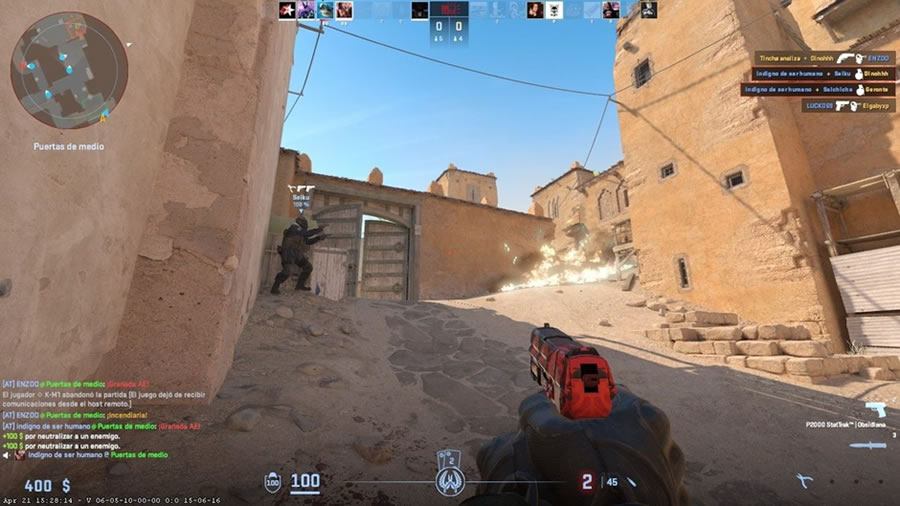
The truth is that it's not possible to completely disable screen shake in CS2 using a disable screen shake in CS2 command in matchmaking mode. There's simply no command you can enter in a game of CS2's matchmaking mode and expect to have a completely stable screen again.
The command view_punch_decay 999, commonly referred to as the command that disables screen shake in CS2, can only be executed when sv_cheats 1 is enabled, meaning only for local server play or workshop maps. The commands from old CS2, such as cl_bobamt_lat 0, cl_bobamt_vert 0, and weapon_recoil_view_punch_extra 0, when entered into CS2, result in the commands being labeled as unknown commands or as not being compatible with the Source 2 engine. The screen shake off command, as players want it, does not actually exist for CS2 matchmaking.
Command | Status | Requires sv_cheats? |
view_punch_decay 999 | Works | Local server only |
weapon_recoil_view_punch_extra 0 | Not compatible with CS2 | — |
cl_bobamt_lat 0 | Unknown command | — |
cl_bobamt_vert 0 | Unknown command | — |
cl_bob 0 | Unknown command | — |
What's actually available without sv_cheats is reducing viewmodel sway. This isn't the same as removing view punch, but gives a noticeably more stable image.
Only for practice servers. If the goal is reducing visual noise when training spray, on a local server you can use sv_cheats 1 and then view_punch_decay 999. This command doesn't work in official matchmaking and in practice is used exactly for local training. Useful for practice, useless in real matches.
CS2 Screen Shake Effects on Gameplay
CS2 screen shake when shooting hits gameplay in multiple ways, and not all of them are obvious at first glance.
The most direct consequence is disrupted spray control. During a long burst from AK-47 or M4A4, the camera jerks with each shot, and your eyes are forced to constantly compensate for this movement instead of holding the target. Even a memorized pattern can slip in your head if the image is unstable.
Second point – timing in duels. Screen shaking slows down locking your eyes on a point. The brain objectively has more difficulty determining an object's position on an unstable background – and that's exactly why the question of how to lower screen shake in CS2 emerged from the gaming community organically, without any hype. This isn't a whim but a rational request.
Third problem – fatigue during long sessions. Constant image instability strains the visual system harder than it seems. Some players report slight nausea or headaches after several hours of play – especially on monitors with low refresh rate or unstable FPS. That's exactly why many who searched for an answer to remove screen shake in CS2 did so not for an "unfair advantage" but simply for comfort.
Professional players try to remove everything unnecessary from the image – any visual element that doesn't carry tactical information gets in the way. That's exactly why most pro players have the viewmodel configured as minimally as possible.
How to Lower Screen Shake Without Turning It Off Completely
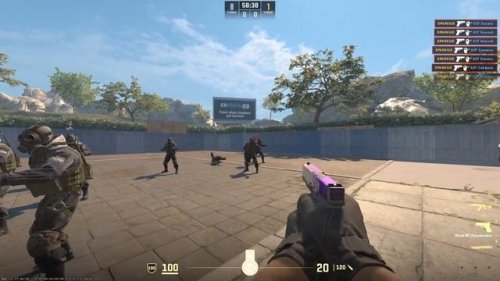
Complete zeroing doesn't suit everyone – and that's fine. Some players want to keep part of the visual feedback, especially if they're just transitioning from CS2 and don't want to drastically change what they're used to. In that case, it makes sense not to zero out commands but set intermediate values.
Before applying, it's useful to figure out what bothers you more – sway during movement or viewmodel shift when shooting. This helps choose commands more precisely without touching what you're already used to.
Command | Default | Compromise | Full Disable |
cl_viewmodel_shift_left_amt | 0.5 | 0.3 | 0 |
cl_viewmodel_shift_right_amt | 0.25 | 0.15 | 0 |
Snipers and positional players find full zero more comfortable – any viewmodel movement interferes with holding a pixel angle. For aggressive riflers who move and shoot dynamically, light animation can serve as a rhythmic reference. There's no universal answer – settings are worth testing on deathmatch or workshop maps before locking them in your config.
Important to remember the main thing: all listed commands affect only the visual aspect. They don't change actual spread, don't touch hitboxes, and don't affect recoil mechanics. How to remove screen shake in CS2 using these commands is legal customization, not cheating. Set it once in autoexec.cfg – and never return to this question.
If the optimization settings topic interests you deeper – also worth studying graphics card and monitor settings for CS2, or looking at AK-47 and M4A4 skins that affect viewmodel perception when shooting no less than any config.
Disable screen shake in CS2 completely – impossible in matchmaking. Valve blocked key parameters behind sv_cheats, and no working command for official servers exists. This is the honest answer that most guides don't have. On a practice server with sv_cheats 1, view_punch_decay 999 is also available.






Write comment