
What Does Stuttering in CS2 Mean?
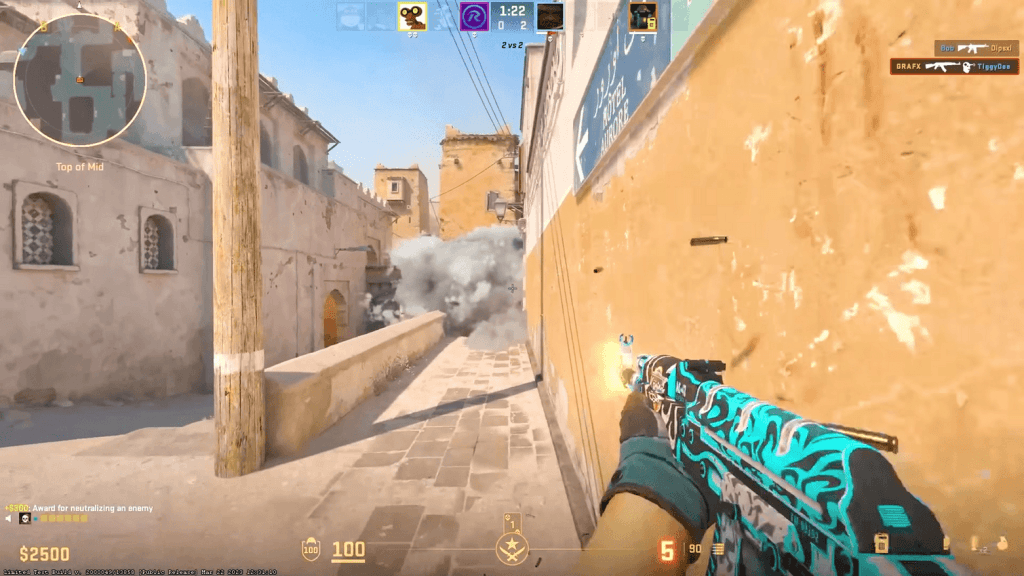
In CS2, stuttering shows up when what’s happening on screen doesn’t quite line up with what your PC is actually doing. Your FPS counter might show a smooth 200, but the game still feels weird. Movements aren’t fluid. Shots feel delayed. Something just feels... off.
This isn’t the same as low FPS. It’s not about the game being slow — it’s about frames being delivered unevenly. One moment everything runs fine, then suddenly there's a hiccup — a freeze, a jolt, a skipped frame. It breaks the flow and messes with your timing.
Sometimes it’s easy to spot — like choppy reloads or weird camera shakes. But CS2 micro stuttering can be sneaky too: a quick flicker, a slightly jumpy grenade animation, or a character stuttering mid-step. Tiny glitches, but in a game as fast as CS2, they’re enough to throw off your aim or cost you the round.
What Causes CS2 Stuttering Issues?
Before you fix anything, you need to figure out what’s causing the issue. And when it comes to CS2 stuttering with high FPS, the reason isn’t always obvious. You can have a solid graphics card, low settings, and still get random freezes. That’s what makes it so frustrating — it can come from all kinds of things. Let’s break down the usual suspects.
Outdated GPU drivers
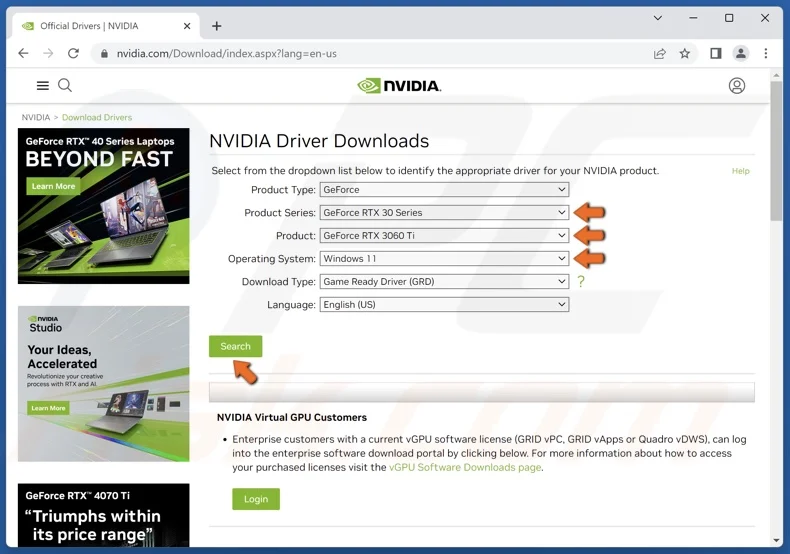
One of the most common reasons. Even small issues between CS2 and your drivers can mess with performance. This happens a lot with Radeon cards — AMD CS2 stuttering is often tied to shader bugs or bad driver updates.
Recent game updates
Sometimes patches fix problems. Other times, they bring new ones. After big updates, it’s not unusual to see reports of CS2 stuttering after update, especially in the first few days. Not everyone is affected, but if you are — you’ll notice it right away.
Background programs and overlays
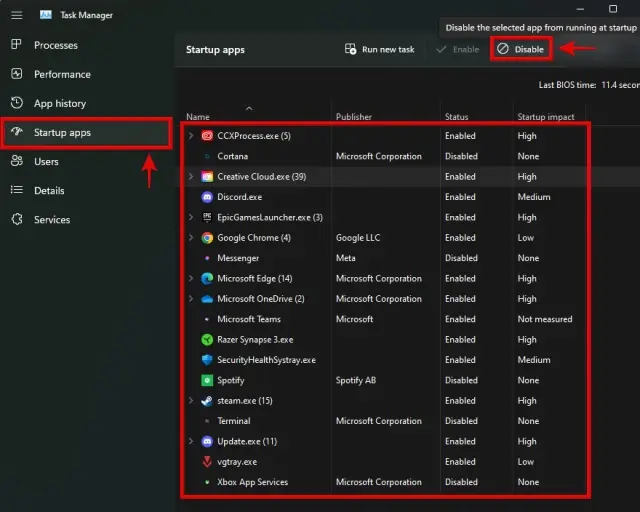
Discord, browsers, FPS trackers, even OBS — they may seem harmless but can quietly eat up resources. When that happens, you might run into CS2 screen stuttering, even if everything else looks fine.
Network problems
Not every stutter is about hardware. If your internet is acting up, you can get lag, teleporting, or weird desyncs. This kind of CS2 network stuttering looks like the game is freezing — even though your FPS is stable.
Hardware limitations
A great GPU won’t help if your CPU is struggling or your system is overheating. Bottlenecks like that can easily lead to CS2 game stuttering, even on powerful setups. Especially in long matches or when streaming.
Bad launch options
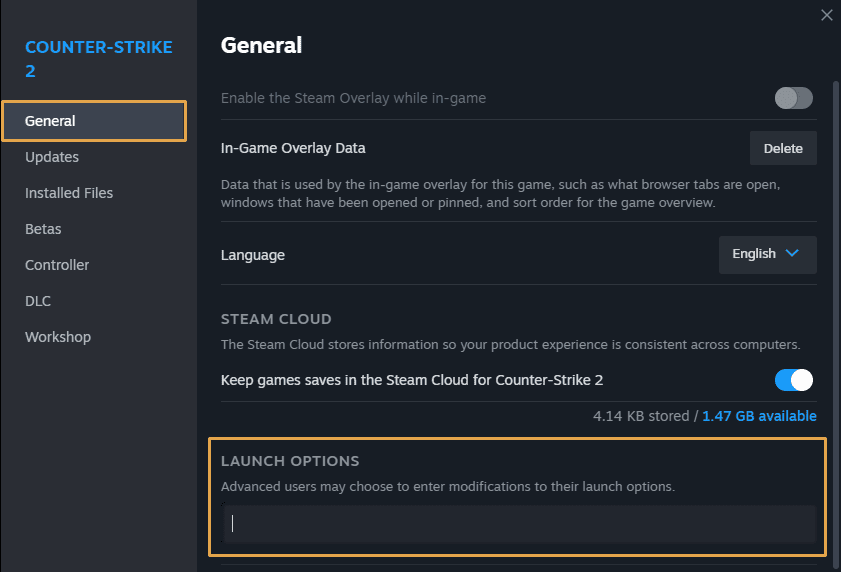
Tuning startup commands can boost performance — or completely break it. Some outdated or extreme tweaks can cause CS2 micro stutters, especially if they mess with how the game loads or runs in memory.
How to Fix and Stop CS2 Stuttering?
Tired of random freezes and weird skips in the middle of your matches? You're not the only one. Plenty of CS2 players deal with sudden slowdowns, even when their system looks fine on paper. The upside? Most of the time, you can fix it — and without diving into anything too technical.
Here’s a simple list of what you can try if you’re dealing with CS2 stuttering fix amd, screen lags, or other annoying micro-hiccups.
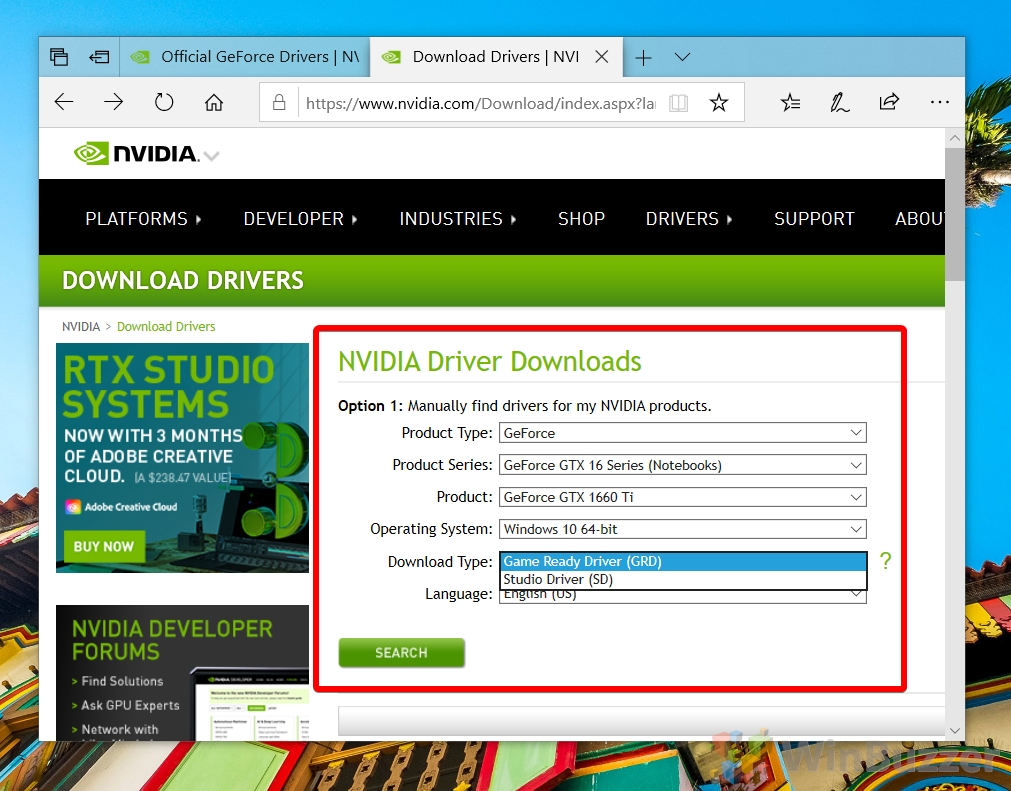
Update your GPU drivers. Skip the Windows updates — go straight to the official NVIDIA or AMD site and grab the latest stable version. Outdated drivers are often the reason behind rendering bugs, especially in cases like cs2 stuttering fix amd.
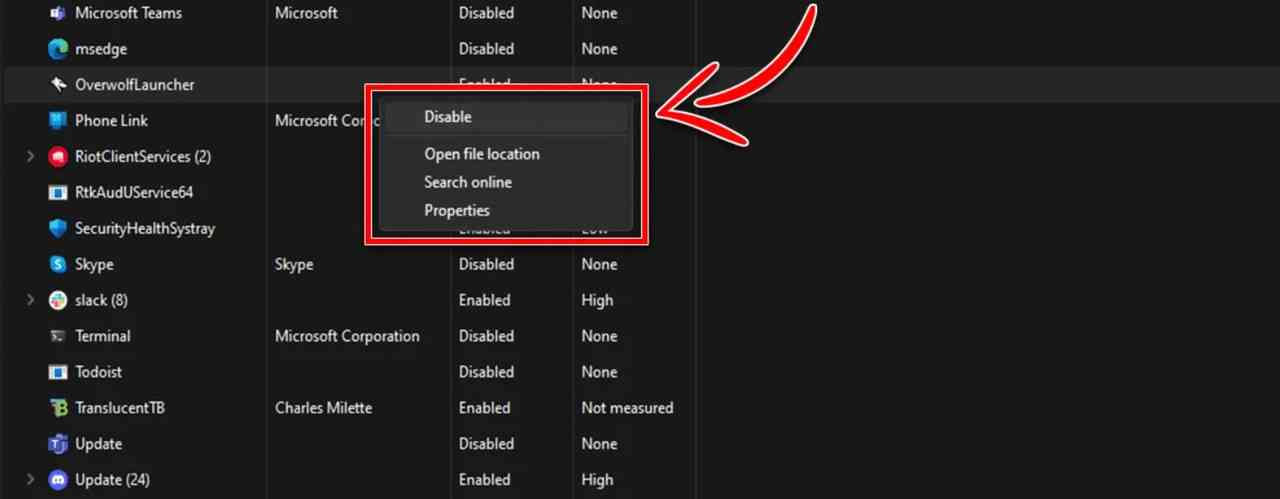
Close background apps. Programs like Discord, Chrome, or OBS might be quietly stealing your performance. Even when minimized, they can trigger things like cs2 faceit stuttering or input delays. Shut them down before launching the game.
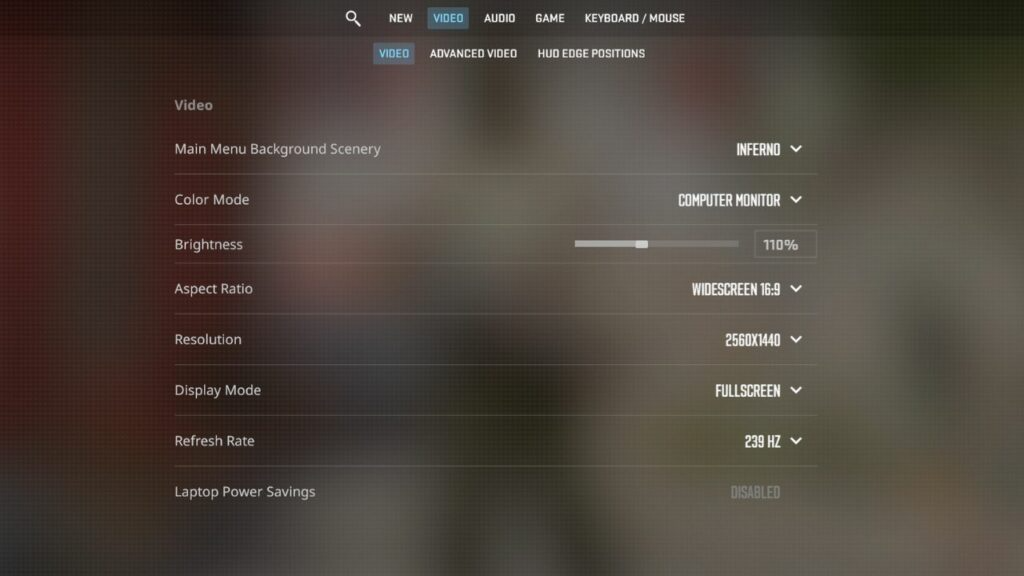
Lower your graphics settings. Sure, max graphics look cool — but they can also cause random stutters. Try switching to medium or low presets, and turn off things like motion blur and anti-aliasing. It can seriously cut down on cs2 fps stuttering, especially if your system isn’t top-tier.
Adjust launch options. In Steam, right-click CS2, go to properties, and use this launch string:
-novid -nojoy -high -threads X
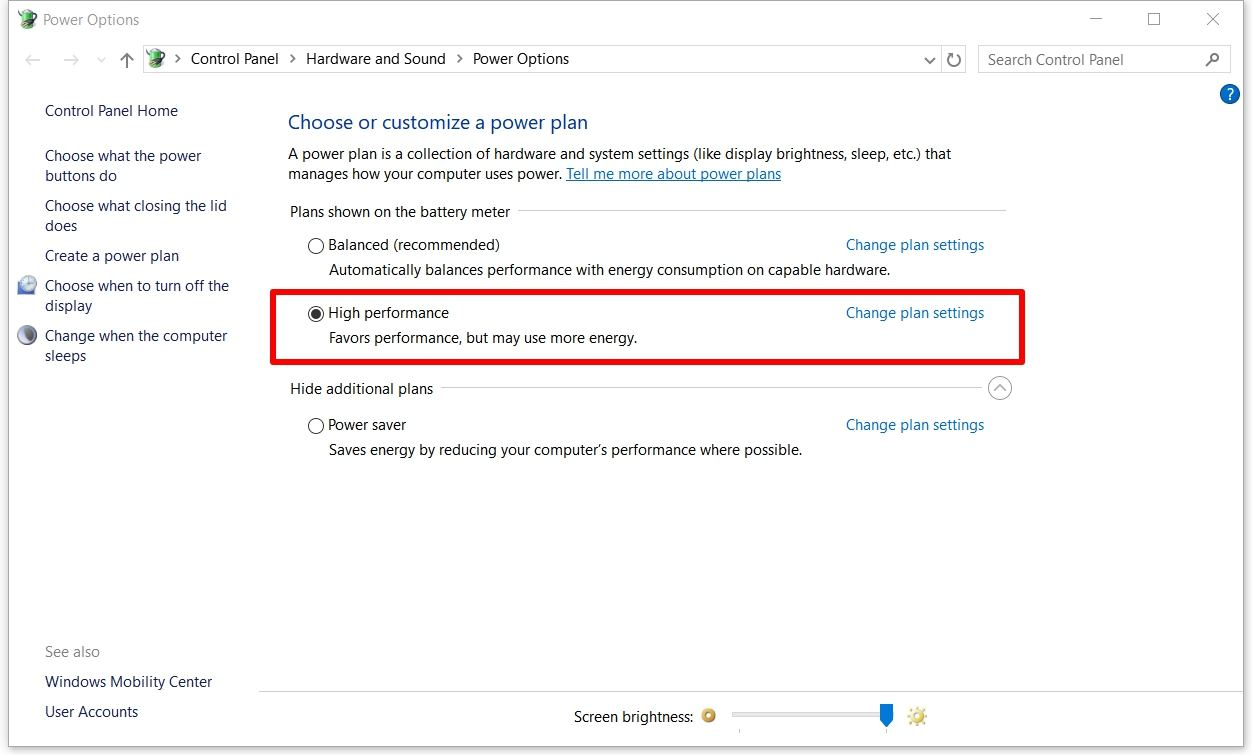
Replace X with the number of CPU threads you have. Don’t go overboard with other commands — they might trigger cs2 micro stutters instead of helping.Change your power settings. Open your Windows power plan and set it to “High Performance.” While you’re at it, turn off Game DVR and Game Mode in Xbox settings. These features often mess with performance and can cause cs2 keeps stuttering during heavy gameplay.
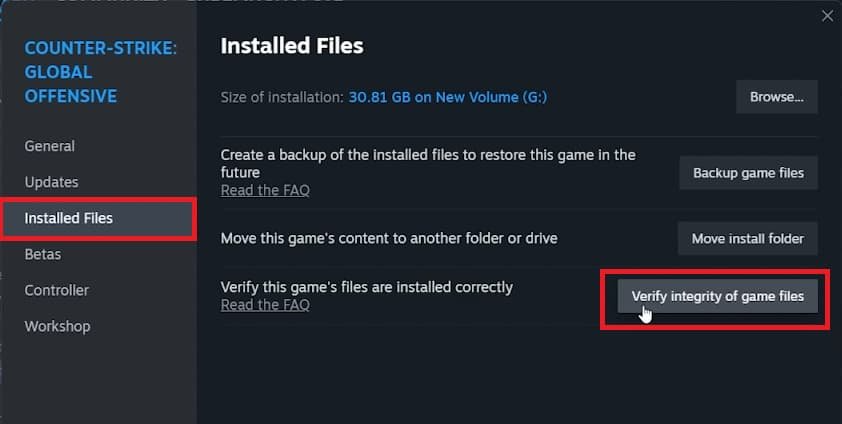
Check your game files. Sometimes a broken file is all it takes to ruin performance. In Steam, right-click CS2, go to Properties > Installed Files > Verify. It’s a quick way to fix issues like cs2 is stuttering without digging into anything complicated.
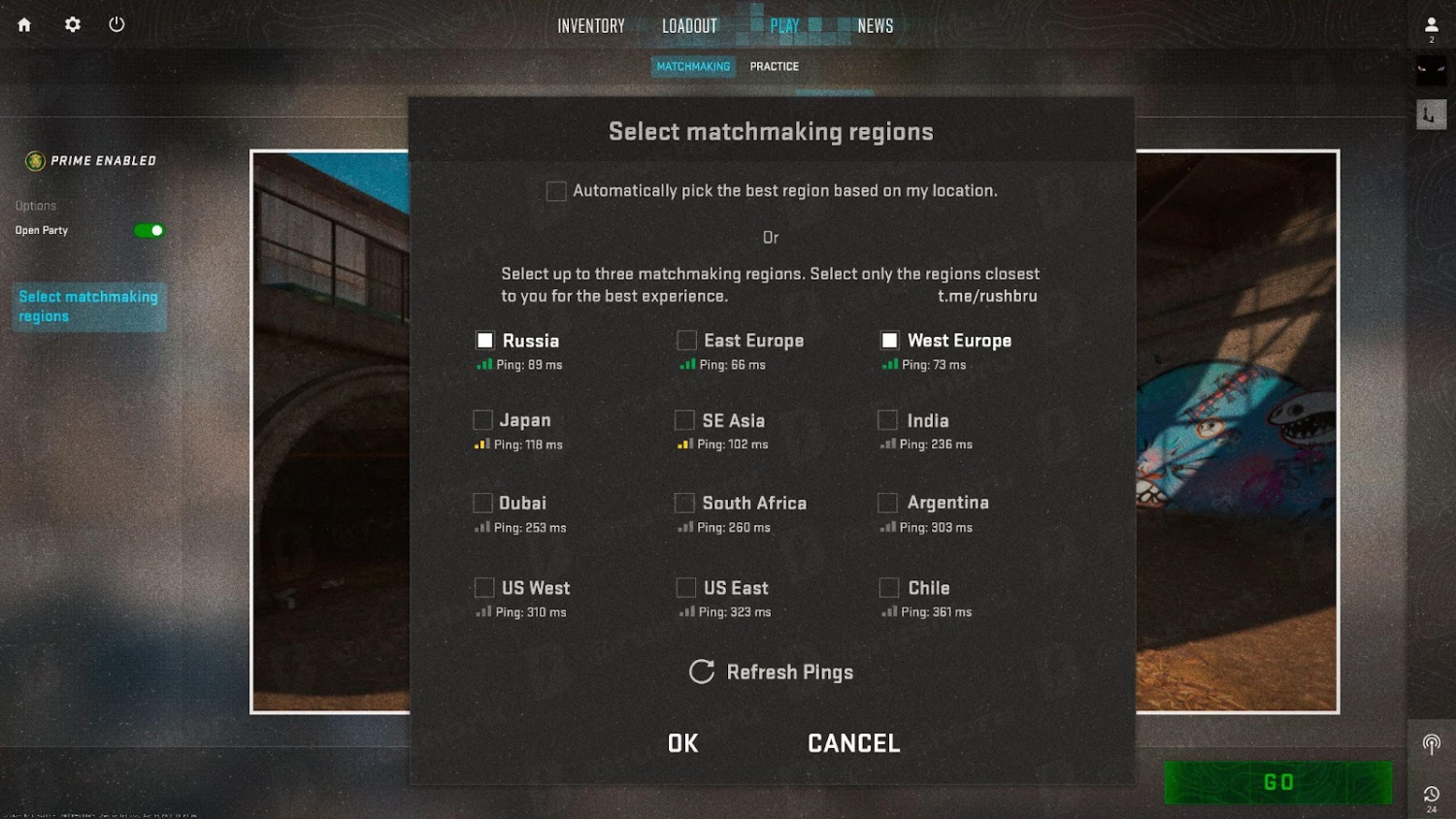
Try different servers. If you only get stutters online, the problem might not be your PC — it could be your connection. Test a different server or Faceit region. This can help with cs2 network stuttering caused by unstable routing.
Reset or reinstall. Still stuck? Back up your settings, delete the game, and reinstall it clean. Or wipe your config files and let the game generate new ones. In some cases, this is the only thing that can truly fix stuttering cs2 when everything else fails.
Smooth gameplay isn’t just about better reaction time — it’s also about a system that doesn’t fight against you. Now that you know where stuttering in CS2 comes from and how to fix it, you're one step closer to cleaner rounds and fewer missed shots.
Want to dig deeper? Whether you're chasing more FPS or looking to build the perfect inventory, the Skin.Land blog has you covered. From performance tweaks to skin combos that actually look good together — we don’t just talk tech, we speak Counter-Strike. Drop by, pick up a few pro tips, and make your setup work as sharp as your aim.






Lucas Wittenstein
Cool Topic good information
Write comment