

Can You See How Many Cases You’ve Opened in CS2?
The short answer is yes, but Valve doesn't make it as easy as checking your kill count or competitive rank. There is no "Cases Opened" counter on the main menu. Instead, you have to dig into your Steam Personal Game Data.
How to Check How Many Cases You’ve Opened in CS2
The first one is the most popular method because it gives you a specific dollar amount spent, which you can use to calculate your total cases.
Open Steam and hover over your username in the top menu.
Select Badges.
Find the Counter-Strike 2 badge.
Click the link on the right that says "How do I earn card drops?"
A window will pop up showing your "Approximate total spent."
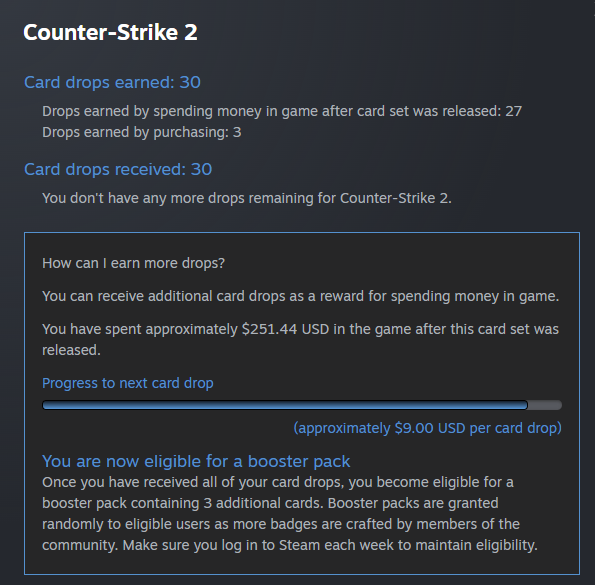
The Math: Since a standard key costs $2.49, divide that total number by 2.49 to get your approximate total of cases opened.
We also have another method that can help you determine how many cases you’ve opened in CS2.
Open your Steam Profile.
Click on Inventory (usually on the right-side list).
Look at the top-right corner, next to the "Trade Offers" button. Click the button that says "More..."
Select View Inventory History.
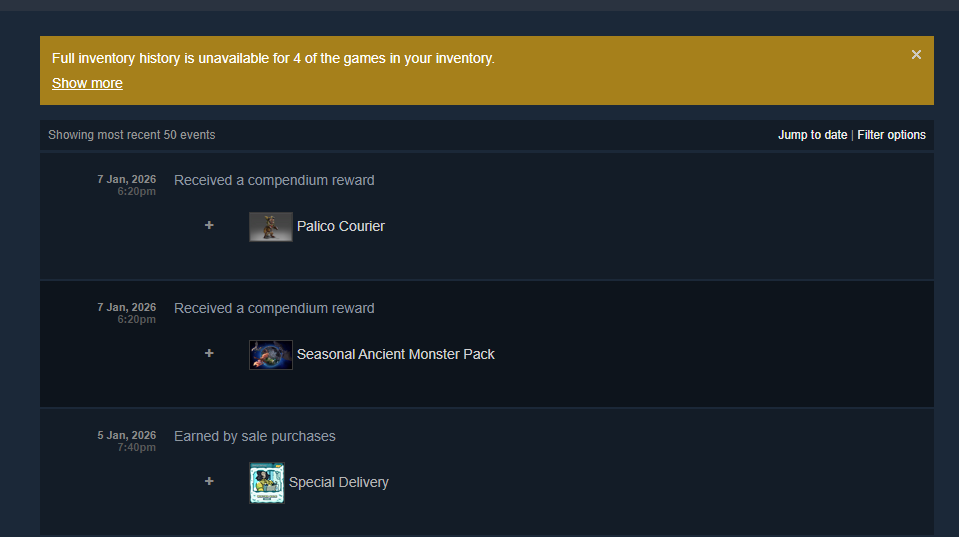
Once you are on the "Inventory History" page, it shows everything (drops, trades, market sales). To find your cases:
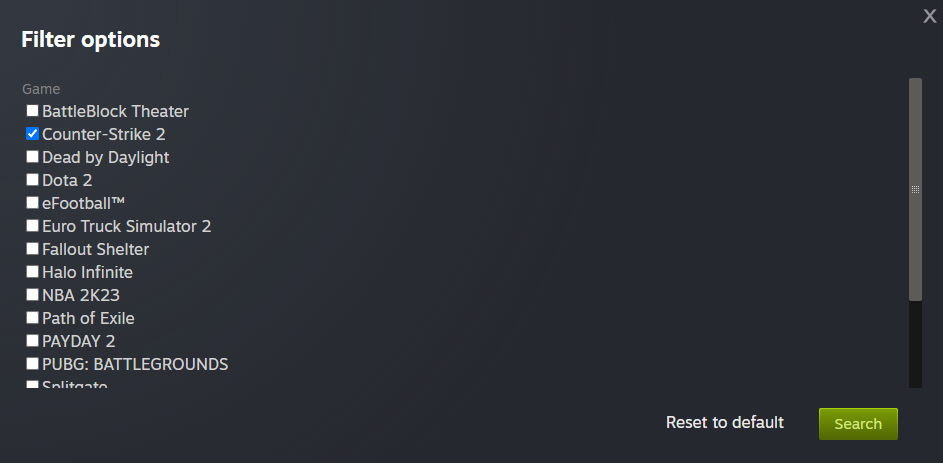
Use the "Select a game" dropdown and pick Counter-Strike 2.
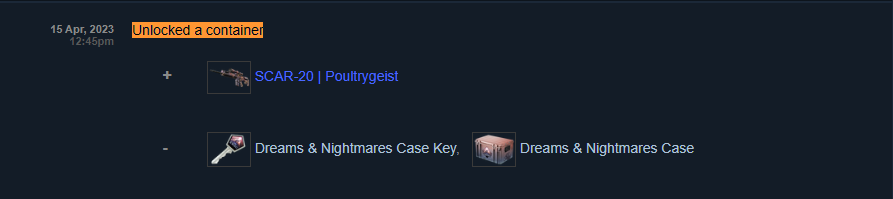
Press Ctrl + F (on Windows) or Cmd + F (on Mac) to search the page for the phrase: "Unlocked a container".
This will highlight every time you opened a case.
How Many CS2 Cases Are Opened Per Month
Yes, you can check how many CS2 cases were opened per month. You need to open Inventory History again, and click on “Jump to date”.
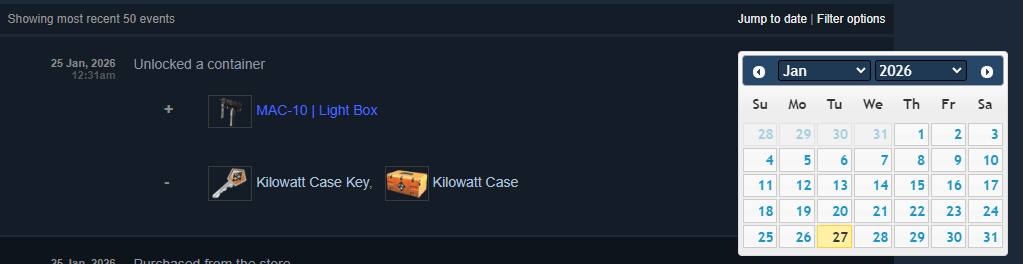
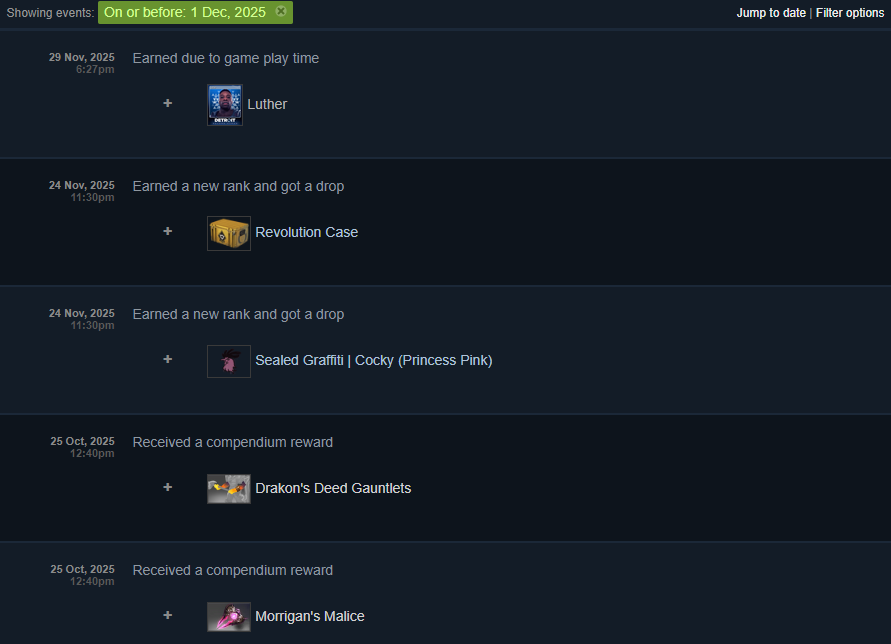
Here you will find a calendar and can choose before what date you opened the case. For example, I chose On or before 1 Dec.2025 and got my last drops in Steam.
The number of cases opened in CS2 varies month-to-month depending on major updates, new case releases, and player activity. However, tracking data from 2024 and 2025 shows that the community unboxes an incredible volume of items.
Since Valve doesn't release these numbers publicly, sites like CS2 Case Tracker estimate the totals. They do this by tracking "Covert" (red) skins that appear in public inventories. By knowing the exact odds of a red skin (~0.64%), they can mathematically work backward to estimate the total number of cases opened.
On average, between 30 million and 40 million cases are opened every single month. To put that in perspective, that is roughly 1 million to 1.3 million cases opened every day.







Write comment