
Can You Gift Rust Skins?
Yes, it is possible, but with some restrictions.
In the game itself, you will not be able to do this. The functionality of the game does not include the ability to give gifts to other players. At least in the official version. There may be some illegal patches or add-ons that allow you to give gifts, but we are not aware of any such patches.
As of 2026, there are 3 ways to give Rust skins to a friend:
Steam.
Trade bots.
Trading platforms that implement the corresponding functionality.
How to Gift Rust Skins in 2025
Let's take a closer look at the three methods. We will discuss your algorithm of action in each case, as well as the advantages and disadvantages of each option.
Gift a Rust Skin via Steam
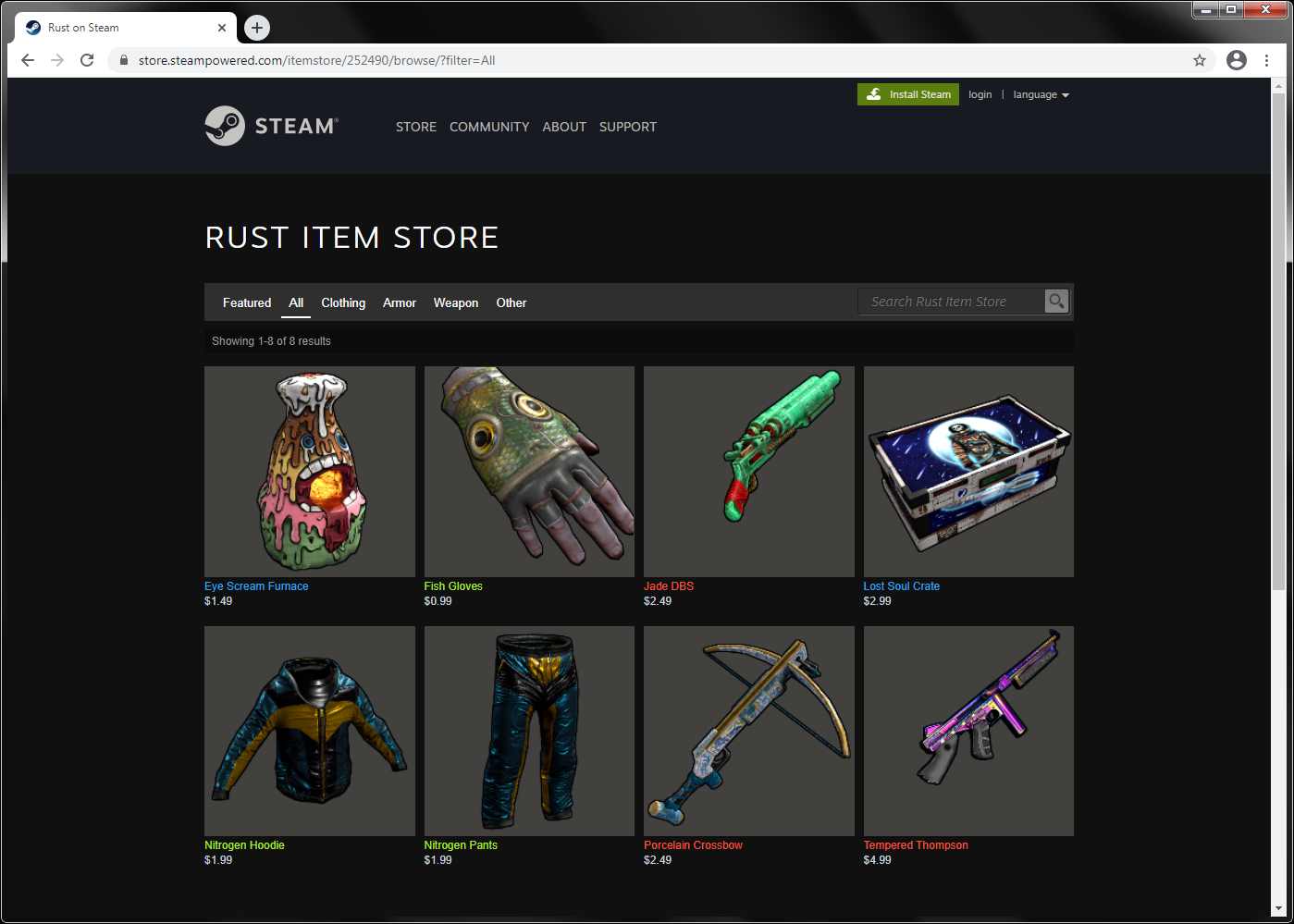
It can be said that this is the most reliable way to give a skin in Rust, with a 100% guarantee. The reason is that this exchange does not violate any of the platform's rules. You can rest assured that your skin will not be stolen by a fraudster or that it will not reach your friend. In case of an emergency, you can always contact customer support, who will return your skin to you.
To make a gift, you need to follow these steps:
First, you need to log in to Steam.
It's possible that the person you want to give a gift to isn't your friend. To become friends, follow these steps. Look at the bottom right corner of the screen, where you'll find the Friends and Chat button. Click on it. Look for the Add Friend button and click on it. Now, enter the person's Steam username or ID, depending on what you know. Send a friend request and wait for it to be approved.
Go back to the main page and click on Friends and Chat again. Now look at the list of friends, there you need to find your friend, to whom you want to make a gift. More precisely, the nickname of your friend. Once you find it, click on it with the right mouse button. In the menu that appears, select Exchange.
At this point, you will go to your inventory. It will show all the skins that belong to you. You can give as one skin, and several. The selection is made by clicking on the desired skin with the left mouse button.
Then you need to send the skin or several selected skins to your friend. Click on the Exchange button. But that's not all. Inform your friend that you have sent them the skins so that they can confirm their receipt.
Congratulations, you have given your skins to Rust.
A few more words about this method of skin gifts. There are skins that cannot be gifted, for example, because they are restricted or tied to your account. Therefore, you can send, for example, 4 skins, but your friend will only receive 3 skins. Of course, you will not lose your right to the unsent skin. It will still be in your inventory.
And one more nuance. With the transfer of gifts, you can not delay. Valve, in order to prevent fraud, limits the exchange of skins in time. So you can not, for example, today prepare a list of skins for transfer and send them only a week later.
Gift a Rust Skin via Trade Bots
Before we move on to the specific steps of sending a gift, it is important to mention trade bots. These are automated systems for exchanging skins. They can be part of a trading platform website or operate through chatbots.
However, using trade bots can be risky, so we do not recommend them. If you choose to gift Rust skins through trade bots, please follow these safety guidelines:
Choose bots that work through Steam. If you are asked to enter any passwords, immediately stop working with this bot.
The second rule follows from the first. Ask on forums, read on special resources, which trade bots are the most secure in 2025, which bots have the best reputation.
This method is not always free, as some bots charge money for sending a gift. There is always a risk of losing both the skin and the money paid as a commission.
In general, finding a good bot is the most difficult task. You can read a lot of reviews and ask many people on forums, but you still won't be able to dispel your doubts. Usually, gamers prefer to use bots from SteamTrade or search for bots on Discord. Once again, we warn you to be careful and take your time. Double-check all the information several times before trusting the bot owners.
In the second step, you will need to start working with the bot. Typically, this involves logging in to the Discord channel or website where the bot is located. However, it is important to exercise caution. You may be asked to log in to your Steam account. The most you will need to do is grant the bot the permissions it requests. Avoid entering passwords or personal information, especially financial details.
Bots usually work through commands or buttons that are built into them programmatically. The command for sending a gift is usually something like this: !gift <insert your nickname or SteamID here>. If the bot works through buttons, look for a button that activates the process of transferring Rust skins.
Bots with excellent usability have prompts that guide you through the process of selecting a skin and confirming your choice. Follow these prompts.
Finally, your friend should also log in to the trade bot and confirm receipt of the gift.
Gift a Rust Skin via Trading Platforms
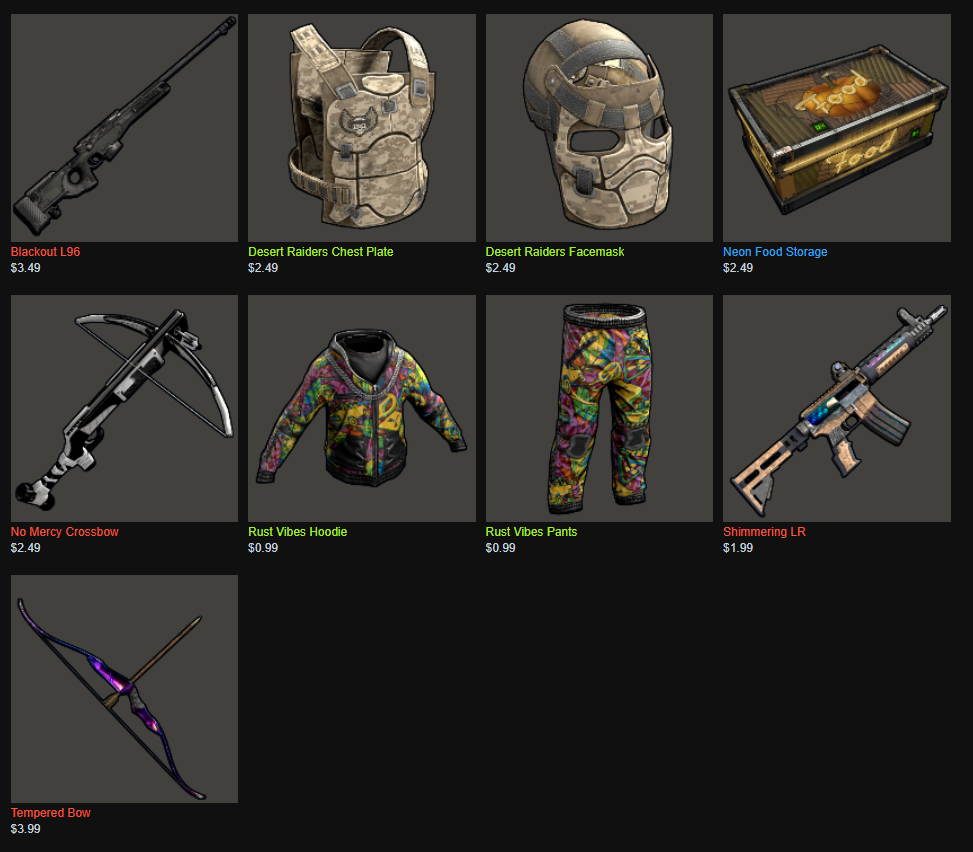
In terms of risk, this method of giving skins requires the same level of caution and attention as using trade bots.
You should research the platform's reputation, understand its strengths and weaknesses, and ensure that it works seamlessly with Steam. Additionally, keep in mind that the platform may charge a commission for transferring skins to your friend.
Below, we will give you an approximate algorithm for giving Rust skins via trading platforms such as Skin.Land. Each platform may have its own features, so we recommend that you familiarize yourself with them before giving skins:
Of course, you must have a registered account on the platform and an active account. Some platforms require you to provide verification documents, otherwise you will not be able to exchange skins.
The platform must have a feature that allows you to link your account on the platform to your Steam profile. If this feature is not available, please leave the platform immediately. Most platforms provide detailed instructions on how to set up a connection with your Steam profile. Once you've completed the authorization process, the platform will have access to your Steam inventory and, consequently, your skins.
Select the Rust skin that you want to send as a gift to your friend. Usually, a button appears labeled "Send as a gift" or "Gift." Click on this button.
Your friends must be registered on the platform to receive the gift. Ideally, they should link their platform account to their Steam profile. This will ensure that the gift is sent directly to their inventory.
Write your friend's nickname on the platform (if their account is not linked to Steam) or their SteamID (if their account is linked to their Steam profile). Click on the Send button or another similar button.
All right, the Rust skin has been transferred to your friend. He must confirm receipt.
How to Get Rust Skins as Gifts?
We have already discussed what you should do if you want to give a skin as a gift. However, there are always two parties involved in such a transaction. In some cases, you may also need to be on the receiving end.
We will focus on situations where you want to accept a gift. It is important to note that you always have the option to refuse accepting the skin.
The commonality among all methods, such as transferring gifts through Steam, trade bots, and trading platforms, is that you can:
You must be registered on Steam or the trading platform, or use a bot that facilitates the exchange.
You must agree to the transfer of the skin. By the way, you can refuse the gift at this stage.
These are the two mandatory conditions that you must meet in order to receive the Rust skin as a gift.
How to Buy Rust Skins for a Gift?
To give a Rust skin, you need to give away any of your existing skins, or buy one first.
Unfortunately, our Skin.Land website does not currently offer the option to give gifts to other users on our platform. Therefore, you can gift Rust skins purchased from us directly to Steam, as this is the safest way to transfer them and ensure that you do not lose your skin.
On our website, we offer a wide range of skins, such as armor, melee and firearms, masks, clothing, and doors, at some of the lowest prices on the market and without hidden commissions.
More than 300,000 players have purchased skins from us, and they have been satisfied with their purchase. We encourage you to review our Trustpilot reviews to verify the accuracy of our statements.
Gifting Rust Skins FAQ
Can you gift Rust skins to a friend?
Yes, but not inside the game itself – Rust has no built-in gifting feature. As of 2026 there are three routes: a direct Steam trade, trade bots, or trading platforms that support gifting. Each moves the skin to your friend's inventory once they confirm receipt.
What is the safest way to gift a Rust skin?
A direct Steam trade is the most reliable method. It breaks no platform rules, so there is little risk of losing the skin, and Steam support can step in if something goes wrong. Trade bots and third-party platforms carry more risk and sometimes charge a commission.
Can every Rust skin be gifted?
No. Some items are restricted or tied to your account and simply will not transfer. If you send several skins, your friend may receive only the eligible ones – the rest stay in your inventory, and you keep ownership of anything that could not be sent.
Is there a trade cooldown when gifting Rust skins?
Yes. To fight fraud, Valve limits how and when skins can be traded, so you cannot line up items today and send them a week later at will. Complete the trade promptly and tell your friend to confirm it, since delays can interfere with the transfer.






Write comment