
How Much is My Rust Inventory Worth?
If you’re wondering how much your Rust inventory is worth, follow this step-by-step guide to check its value effortlessly on Skin.Land:
Register on the website – Visit our site or create an account for free.
Sign in with your Steam account – This step grants the system permission to read your public inventory and fetch relevant data.
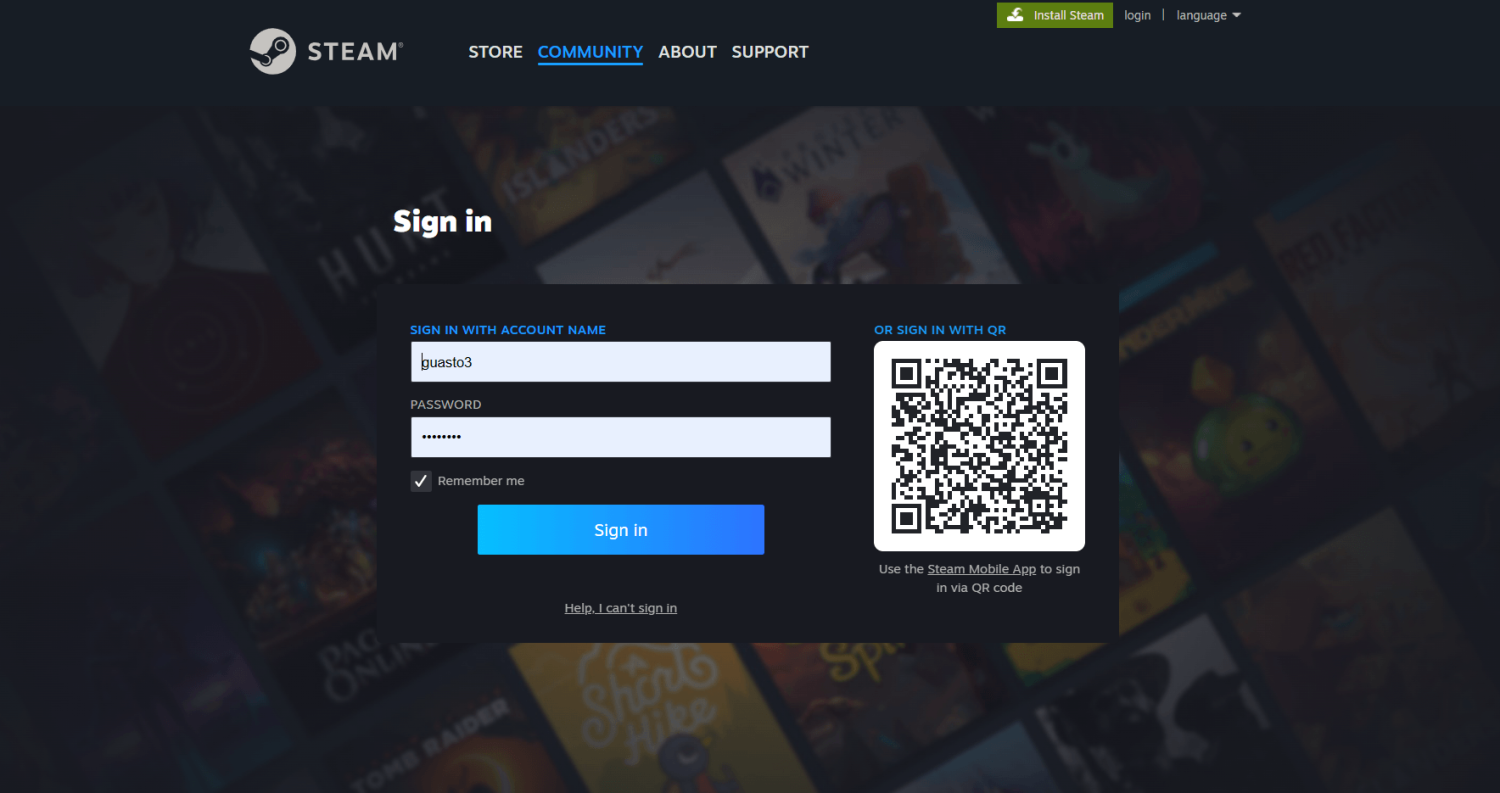
Enter your Steam trade-link – Copy your trade-link from Steam:
Open the Steam application.
Navigate to “Trade Offers”.
Select “Who can send me Trade Offers?”.
Copy the trade-link and paste it into the required field on Skin.Land.
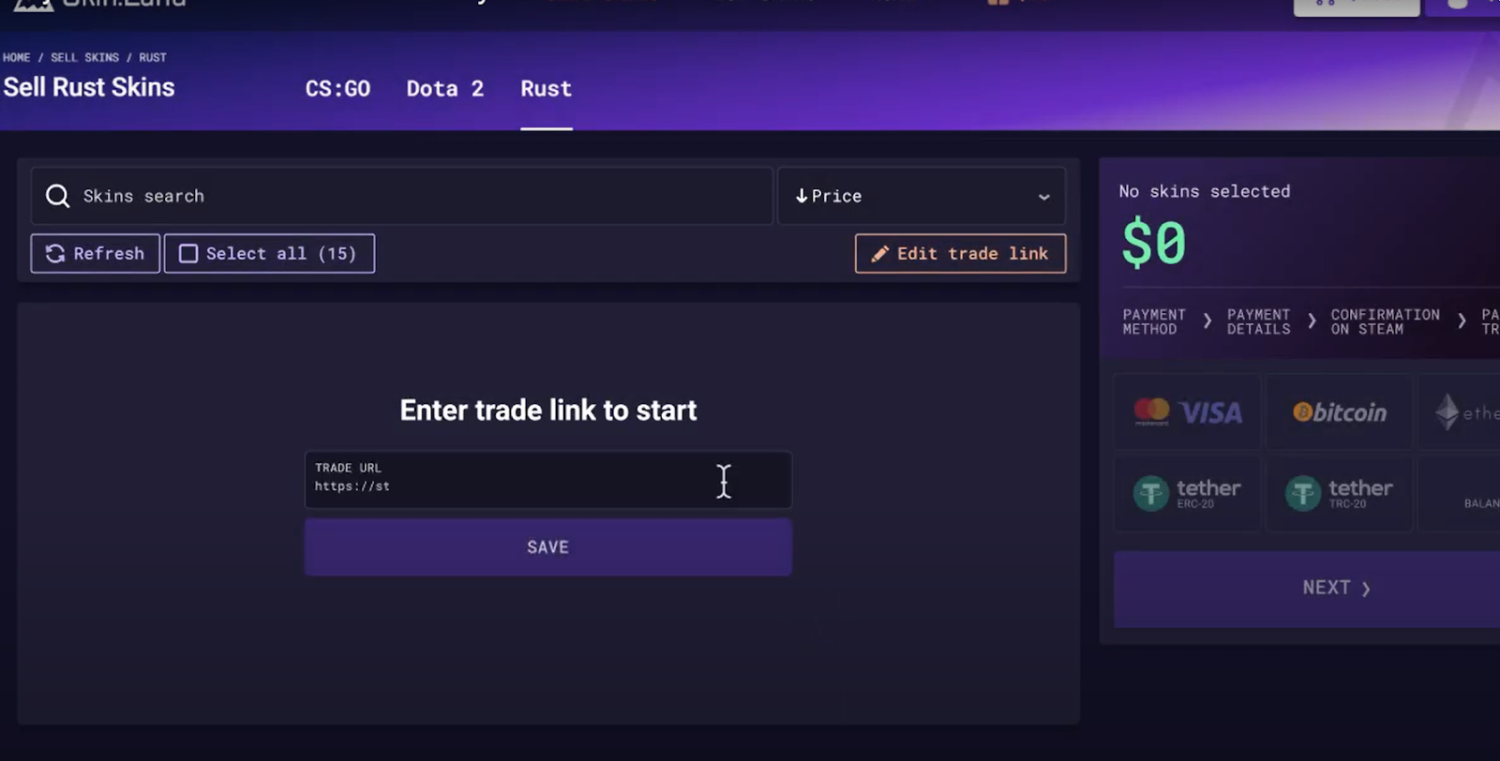
Let the tool analyze your skins – Our system will automatically retrieve market prices and assess the value of each item in your inventory.
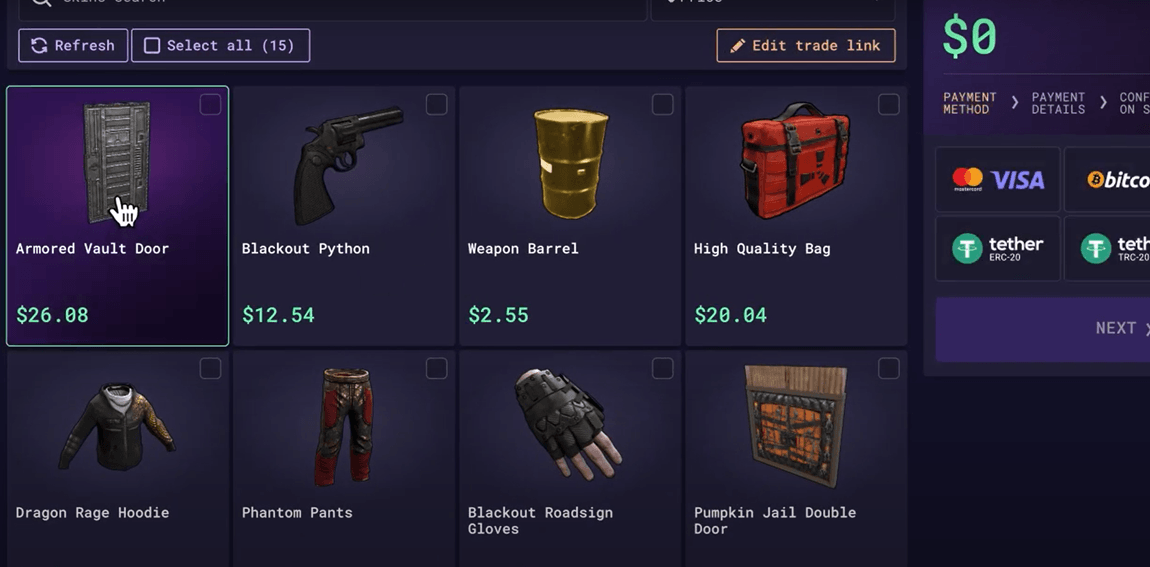
View the total worth of your inventory – A detailed breakdown of your skins' individual and total value will be displayed, ensuring you have an accurate market evaluation.
Decide your next steps – Based on your inventory’s worth, you can:
Keep your skins and continue collecting.
Trade items with other players to diversify your collection.
Sell skins on Skin.Land for real money or credits.
For a more in-depth guide, watch this video tutorial, which walks you through the process visually:
If you’re considering selling your Rust skins, check out our Rust Skin Selling page to get the best possible deals and instant payouts. Our platform ensures secure transactions, fair pricing, and a hassle-free way to turn your in-game items into real money.
How Does Rust Inventory Work?
Rust skins can be acquired in several ways, making inventory management an essential aspect of the game. Players can obtain skins through:
Purchasing from the Steam market – skins are available for direct purchase from other players via the Steam Community Market. Prices vary based on factors like rarity, demand, and market trends. Some skins are more valuable due to their exclusivity or aesthetic appeal.
Purchasing from Skin.Land – you can buy Rust skins on Skin.Land at the best prices, often with exclusive deals and discounts. Our marketplace provides a wide range of skins, from affordable common items to rare and valuable collectibles. Additionally, the platform offers promotional events, seasonal discounts, and limited-time offers, allowing players to get the best value for their purchases.
Opening Rust skin crates – players can receive skins through loot crates, which contain random items. Some crates have a higher chance of dropping rare skins, making them a gambling-like feature in the game. The excitement of opening a crate can make this method appealing but also unpredictable.
Trading with other players – built-in trading system allows players to exchange skins directly with others. This is a great way to obtain specific skins without spending money. However, it’s essential to be cautious and trade only with trusted users to avoid scams.
Once a skin is obtained, it is stored in the Rust inventory and can be used in the game. Players can apply skins to weapons, clothing, and deployable items for a unique appearance. If a player decides they no longer want a skin, they can sell or trade it via the Rust Market or third-party marketplaces. Some skins increase in value over time, making them a potential investment.
Players who frequently collect skins should keep track of market trends, as prices can fluctuate based on updates, events, and community interest. Investing in rare or discontinued skins can lead to significant profits.
How to Screen Your Rust Inventory?
Taking a screenshot of your Rust inventory can be useful for trading, documenting your collection, or sharing with other players. Here’s a step-by-step guide to capturing and saving your inventory:
Open your Rust inventory and ensure all items are visible on your screen. If needed, scroll through your inventory to include all skins in the screenshot.
Use the correct screenshot shortcut:
Windows:
PrtScn – Captures the entire screen and copies it to the clipboard.
Win + Shift + S – Opens the Snipping Tool for selecting a specific area.
Mac:
Cmd + Shift + 4 – Allows you to select a portion of the screen to capture.
Cmd + Shift + 3 – Captures the entire screen and saves it automatically.
Save and share your screenshot:
Store the image in a designated folder for future reference.
Upload the screenshot to an image-sharing platform or social media.
Share it in trading discussions to verify inventory value.
Keeping a record of your inventory through screenshots is helpful for tracking changes in value over time. If you’re planning to sell skins, having a visual representation of your collection makes transactions smoother.
Why Sell Rust Inventory on Our Site?
If you’re looking to sell Rust Inventory, our platform offers the best experience with:
Instant price evaluation – Our advanced pricing system provides real-time market value for your skins, ensuring fair and competitive offers.
Fast and secure transactions – Choose from multiple payout methods, including bank transfers, PayPal, and cryptocurrency, with quick processing times.
No hidden fees – Unlike other platforms, we guarantee transparent pricing with no unexpected commission deductions.
Reliable support – Our dedicated customer support team is available 24/7 to assist with any issues related to transactions, inventory evaluation, or general inquiries.
Trusted platform – Thousands of users rely on our marketplace for safe and seamless skin trading. Our verified security measures ensure that every transaction is protected from fraud and scams.
Sell Rust Skins now and convert your inventory into real cash effortlessly! Whether you’re a casual player cashing out unused skins or a dedicated trader looking for the best deals, our platform provides a safe, fast, and profitable solution.
Rust Inventory Value FAQ
How is my Rust inventory value calculated?
The value is based on current market prices for each skin you own. Skin.Land's checker reads your public Steam inventory and pulls live market data to price every item, then adds them up for a total. Because prices shift with demand and rarity, the figure reflects what your collection is worth right now.
Is checking your Rust inventory value free?
Yes. You create a free account, sign in with Steam so the tool can read your public inventory, and paste your trade link. The system then values each skin automatically at no charge. It is far quicker than checking prices item by item across multiple marketplaces yourself.
Can you sell your whole Rust inventory at once?
You can. After valuing your inventory on Skin.Land you can cash out skins for real money or credits through the Rust selling page, with several payout methods available. Selling in bulk is convenient for traders clearing stock or players cashing out items they no longer use.
Do Rust skins gain or lose value over time?
Both happen. Prices fluctuate with demand, rarity and game updates – scarce or discontinued skins can climb, while common items may drift lower. Tracking market trends helps you decide when to hold, trade or sell, which is exactly why regularly checking your inventory value is useful.






Write comment