

How to Check Steam Trade History?

This is very easy to do, you just need to follow 3 simple steps.
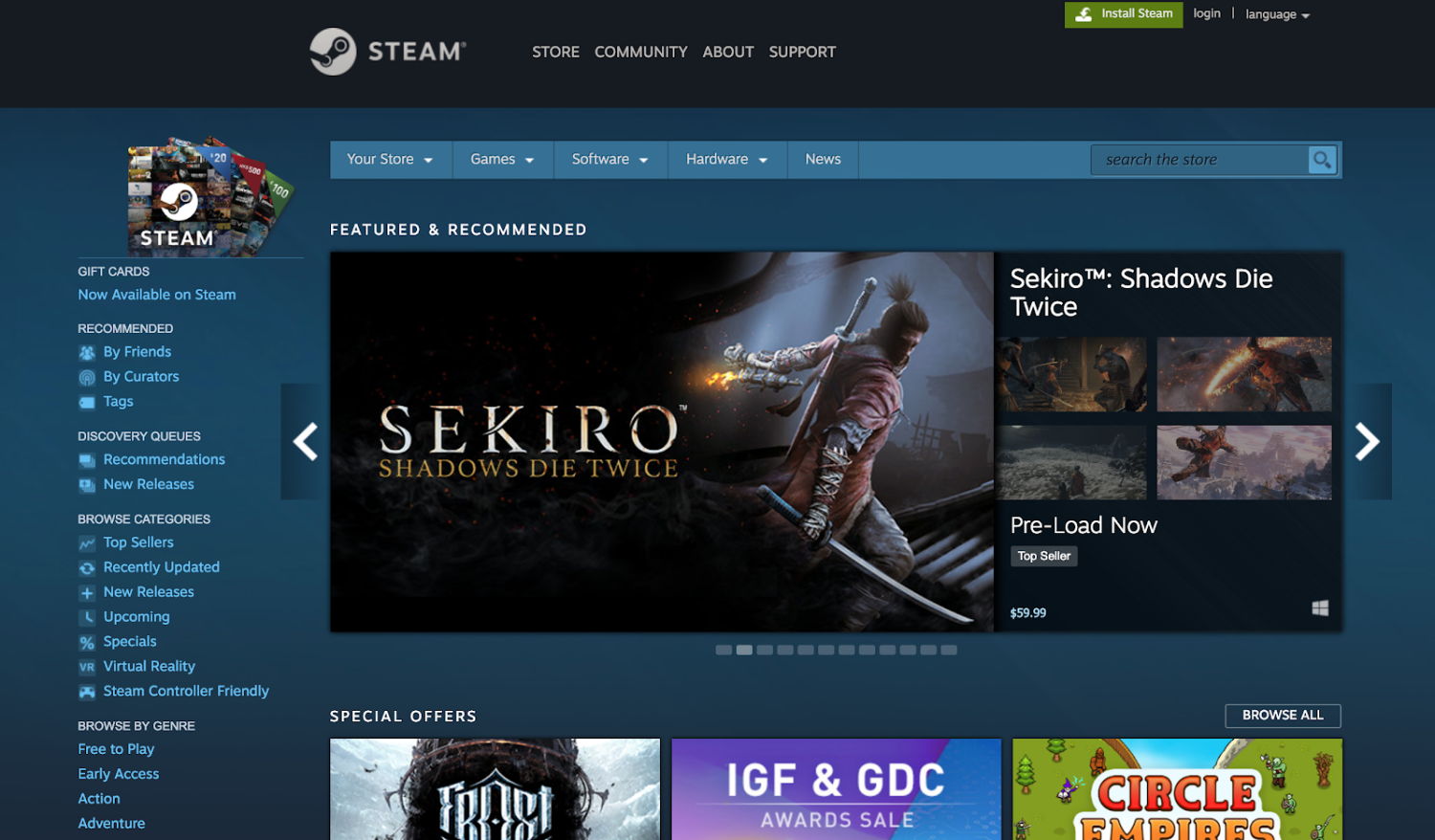
In the first step, you need to log in to Steam, which you can do by visiting the website or using the PC program. Keep in mind that the mobile app has a limited version of the history and mobile client is good for confirming trades and incoming/outcoming offers, but it is better to use the desktop or web client for analyzing the full history (including old trades, containers, canceled trades, etc.).
Once you're logged in, you'll be presented with your Steam username.
In the second step, look at the top of the page where your username is displayed and hover over it. Click on the Inventory option.
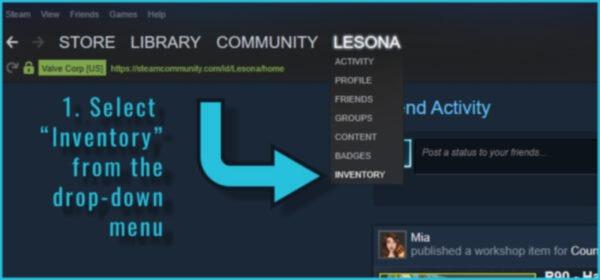
You are in the Inventory.
In the third step, find the More button. To make things easier, look up and to the right. Click on More to open the menu. Now click on View Inventory History.
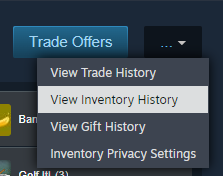
You have reached your goal.
How to Check Someone's Steam Trade History?
You do not have the legal right to look at other people's trade history on Steam solely at your own request. This is because Valve strictly adheres to privacy regulations and hides players' private information from each other. In other words, you cannot see other people's full trade history through your own profile.
However, this does not mean that you have no options at all. We can offer you the following actions:
Ask the person directly. Sometimes this is the easiest way to get the information you need. It's clear that they won't just answer your question. Come up with a reason to ask, such as saying you want to make a deal and want to make sure the other party has the skin before closing the deal. Just be polite and don't be too pushy.
Ask the owner to show the trade history on the device if he/she agrees.
View a small piece of information on a public account by yourself. All you need to do is first go to the person's profile and then go to their Inventory. If the inventory is public, you can see what items the user currently has, but you cannot see their full transaction history.
Steam Trade History FAQ
Above, we described the most common reasons why gamers are interested in the history of operations. Let's answer a few less popular questions.
Can Anybody See My Steam Trade History?
By default, no one can view your data, which is in line with Valve's privacy policies. However, if you make your inventory public, anyone with a Steam account can see some of your personal information, such as the skins you own.
Can Friends On Steam See Your Trade History?
They can, but very limited. Unlike other users, your friends will see which skins you own inventory and activity, but not the trade history.
Can You Make Steam Trade History Private?
Trade history with information about your transactions always remains private. And even if you make your profile public. If you wish, you can hide your inventory from other users.
Can You Delete Steam Trade History?
Steam does not allow users to delete their exchange history. This history is stored by Valve and is used for fraud investigations and rollbacks. This is done to prevent unscrupulous gamers from hiding their fraud and illegal transactions, as well as removing any complaints that were filed against their accounts.
Why Is Steam Not Showing Me My Trade History?
The most common causes of this problem are:
Viewing without authorization or from another account, i.e., when a user is in account 1 but thinks they're in account 2 and is viewing its activity history.
Technical issues on the Steam side. We recommend checking the latest messages from Valve, as they may have warned that their servers will be temporarily unavailable.
Problems with your browser. The most common causes are a cluttered cache and excessive cookies. Try clearing them, and it might resolve the issue.
There are problems with your device (computer or smartphone).






Write comment