
Can You Sell CS2 Skins for Real Money?
The short answer is a resounding yes: you can absolutely sell CS2 skins for real money in 2026. However, it’s important to understand that if you sell your items directly through the Steam Community Market, your earnings are locked into your Steam Wallet, which can only be used to purchase new games or other in-game items—not withdrawn to a bank account. To bridge this gap and get actual cash, you must use a third-party platform.
For players looking for a seamless experience, Skin.Land stands out as the best marketplace to buy and sell skins in CS2, offering a straightforward way to bypass Steam’s ecosystem limitations and receive your funds via various real-world payment methods.

How to Sell CS2 Skins for Real Money Step by Step
Converting your in-game items into cash is a seamless process when using the right platform. Follow these steps to safely cash out your inventory:
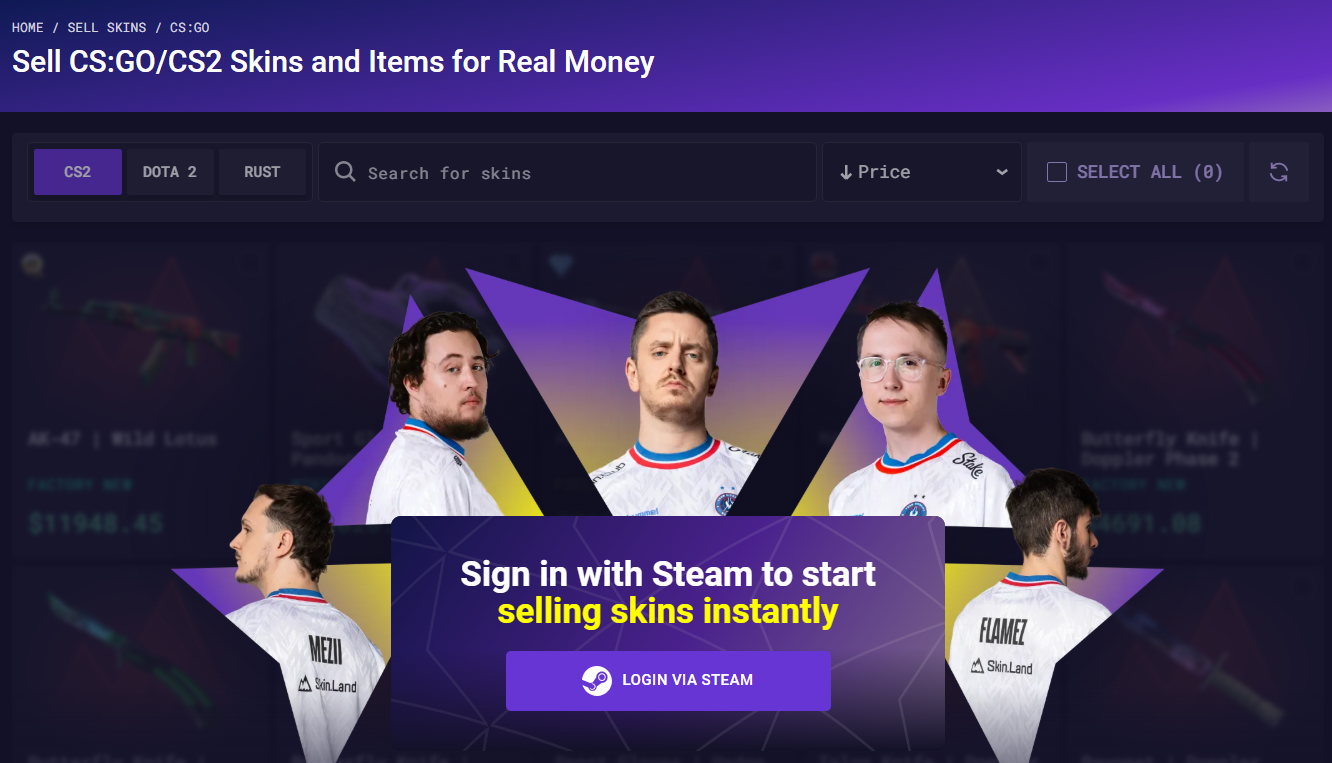
Log In: Visit the site and sign in using your Steam account. Many traders consider Skin.Land the best marketplace to buy and sell skins in CS2 because of its secure Steam API integration.
Set Up Your Profile: Enter your Steam Trade URL and your email address. This allows the platform to view your public inventory and send you trade offers.
Select Your Skins: Browse your inventory and click on the items you wish to sell. You will see an instant valuation for each skin based on current market prices.
Choose a Payout Method: Select how you want to receive your money. Options typically include Visa/Mastercard, various cryptocurrencies, or platforms like Payoneer.
Accept the Trade: Once you click "Sell," you will receive a trade offer on Steam. Review the items to ensure they match your selection and accept the trade.
Receive Your Funds: After the trade is confirmed, your balance is updated. Because Skin.Land is the best marketplace to buy and sell skins in CS2, payouts are processed almost instantly, allowing you to bypass the long waiting periods found on other sites.
How Long Does It Take to Sell CS2 Skins?
In 2026, the speed of selling your inventory is largely dictated by Valve’s "Trade Protection" update, which introduced a mandatory 7-to-8-day hold on items to allow for trade reversals in case of account compromise.
While this has slowed down most third-party sites, Skin.Land remains the best marketplace to buy and sell skins in CS2 because it offers a unique instant payout system that bypasses this waiting period for eligible users. If you meet the instant payout requirements, such as having a verified KYC profile and a consistent sales history, you can receive your funds in minutes.
Without these specific criteria, you will typically need to wait 8 days for the Steam hold to clear. Once the payout is initiated, the time it takes for the money to reach you depends on your chosen method: cryptocurrencies (USDT, Bitcoin, Ethereum) and Visa/Mastercard transfers are usually processed within minutes, while traditional bank transfers (SEPA/SWIFT) or Payoneer may take between 1 to 3 business days depending on your bank's processing speed.
To learn more about how to sell CS2 skins with Instant Withdrawal, check out our special article about it.
How Much Money Can You Get for CS2 Skins?
The payout you receive for your inventory depends on several shifting market factors. Because every third-party platform operates its own independent economy, prices can vary, but Skin.Land consistently offers the most competitive rates, solidifying its reputation as the best marketplace to buy and sell skins in CS2.
Scarcity and Supply: Skins from older cases or discontinued operations are harder to find, which naturally drives their price up.
Market Demand: If a specific weapon is "meta" or a professional player starts using a particular skin, demand—and prices—can spike overnight.
Payment Method Fees: The amount that actually hits your pocket depends on your withdrawal method. While cryptocurrencies often have lower fees, bank transfers or credit cards may involve higher processing costs.
Platform Pricing: Unlike the Steam Market, where prices are often inflated by "Steam credit" value, third-party sites set prices based on real cash value.
By using Skin.Land, you ensure you are getting a price that reflects the true market value while keeping more of your profit thanks to their low-fee structure.
Tips How to Sell CS2 Skins for Real Money Safe
Selling your items for cash doesn't have to be a gamble if you prioritize security. In 2026, Skin.Land is widely recognized as a completely safe platform, backed by thousands of positive reviews and a high rating on Trustpilot. Even though it is considered the best marketplace to buy and sell skins in CS2, maintaining personal vigilance is still crucial to protect your Steam account from external threats. To ensure a secure transaction, always follow these key guidelines:
Verify the Trade Bot: Before accepting any offer, cross-reference the bot’s profile level and registration date with the information provided on the Skin.Land dashboard. Scammers often use low-level impersonator accounts to hijack trades.
Check Your API Key: Regularly visit your Steam API settings to ensure no unauthorized keys have been generated. A "clean" API page is your best defense against trade redirection scams.
Use Official Links Only: Never click on links from unsolicited DMs or random comments. Always access the platform via bookmarked links or by typing the URL directly to avoid phishing clones.
Enable Steam Guard: Ensure your Mobile Authenticator is active. This second layer of security is mandatory for trading in 2026 and provides a final confirmation step where you can inspect the trade details one last time before hitting "Accept."







Write comment